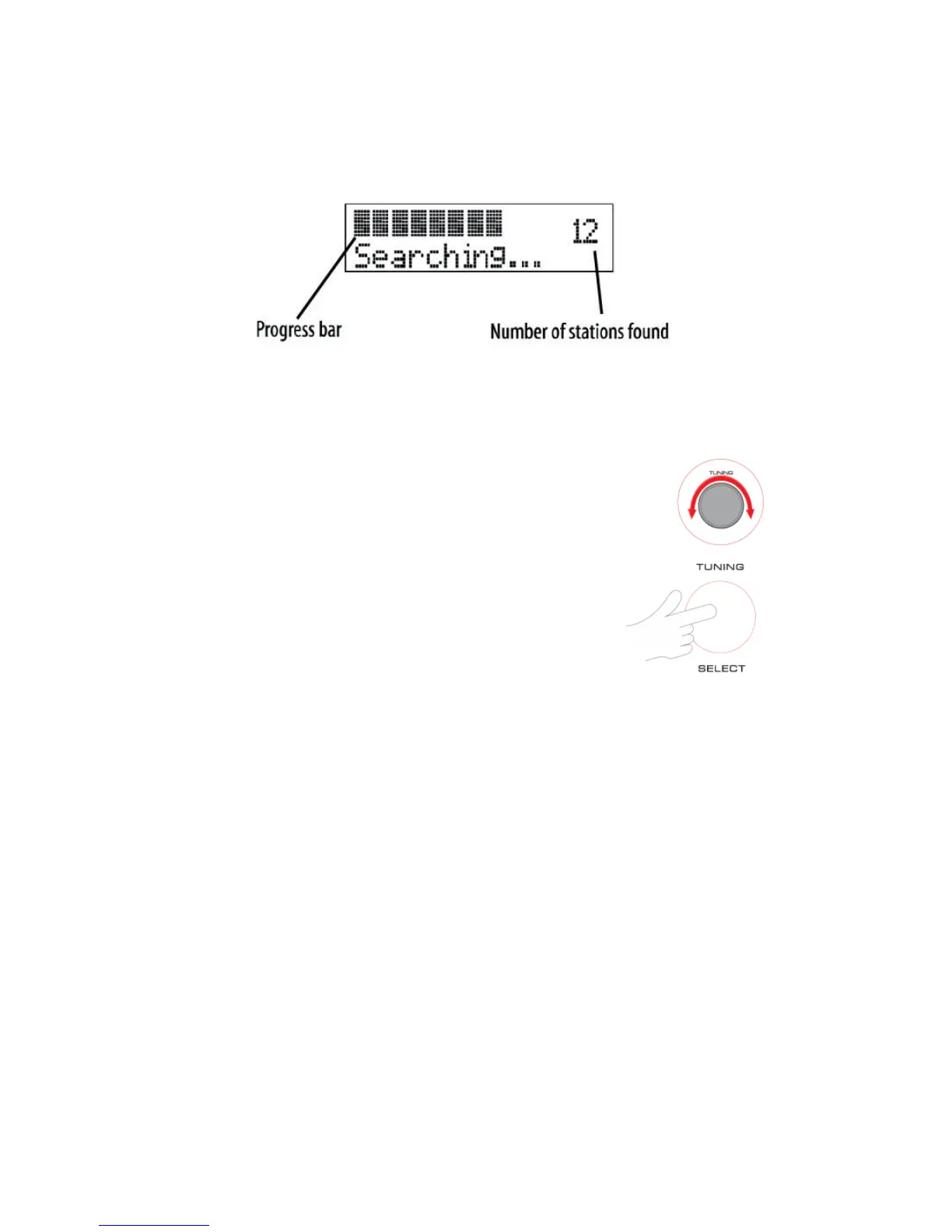
INTIAL SCAN
When this unit
is
switched
on for
the first time at
TUNER
mode, then press
MODE
button switching to
DAB
, the scanning display
will be
shown while
the
scanning process takes
place:
The radio scans all
usable stations
(full scan) and
stores
them
alphanumerically
-1 Radio, 2
Radio,
AA
Radio,
AB
Radio…The initial scan
will take a few
minutes. After
the
scan,
the clock
will be set and the radio will play
the
name of the first station
in
the
sequence.
To browse
for
another station, refer to the next
section.
BROWSING FOR A STATION
To browse for another DAB station from the top panel
controls:
·
Turn the
TUNING knob.
<Station list> will be
displayed.
·
Press the
TUNING/
SELEC
T
knob to select the station d
i
sp
la
yed
.
After
sho
rt
delay, the radio will tune to the
station
ADJUSTING THE VOLUME
To adjust the volume from the front panel
controls:
Turn the
VOLUME
knob
to increase or decrease the volume
level.
CLOCK SET
SET TIME/DATE:
This main option enables the clock
to be
set manually
if
these
is no available
DAB
transmission.
To set the time and data
ma
nu
all
y:
•
When unit during Standby mode
, press
MENU
button then
turn the TUNING
knob to select Set
Clock. Press
TUNING/ SELECT
knob to confirm.
•
Set the clock mode 12/ 24 Hour, turn the
TUNING
/
SELECT
knob to choose 12 or 24 time
format then press again to next setting.
•
Set Hour, turn the
TUNING
/
SELECT
knob to set the hour, then press again to confirm
•
Set Min, turn the
TUNING
/
SELECT
knob to set the minute, then press again to confirm


 To Next Page