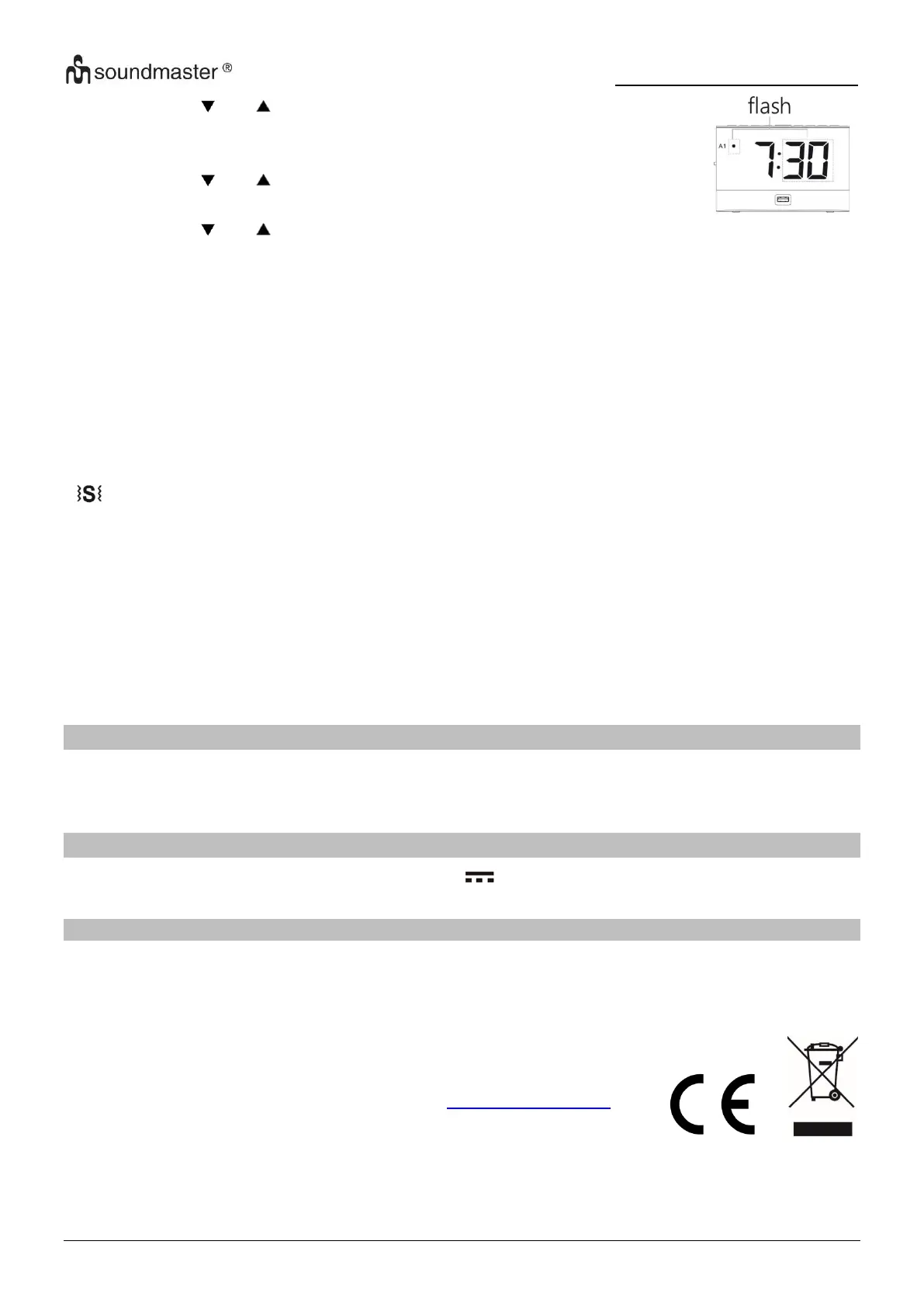
3. Press the “ ” or “ ” button to adjust the minute setting and
press the “ALARM SET” button to confirm. The display change to
the hour of alarm 2 setting.
4. Press the “ ” or “ ” button to adjust the hour of alarm 2 and
press the “ALARM SET” button to confirm.
5. Press the “ ” or “ ” button to adjust the minute of alarm 2 and
press the “ALARM SET” button to confirm.
6. Now the alarm is set.
Note: If no button will be pressed for 10 seconds, the display shows
the clock display again.
Snooze function
Press the “SNOOZE” button to interrupt the wake-up tone or the vibration pad function. The
alarm starts again after 6 minutes. If snooze is activated, the AL1 or AL2 indicator flash.
Deactivating the sounding alarm
Press a button during the alarm (except the "SNOOZE" button) to switch off the alarm sound.
SLEEP
To set the sleep timer, press during on mode the “SLEEP/TIMER” button repeatedly to adjust
the minutes 5, 10, 15, 30, 45, 60, 75, 90, OFF. The sleep indicator lights up in the display
USB CHARGING
You can charge a device on the USB socket (5V 1A) on the front side of the unit.
FACTORY DEFAULT
If an error occurs on the clock, it may result from electrostatic interferences of other devices. To
resolve this, you can remove the power supply and the backup battery, then the unit can be
restored to the factory default.
Technical changes and misprints reserved.
Copyright by Woerlein GmbH, 90556 Cadolzburg, www.soundmaster.de
Duplication only with the permission of Woerlein GmbH


 To Next Page