EasyManua.ls Logo

SOUNDMASTER UR580 - Location of Controls

SOUNDMASTER UR580
Print Icon
To Next Page IconTo Next Page
To Previous Page IconTo Previous Page
Loading...
UR580 / English Instruction Manual
1
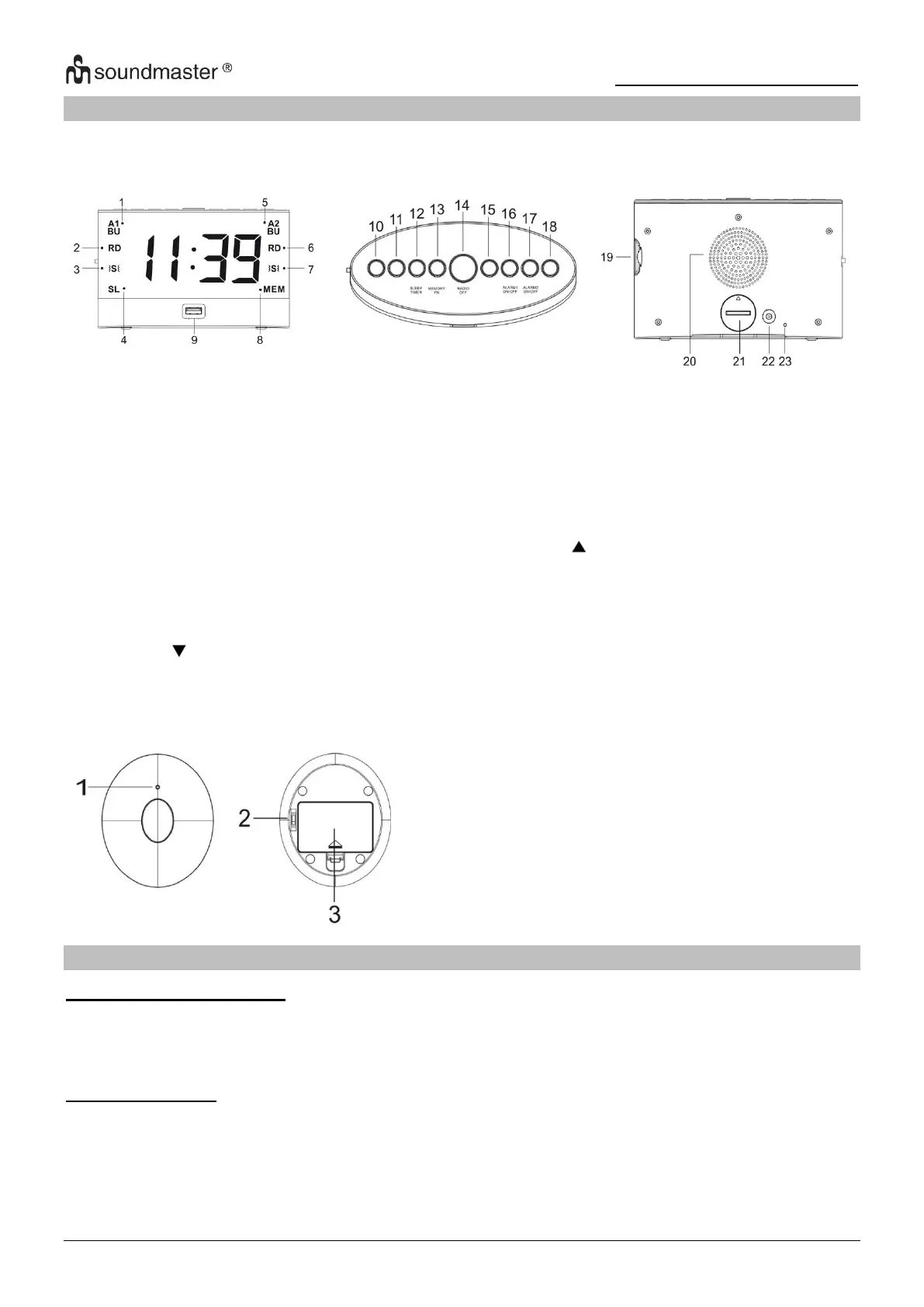
LOCATION OF CONTROLS
FRONT VIEW
TOP VIEW
BACK VIEW
Vibration pad
1
Battery indicator
2
Switch for vibration strength
3
Battery compartment
INSTALLATION
CONTENT OF DELIVERY
Main unit
Vibration pad
AC adaptor
Instruction manual
POWER SUPPLY
Use only the supplied AC adaptor!
Ensure that the voltage is the same as that indicated on the ac adapter identification plate.
Connect the supplied AC adapter to a properly installed safety power socket and the plug of
the cable into the DC IN jack at the back side of the unit.
1
Alarm 1 buzzer indicator
13
Time set / Memory radio
2
Alarm 1 radio indicator
14
Radio off / Snooze
3
Alarm 1 vibration pad indicator
15
Alarm set
4
Sleep timer indicator
16
Alarm 1 on/off
5
Alarm 2 buzzer indicator
17
Alarm 2 on/off
6
Alarm 2 radio indicator
18
Up button
7
Alarm 2 vibration pad indicator
19
Display dimmer
8
Memory FM
20
Speaker
9
USB charging port
21
Backup battery compartment
10
Down button
22
DC IN jack
11
Radio volume / Pairing vibration pad
23
FM antenna
12
Radio on / Sleep / Timer

Other manuals for SOUNDMASTER UR580

Related product manuals