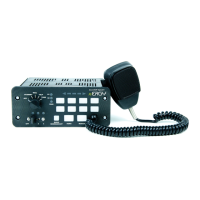
ETSA380R 4.12
Slide Switch LEDs Arrow Control LEDs
AUXILLARY BUTTON #s
1-2-3-4
5-6-7-8
Denotes Factory Default Setting
380 SERIES REMOTE SIREN
ETSA380R
LOW 2
65
3
7
4
HIGH
Setting PA Volume:
1. Press and Hold Auxiliary Button #1 and #2 until slide switch
#2 and #3 LED flashes.
a. Depress and hold PA switch on microphone and press Push-
button 1-8 depending on volume required. When correct
volume is determined, press Radio Rebroadcast and the
volume setting will be permanently stored.
Other Modes:
1. Press and Hold Auxiliary Button #1 and #5 until slide switch
#1 and #3 LED flashes.
a. Horn Ring Activation
ON = Enabled whenever siren is
in the “ON” position.
OFF = Enabled only when slide
switch is in position 3.
b. Buzzer
ON = Enabled
OFF = Disabled
c. Speakers
ON = 2 Speakers
OFF = 1 Speaker
d. Hands Free Mode
ON = Hands Free Mode
OFF = Standard
e. Off Delay
ON = Siren will operate w/ignition input OFF
OFF = Siren will turn OFF when ignition input
is OFF
Other Modes (con’t):
f. Horn Ring Standby Tone
ON = Air Horn
OFF = Wail Button Tone
g. 8 Second level / Aux Switch Buzzer Alert
ON = Enabled - Buzzer will sound
whenever level switch is not Off or
Aux switches are On
OFF = Disabled
h. Air Horn Button Output Channels
ON = In standby mode, Air Horn tone
is output on Spkr A and B
When Warning Tone is Active, Warning
Tone continues on Spkr A and Air Horn
Button Tone is output on Spkr B
OFF = Air Horn Button Tone always
produced on Spkr A and B
2. When finished, momentarily depress Radio Rebroadcast button to
exit programming mode.
Alternate Modes:
1. Press and Hold Auxiliary Button #2 and #6 until Slide Switch
#1 and #2 LED flashes.
a. Alternate Horn Ring Control
ON = Enabled
OFF = Disabled
b. Alternate Horn Ring Control Option (Disabled if Alternate
Horn Ring Control is not enabled.
ON = Option 2
OFF = Option 1
ALTERNATE HORN RING CONTROL
OPTION 1 OPTION 2
STANDBY
OEM HORN OEM HORN
LEVEL 1
OEM HORN OEM HORN
LEVEL 2
Air Horn or Wail
Button Tone
while Pressed
(programmable)
Tap to Turn On Warning Tone,
Tap again to Change Warning
Tone. Press and Hold for Air
Horn Tone
LEVEL 3
Tap to turn ON
Warning Tone, Tap
again to change
Warning Tone. Press
and Hold for Air Horn
Tone
TONE
SWITCH OFF:
Air Horn Tone
or Wail Button
Tone while
Pressed
TONE
SWITCH ON:
Tap to change
Warning Tone,
Press and Hold
for Air Horn
Tone
c. Gun Lock Security
ON = Operator must press Standby button
within 1 second after pressing 8
second time delay button to active
switch
OFF = 8 second time delay switch is
activated immediately when
pressed
OPERATING MODE:
Backlight Intensity: While pressing RADIO REBROADCAST BUTTON,
press Auxiliary Button 1-8 to adjust backligh
intensity. Button 1 = Lowest intensity, Button 8 =
Highest intensity.



 To Next Page
 Loading...