1.800.338.7337 / www.soundoffsignal.com
ETSA48(x)CSX 0119
9
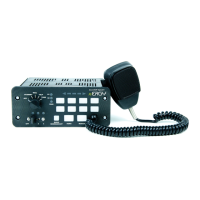
CONTROL PANEL
PSRN4CTRL2
PSRN4CTRL3
PROGRAMMING MANUAL
PARK KILL SETTINGS: Enables auxiliary and slider outputs
to be disabled when Park Kill input is active. Auxiliary outputs
can be turned back on by pushing the buttons again; slider
outputs are disabled as long as the Park Kill input is active.
1. Push and hold Auxiliary Push-Buttons 2 & 3 until arrow
indicator LEDs ash.
2. Press Push-Buttons 1-8 to toggle whether that auxiliary output
will turn off when Park Kill input becomes active. LED on
means output will turn off.
3. Move slider switch to position 1, 2 or 3. Press the Manual
button to toggle whether that output relay is disabled while
Park Kill is active. LED on means that relay will be off. E.g: if
LED for slide position 3 is on, Slide Switch Level 3 Output will
be disabled; Level 1 & 2 outputs can still be on when slider is
in position 3.
4. Repeat step 3 as needed.
5. Press the Radio Rebroadcast button to exit programming
mode.
TONE PROGRAMMING:
1. Press and hold “buttons” “2” and “7” for 2 seconds until Slide
switch LEDs 1,2, and 3 ash
2. Press Control Selected to be programmed (Wail, Yelp, Tone,
Manual, or Horn). Auxillary button 1 = HORN, button 2 =
MANUAL
3. Auxillary buttons 5-8 will determine which tone is to be played
when the user presses the button.
4. Repeat steps 2 and 3 for each tone button
MANUAL BUTTON TONE DURATION
MOMENTARY: When played solo
LATCHED: When played over other tones.


 To Next Page
 Loading...