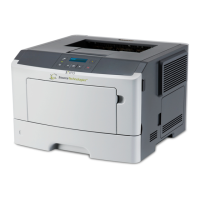
Source Technologies ST9715 Secure MICR Printer User’s Guide
Printer Features
Your secure MICR printer is equipped with some features to ensure high-quality MICR
documents.
Paper Type
When the printer senses the presence of a Source Technologies’ MICR toner
cartridge, internal operating points that affect the print engine and fuse grade are
optimized for MICR documents and the MICR toner. For the optimum MICR
quality we recommend that the printer paper trays with check paper have the
Paper / Texture / Weight settings set to Bond / Rough / Heavy. See the base
printer’s User’s Guide regarding paper tray settings.
Print Density
For optimum MICR quality and maintaining compliance to the check printing
standards, the Print Density should be set to density 8, the default value, when
printing MICR documents.
MICR Toner and Imaging Unit (IU) nearing end-of-life
Internal alarms are set to alert the end user that the print cartridge or IU is
approaching the end of useful life and will require replacement soon. The initial
alarms are set to 10% life remaining for the cartridge and 5% remaining for the
IU. See the base printer’s User’s Guide for custom alarm alternatives. See
Section 8 of this manual for information on the relative messages displayed.
MICR Toner and Imaging Unit (IU) end-of-life
When the toner cartridge or the IU is determined to be at end-of-life, (0 Pages
Remaining) the printer will stop printing. To continue printing, a new cartridge or
IU will need to be installed. See Section 8 for information on the relative
messages displayed.
MICR Toner
Use only Source Technologies’ MICR toner when printing MICR documents. It is
specifically engineered to print quality MICR documents with your printer. The printer’s
MICR toner sensor is designed to work with the Source Technologies’ MICR toner
cartridge to prevent printing checks with regular toner components installed.
Source Technologies does not recommend the use of refilled or remanufactured MICR
toner cartridges. Refilled cartridges may result in expensive printer repairs and bank
check reject fees due to an inferior MICR toner formulation.
MICR Check Stock
Check stock has a significant impact on the resulting quality and security of your MICR
document. Here are a few features that should be considered when selecting a check
stock. Please see Chapter 4: Security Issues for more information on check stock
security features.


 To Next Page