1
Introduction............................................................................................ 2
Warnings/Input Limits.............................................................................2
General Specifications............................................................................ 3
Safety Symbols/Safety Category Ratings................................................4
Maintenance/Meter Description.............................................................. 5
Soft Key Buttons (F1, F2, F3, F4)............................................................ 6
RANGE Button........................................................................................6
HOLD/REL Button...................................................................................6
Display Symbols and Annunciators.........................................................7
Operation
AC Voltage..............................................................................................8
DC Voltage..............................................................................................8
AC + DC Voltage.....................................................................................8
mV Voltage..............................................................................................9
AC and DC Current................................................................................. 9
Frequency and Duty Cycle......................................................................10
Frequency: AC Voltage/Current Function................................................ 11
Resistance..............................................................................................12
Continuity...............................................................................................12
Capacitance........................................................................................... 13
Diode Test.............................................................................................. 13
Temperature............................................................................................14
SAVE Function........................................................................................14
MAX/MIN/AVERAGE Mode......................................................................14
PEAK Mode.............................................................................................15
MENU Functions
RECORDINGS
Set-up New Recording.......................................................16
Start Recording..................................................................17
Access Saved Recordings..................................................18
Delete Recordings..............................................................20
MEASUREMENTS
Access Saved Measurements............................................ 21
Delete Measurements.........................................................22
METER SETTINGS
Bluetooth........................................................................... 23
APO (Auto Power Off).........................................................24
Beeper On/Off....................................................................24
Date/Time.......................................................................... 25
Meter Info.......................................................................... 27
Recharging Battery........................................................................... .......28
Accessing Battery and Changing Fuse....................................................29
Specifications.....................................................................................30
Warranty.................................................................................................. 32
Table of Contents
2
WARNINGS
• Read, understand and follow Safety Rules and Operating Instructions in
this manual before using this meter.
• The meter’s safety features may not protect the user if not used in accordance
to the manufacturer’s instructions.
• Ensure that the test leads are fully seated in the input jacks and keep
fingers away from the metal probe tips when taking measurements.
• Before changing functions using the selector switch, always disconnect the
test leads from the circuit under test.
• Use only UL listed test leads with the proper safety category rating.
• Comply with all applicable safety codes. Use approved personal protective
equipment when working near live electrical circuits - particularly with regard
to arc-flash potential.
• Use caution on live circuits. Voltages above 30 V AC rms, 42 V ac peak,
or 60 V dc pose a shock hazard.
• Do not use meter or test leads if they appear damaged.
• Verify operation before using meter by measuring a known live voltage.
• Do not use the meter in wet or damp environments or during electrical storms.
• Do not use the meter near explosive vapors, dust or gasses.
• Do not use the meter if it operates incorrectly. Protection may be compromised.
• Do not operate meter while Low Battery warning is on.
(Battery Indicator will flash). Recharge the battery before using.
• Do not apply voltage or current that exceeds the meter’s maximum rated
input limits.
Introduction
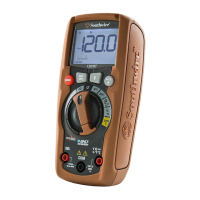
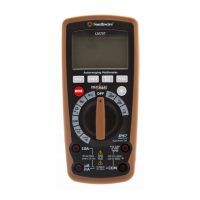
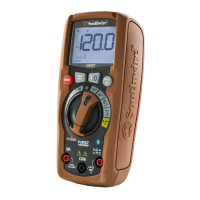
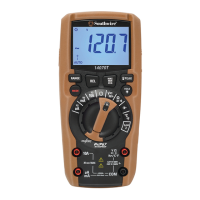
The Southwire 15190T MaintenancePRO
TM
Color Screen Multimeter with
MApp
TM
Mobile App features a high resolution color display with graphing
capabilities, rechargeable Lithium Ion battery, rugged double molded housing,
CAT IV 600V/CAT III 1000V safety rating and an intuitive menu driven operating
system. Advanced functions include Frequency, Duty Cycle, Capacitance,
Temperature, Max/Min/Average, and Peak Hold. A recording mode with a trend
chart is provided for detailed circuit analysis. The 15190T wirelessly transmits
data to the MApp
TM
mobile app via Bluetooth
®
allowing you to view, save,
organize and share datalogs as well as take measurements from a safe distance.
Visit nextgenmeters.southwiretools.com for mobile app download information.
This meter is fully tested and calibrated and, with proper use, will provide many
years of service.


 To Next Page