EasyManua.ls Logo

SP Scientific LYOSTAR II - User Manual

SP Scientific LYOSTAR II
72 pages
Print Icon
To Next Page IconTo Next Page
Loading...
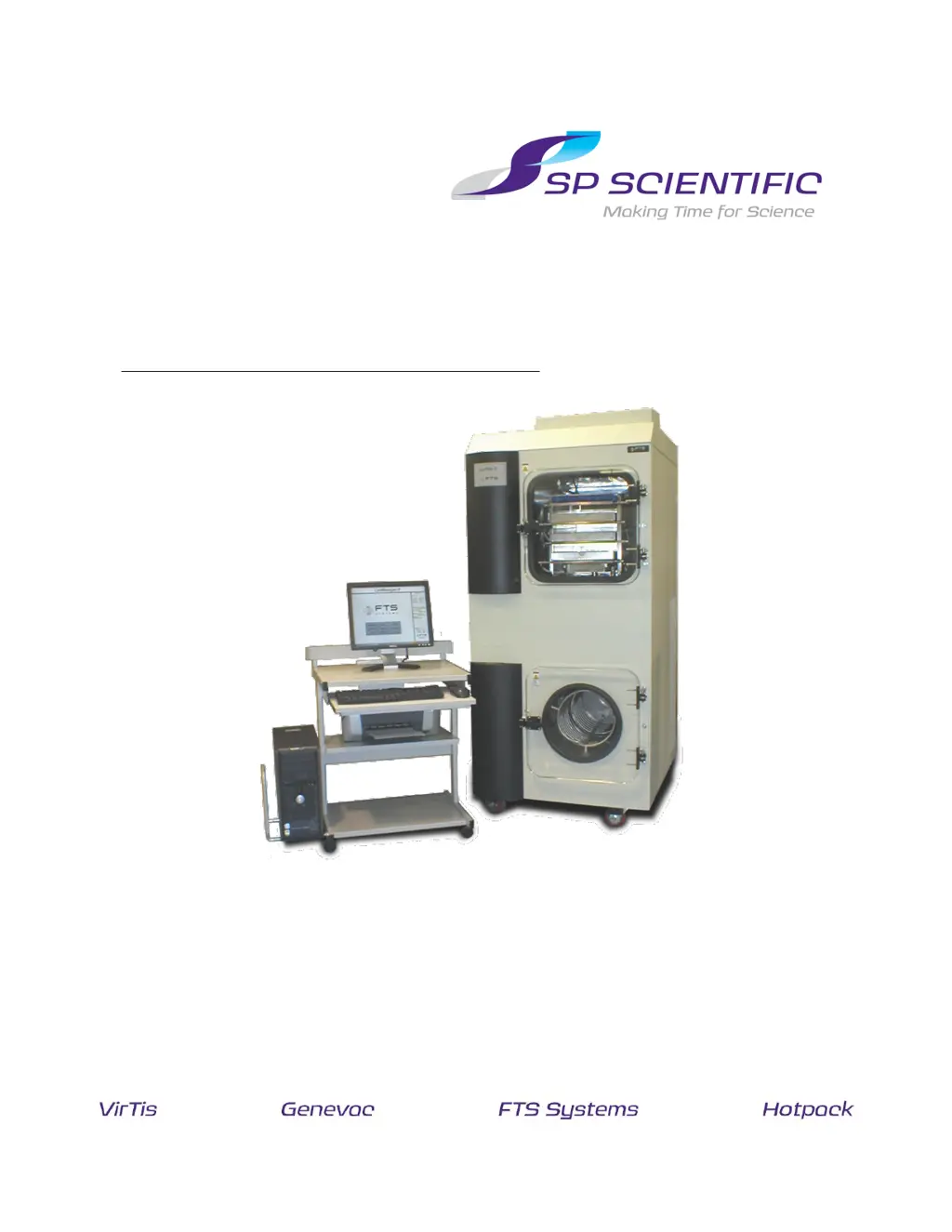
LYOPHILIZER OPERATORS MANUAL
FTS
S
YSTEMS
L
YO
S
TAR
II
S
TANDARD

Table of Contents

Questions and Answers

  • A
    Amy JacksonAug 2, 2025
    What to do if SP Scientific Laboratory Equipment freeze dryer starts making chugging noises?
    • S
      simsedwardAug 2, 2025
      If your SP Scientific Laboratory Equipment freeze dryer starts making chugging noises, it's often due to a low voltage supply. Check the wall voltage and amps against the freeze-dryer's serial tag. SP Scientific can recommend a transformer if the supply is low. Also, avoid activating and deactivating the system in short periods. If the noise occurs upon reactivation, turn off the freeze-dryer and let it sit for about an hour before turning it back on.
  • C
    charrisAug 6, 2025
    What to do if SP Scientific LYOSTAR II Laboratory Equipment system will not respond to commands?
    • W
      williamswilliamAug 6, 2025
      If your SP Scientific Laboratory Equipment system isn't responding to commands, verify that the unit is plugged in and the circuit breaker on the rear is on. Ensure the communication cable is connected between the computer and the freeze dryer. Then, shut down the computer and power off the LyoStar II. Restart both the LyoStar II and the computer.
  • C
    crystal39Aug 10, 2025
    Why shelves and/or condenser of SP Scientific LYOSTAR II don't reach low temperatures?
    • J
      Jennifer JacobsAug 10, 2025
      If the shelves and/or condenser of your SP Scientific Laboratory Equipment aren't reaching their maximum low temperatures, ensure the ambient temperature is around 75°F (24°C) ±5°F (3°C) if the system is air-cooled. Higher or lower temperatures can affect performance. Also, check that the condensing fins are free of dirt and that the freeze-dryer has about 12 inches of clearance on all sides. If defrosted condensate remains in the condenser, it will prevent the condenser from reaching its lowest temperature until it's completely frozen. An increase in temperature at the condenser during operation indicates that vapor is still being trapped on the condensing surface.
  • H
    Heidi DavisAug 15, 2025
    What to do if vacuum pump of SP Scientific LYOSTAR II will not activate?
    • C
      Cody RiggsAug 15, 2025
      If the vacuum pump of your SP Scientific Laboratory Equipment isn't activating, check that it's plugged into the outlet at the bottom of the electrical box. Make sure the vacuum pump's ON/OFF switch (on the pump's electrical box) is in the ON position. Note that the vacuum pump won't activate until the condenser temperature drops below –40°C.
  • H
    hawkinsveronicaAug 19, 2025
    What to do if SP Scientific LYOSTAR II chamber vacuum seems high?
    • C
      Catherine HallAug 19, 2025
      If the chamber vacuum in your SP Scientific Laboratory Equipment seems high, first check the fore line pressure reading. If the fore line pressure is relatively low, it indicates the system is "leak free". If both fore line pressure and chamber vacuum readings are high, analyze whether the conditions in the freeze dryer are creating this pressure. If you suspect a vacuum leak, perform a vacuum leak rate test on a dry and empty system. Should the baseline test indicate a vacuum leak follow the VACUUM TROUBLESHOOTING section outlined in the instruction manual. Should you continue to have difficulties with the system after following these instructions contact the Service Department.
  • A
    amanda76Aug 23, 2025
    How to prevent hairline cracks on SP Scientific LYOSTAR II Laboratory Equipment condenser door?
    • C
      Carol TerryAug 23, 2025
      Hairline cracks or crazing on your SP Scientific Laboratory Equipment condenser door are caused by contact with organic solvents. To prevent this, ensure defrost condensate is drained from the system as quickly as possible. Consider replacing the Lucite door with another Lucite door or a polypropylene end plate for increased durability, though this will remove visual access. If you routinely use organic solvents, a liquid nitrogen trap can be retrofitted to the system.
  • R
    rmartinezAug 27, 2025
    What causes shelf temperature fluctuation in SP Scientific LYOSTAR II Laboratory Equipment Tray Dryer?
    • J
      Julian JamesAug 27, 2025
      To address shelf temperature fluctuation in your SP Scientific Laboratory Equipment Tray Dryer, first check if the system has reset due to a power outage or another alarm condition. Also, inspect the Heat Transfer Fluid.

Summary

Important Symbols

Freeze Dryer Safety Warnings

Warranty Information

Introduction

Overview

Introduction to the LyoStar II freeze dryer and its components.

Getting Started

Initial Inspection

Procedures for inspecting the lyophilizer upon receipt for any shipping damage.

System Checklist

Pre-operation checks to ensure the lyophilizer is ready for use.

Placement and Initial Set-Up

Guidance on positioning and initial setup of the lyophilizer.

Ambient Temperature

Recommended ambient temperature and humidity for optimal performance.

Heat Transfer Fluid-Initial Set-up

Instructions for checking and setting the heat transfer fluid level.

Electrical Requirements

Details on the power supply and electrical connections needed for the unit.

Inert Gas;Air

Requirements for compressed air and inert gas sources for operation.

Cooling Water Requirements (Water Cooled Units Only)

Specifications for cooling water for water-cooled models.

Vacuum Pump Installation

Procedures for installing and preparing the vacuum pump.

Door Closure

Information regarding the proper sealing and maintenance of the chamber door gasket.

Internal Stoppering Operation

How to use the internal stoppering mechanism for vials and bottles.

Operating Your Lyophilizer

Leak Rate and Function Testing

Procedures for performing leak rate and system tests for performance verification.

Leak Rate Testing

Detailed steps for conducting a leak rate test to check vacuum integrity.

System Testing

Steps to perform a system test to measure refrigeration performance.

Thermocouple Placement

Guidelines for correct placement of thermocouples for accurate lyophilization runs.

Manual Mode of Operation

How to operate the freeze dryer using manual control of individual features.

Automatic Run

Steps for setting up and running an automatic freeze-drying process using recipes.

Programming Tips

Advice for creating and optimizing freeze-drying recipes.

To Create a New Recipe:

Instructions for creating a new custom freeze-drying recipe.

To Change the Recipe While the System Is Executing the Program:

How to modify recipe parameters during an active freeze-drying run.

Data Management

Alphanumeric Data

Information on collecting and interpreting alphanumeric data from runs.

LyoStar LyoManager Software Phase and Step Guide

Explanation of phases and steps in the software for tracking run progress.

Export to Spreadsheet

How to export collected data into a spreadsheet format for analysis.

Graphical Display

Viewing graphical representations of run data over different time intervals.

Defrost

Procedure for defrosting the condenser after a run.

Optional Liquid Nitrogen Trap-Auto Filling

Overview

Introduction to the auto-filling liquid nitrogen trap for pump protection.

Utility Requirements

Power and liquid nitrogen requirements for the trap system.

Operation

Steps for operating the auto-filling liquid nitrogen trap.

Cleaning

Procedures for cleaning the liquid nitrogen trap components.

Side Wrapper Removal

Instructions for removing the side wrapper for access or maintenance.

Optional Sample Extractor Assembly

Description

Overview of the Sample Extractor Assembly (SEA) and its purpose.

SEA Installation Instructions

Steps for installing the Sample Extractor Assembly onto the lyophilizer door.

Standard Door Removal

How to remove the standard door to prepare for SEA installation.

SEA Installation

Detailed steps for mounting the SEA onto the lyophilizer.

Operation

How to use the Sample Extractor Assembly for removing samples.

Shelf Area

Information on the shelf configuration and accessible area.

Electrical Requirements

Electrical specifications for the Sample Extractor Assembly.

Optional Isolation Valve

Isolation Valve

General information about isolation valves, pneumatic or electrical.

Electrical Isolation Valves

How electrical isolation valves operate automatically during cycles.

Pneumatic Isolation Valves

Requirements and operation of pneumatic isolation valves.

Use with Liquid Nitrogen Trap

Using the isolation valve in conjunction with the liquid nitrogen trap.

Optional Shelf-Latching Kit

Installation

Step-by-step guide for installing the shelf-latching kit.

Optional Cleanroom Configuration

Overview

Notes on deviations from standard configuration for cleanroom use.

Placement and Initial Set-Up

Specific placement and setup instructions for cleanroom configurations.

General Maintenance

Synoptic Screen

Using the Synoptic screen to monitor system status and component states.

Maintenance Screen

Accessing and using the Maintenance screen for component control and diagnostics.

Tune

Fine-tuning the control system parameters with SP Scientific guidance.

Calibration of Product Thermocouples

Procedure for calibrating product thermocouples for accurate readings.

System Maintenance

Routine maintenance schedule and tasks for optimal performance and longevity.

Appendix A: Troubleshooting

General Troubleshooting

Common issues and solutions for system response and startup problems.

Vacuum System Troubleshooting

Steps to diagnose and resolve vacuum leaks in the system.

SP Scientific LYOSTAR II Specifications

General IconGeneral
Number of Shelves6
Shelf Temperature Uniformity±1 °C
Condenser Temperature-85 °C
Data LoggingYes
TypeLyophilizer

Related product manuals