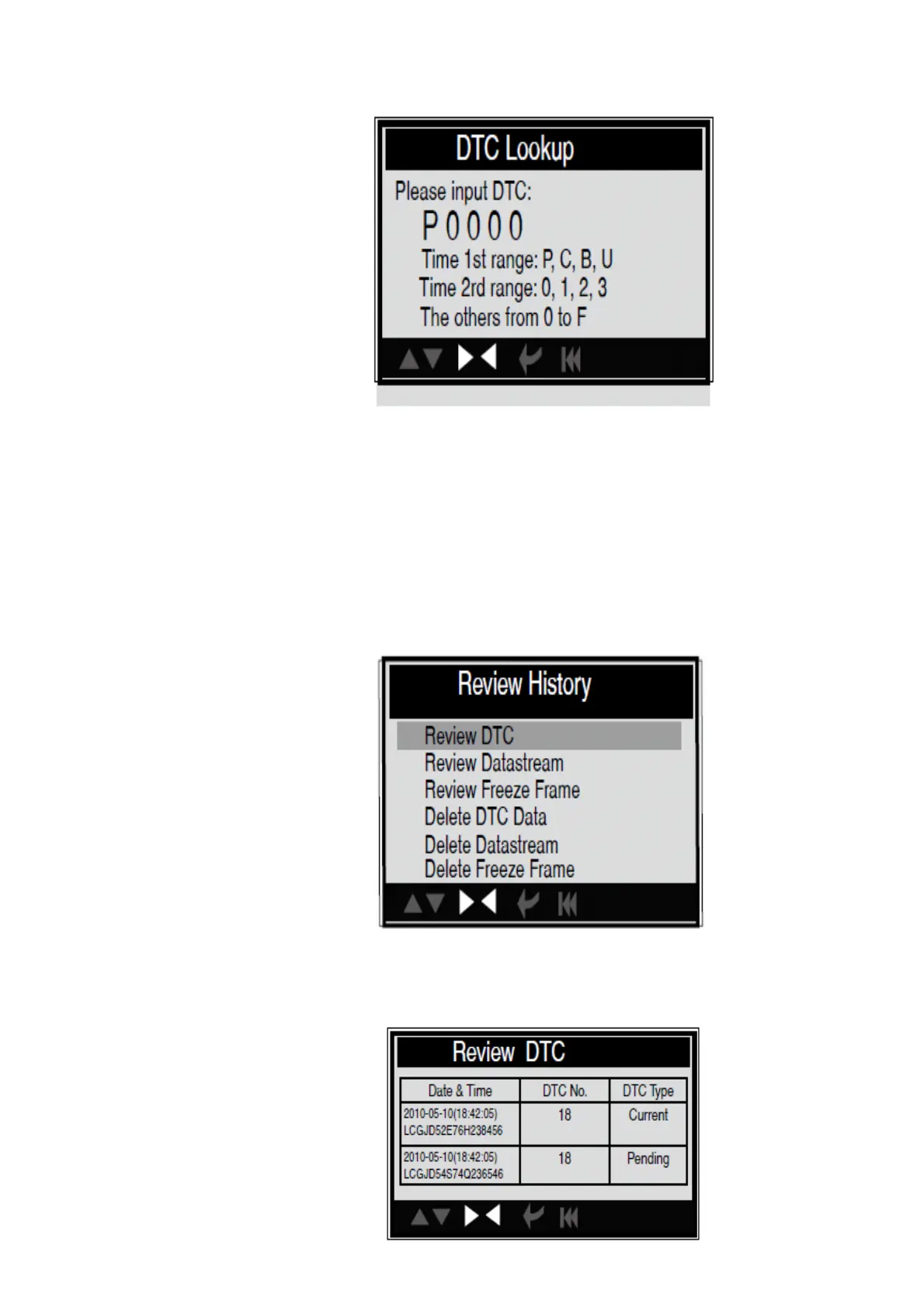
You can use [UP] [DOWN] key to change the first letter. It can be switched among. Press
[LEFT] [RIGHT] key to input number. After you input the code number, press [ENTER] to
view the definition of the code. After viewing the definition, press [ESC] to return to the
Main Menu.
4.5 Review History
This function is used to review the recorded Data Streams, DTC and Freeze Frame.
Select [Review History] in the Main Menu and press [ENTER] and the screen will display
the interface as shown below:
CAUTION: About the record function, please view the chapter Tool Setup
1). Review DTC
Select [Review DTC] in the Review and press [ENTER] and the screen will display the
interface as shown below:


 To Next Page