– 11 –
Inverter Air-to-Water Heat Pump
Mode Selection and Target Temperature Setting
Mode Selection
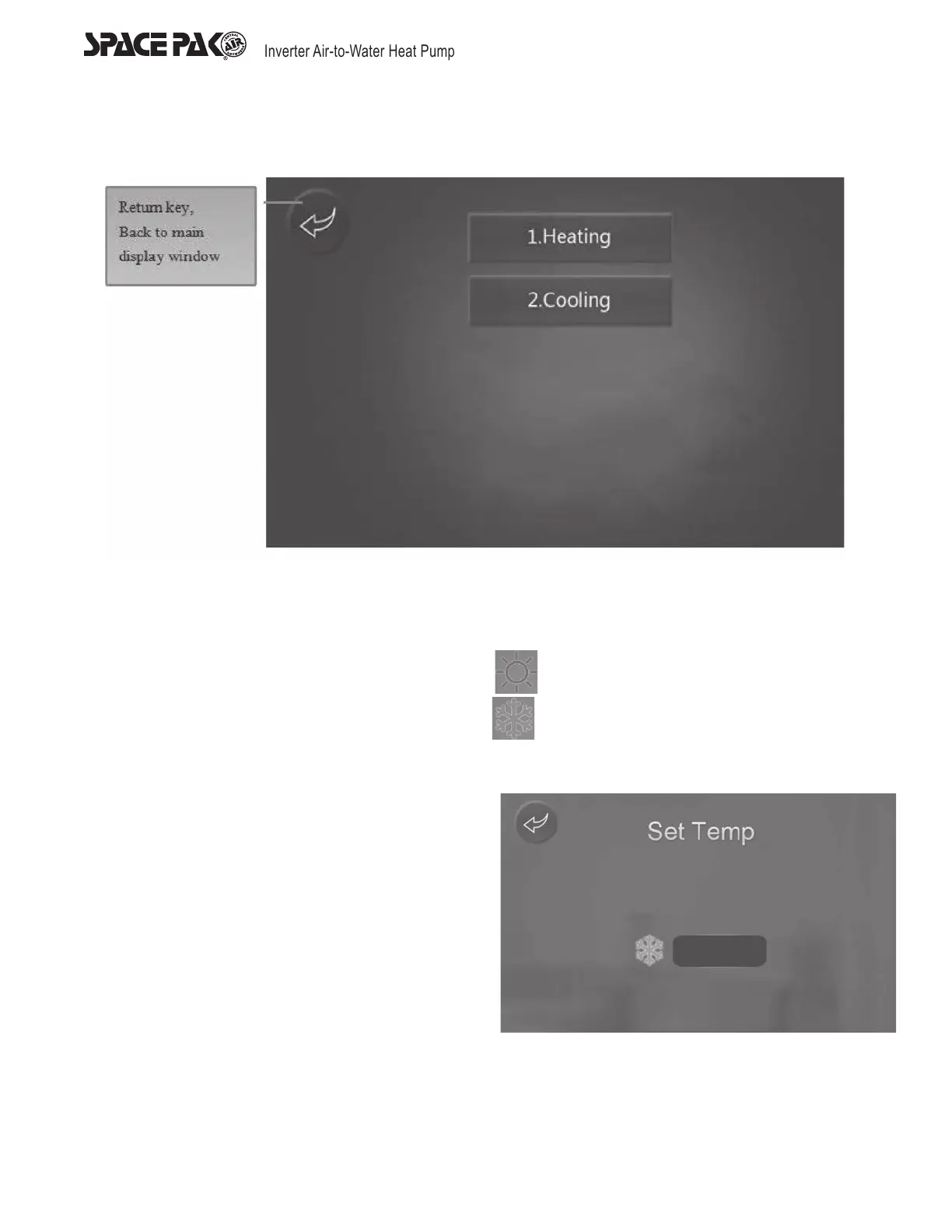
On main display window, press ‘M’ button, it will show five modes. After having chosen one mode, It will return to main display
automatically.
1. When choosing Heating mode, the display will show ‘heating’
2. When choosing Cooling mode, the display will show ‘cooling’
Mode Selection Under Slave Mode
When choosing slave mode H02=1, the color of the buttons on
the display will turn grey and are not clickable.
Target Temperature Setting Under Current Mode
The different mode has different target temperature setting
interface. For example, when choosing Cooling mode, The
target temperature setting interface will show cooling set point.
45°F



 To Next Page