EasyManua.ls Logo

SPAN PressureGuard EASY AIR Series - User Manual

Default Icon
32 pages
Print Icon
To Next Page IconTo Next Page
Loading...
P09564 R4 CO# 2340
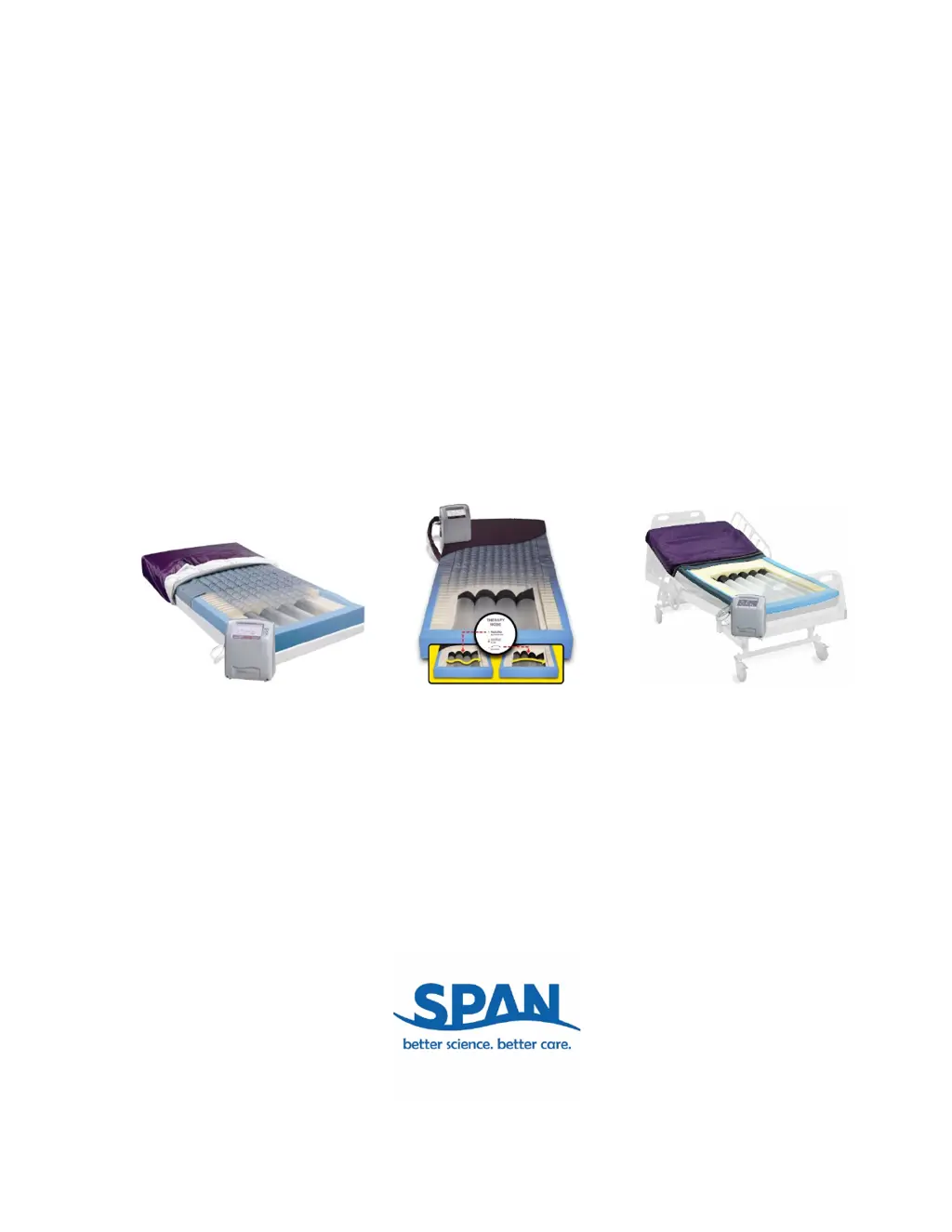
OWNER’S MANUAL
PressureGuard
®
EASY AIR
®
Series
Span-America Medical Systems, Inc.
800-888-6752
www.spanamerica.com
PressureGuard
®
EASY AIR
®
PressureGuard
®
EASY AIR
®
LR
PressureGuard
®
EASY AIR
®
XL

Questions and Answers

  • W
    Walter PenaAug 16, 2025
    How to troubleshoot if my SPAN PressureGuard EASY AIR will not power up?
    • S
      Samantha LeAug 16, 2025
      If your SPAN Medical Equipment isn't powering up, first ensure the power cord is securely plugged into a working wall outlet. If the outlet is functional and the cord is undamaged, but the device still won't turn on, it could be due to a blown fuse, in which case you should call for service.
  • D
    David MurphyAug 19, 2025
    What to do if SPAN PressureGuard EASY AIR mattress is not inflating or patient reports a sinking feeling?
    • E
      Erica MooreAug 19, 2025
      If your SPAN Medical Equipment mattress isn't inflating or you feel like you're sinking, first, make sure the control unit is turned on. Next, check that the airlines are securely connected to both the control unit and the mattress. If the issue persists, it might be due to a defective controller, in which case you should call for service.
  • C
    carol46Aug 22, 2025
    Why does my SPAN PressureGuard EASY AIR cause interference with other electronic devices?
    • D
      David VargasAug 22, 2025
      If the SPAN Medical Equipment is producing interference with other electronic devices, determine if the emissions are causing the interference by turning the equipment off and on. If the interference subsides when the control unit is off, try to reorient or relocate the affected device, increase the distance between the equipment, connect the equipment into an outlet on a circuit different than that of the affected device, or consult the field service technician or manufacturer of the affected device.
  • X
    xwilliamsAug 25, 2025
    What to do if the low pressure indicator is illuminated on SPAN PressureGuard EASY AIR?
    • O
      onielsenAug 26, 2025
      If the 'Low Pressure' indicator is illuminated on your SPAN Medical Equipment, first, disconnect and reconnect the airlines to ensure they are securely locked in place. If the problem persists, it may be due to a leaking inflation system, in which case you should call for replacement.
  • D
    dsnyderAug 27, 2025
    Why is the patient not turning or alternating properly on SPAN Medical Equipment?
    • G
      Gregory YoungAug 27, 2025
      If the patient is not turning or alternating properly on the SPAN Medical Equipment, ensure the system is turned on. Also, ensure the patient is centered on the mattress. The degree of patient turn achieved is reduced with elevation of the head of the bed or gatching of the knees. Adjust each as necessary to meet patient needs while maximizing turn angle.
  • C
    christophercobbAug 30, 2025
    How to fix inability to change modes or comfort level settings on SPAN PressureGuard EASY AIR?
    • J
      Jacob WalkerAug 30, 2025
      If you're unable to change modes or comfort level settings on your SPAN Medical Equipment, try resetting the control unit by turning it off and then back on. If the problem persists, it may be a central processor malfunction, in which case you should call for service.
  • S
    Susan ClarkSep 1, 2025
    What does it mean if the blower is running without Airflow LED illuminated on SPAN PressureGuard EASY AIR Medical Equipment?
    • A
      anthony13Sep 2, 2025
      If the blower is running on your SPAN Medical Equipment but the Airflow LED is not illuminated, it could be that the Airflow LED is burned out, in which case you should call for service. It may also be triggered by accidentally pressing more than one button simultaneously on overlay. Press blower button or reset control unit. Call for service if problem not resolved.
  • F
    fosterspencerSep 4, 2025
    Why are all the LED indicators repeatedly flashing on my SPAN Medical Equipment?
    • J
      Jessica LongSep 4, 2025
      If all the LED indicators on your SPAN Medical Equipment are repeatedly flashing or not illuminated while the control unit is running, try resetting the control unit by turning it off and then back on. If the problem persists, it may be a central processor malfunction, in which case you should call for service.
  • H
    Henry GardnerSep 7, 2025
    Why are single or multiple LED indicators not illuminating on SPAN Medical Equipment?
    • T
      Thomas HessSep 7, 2025
      If a single or multiple LED indicators are not illuminating on your SPAN Medical Equipment, it could be that the LED indicators are burned out, in which case you should call for service. It may also be triggered by simultaneous pressing of more than one button on overlay. Press any single button or reset control unit. Call for service if problem not resolved.
  • J
    James JohnsonSep 10, 2025
    What causes the cover to billow on SPAN Medical Equipment, and how do I fix it?
    • J
      juanpearsonSep 10, 2025
      If the cover of your SPAN Medical Equipment is billowing, turn Air Flow off and call Span-America for a replacement cover, as this indicates a weld failure in the top of the mattress cover.

Summary

Document Symbols

Introduction

Intended Use

Defines the system's purpose for pressure injury prevention and treatment.

Indications for Use

Lists the conditions for which the system is indicated.

General Description

Provides an overview of the system's components and features.

Modes of Operation

Explains the different therapy modes available for the system.

Product Description

Outer Removable Coverlet

Purple coverlet; fluid proof, cleanable, flame resistant, bacteriostatic, vapor permeable.

Inner Air-Delivery Cover

Gray, multi-layered barrier; protects mattress, supplies air, bacteriostatic, fluid proof.

Air Cylinders

Internal inflation system for Float, Alternating, and Lateral Rotation therapy modes.

Foam Shell

High-density foam topper with geometric design and Heel Slope™ feature for pressure reduction.

Control Unit

Houses blower and compressor for low air loss and inflation system air supply.

Mattress and Control Unit Set-Up Directions

Power Cable Connection

Instructions for securely plugging the power cable into a grounded wall outlet.

Air Line Connection

Connecting air delivery and support cylinder lines to the control unit for proper function.

Electromagnetic or Other Interference

Interference Mitigation

Steps to correct harmful interference with other electronic devices.

Control Unit Settings

Therapy Mode Selection

How to select FLOAT, ALTERNATING, or ROTATION therapy modes on the control unit.

Air Flow Control

Turning the low air loss function ON or OFF to manage airflow for skin care.

Lockout Feature Operation

Engaging and disengaging the lockout to prevent accidental changes to control unit settings.

Comfort Level Adjustment

Setting the comfort level based on patient weight and preference for optimal immersion.

Directions for Use

Standard Model Operation

Instructions for operating the PressureGuard Easy Air Standard model, including self-check and indicators.

XL Model Operation

Instructions for operating the PressureGuard Easy Air XL model, including self-check and indicators.

LR Model Operation

Instructions for operating the PressureGuard Easy Air LR model, including self-check and indicators.

General Directions for Use of All Easy-Air Models

Elevating Head of Bed (HOB)

Guidance on optimal pressure management with Head of Bed elevation between zero and 30 degrees.

Bed Rails Safety

Facility responsibility regarding bed rail use based on patient assessment and safety protocols.

CPR Procedure and Settings

Recommended settings and steps for performing CPR with the Easy Air system.

Patient Transport Guidelines

Safety precautions for moving the patient and mattress during transport.

Power Loss Operation

How the system behaves during a power outage and its restart procedure.

Bed Linens Recommendation

Recommendation for using seven-inch deep fitted sheets for the mattress.

Incontinence Pad Use

Recommendation for using pads specifically designed for low air loss mattresses.

Control Unit Service

Instructions for returning the control unit for repair or service by the manufacturer.

Environmental Conditions

Specifies operating conditions like altitude, temperature, and humidity for system use.

Storage and Transportation

Storage Guidelines

Guidelines for storing mattresses and controllers in a clean, dry place, avoiding temperature extremes.

Transportation Safety

How to secure the system to prevent damage or falls during transport and shipment.

Cleaning

Mattress Cover Cleaning Procedures

Procedures for cleaning and disinfecting mattress covers using mild soap and water or specified disinfectants.

Disinfection Agent Recommendations

Recommended disinfectants and dilutions for various contaminants like bodily fluids and C. difficile.

Preventive Maintenance

Filter Maintenance

Instructions for cleaning the two-part filter system on the control unit to ensure proper air blower operation.

Routine Inspection of Power Cords and Safety Tips to Prevent Fires

Electrical Outlet Inspection

Checking electrical outlets for cleanliness, integrity, and functionality, recommending hospital-grade outlets.

Power Cord Inspection

Inspecting power cords for damage, wear, and proper insulation integrity to prevent fire hazards.

General Safety Checks

Inspecting the control panel cover for damage and reporting unusual sounds or odors to maintenance.

Specifications

Materials and Certifications

Details on coverlet, foam, air cylinders, flammability standards, and unit certifications like UL and IEC.

Performance and Modes

Describes pressure management capabilities, low air loss function, and available therapy modes.

Weight Limits and Warranty

Specifications for mattress dimensions, warranty period, and patient weight capacities for different models.

Ordering Information

Standard System Part Numbers

Part numbers and sizes for the PressureGuard Easy Air Standard system, including components.

LR System Part Numbers

Part numbers and sizes for the PressureGuard Easy Air LR system with lateral rotation feature.

XL Bariatric System Part Numbers

Part numbers and sizes for the PressureGuard Easy Air XL Bariatric system.

Trouble Shooting Guide

System Power and Patient Turning Issues

Troubleshooting steps for problems like system not powering up or patient not turning/alternating properly.

Mattress Inflation and Pressure Indicator Issues

Diagnosing mattress inflation problems, sinking feeling, and low pressure indicator illumination.

LED Indicator and Interference Issues

Troubleshooting for LED indicators not illuminating or flashing, and electromagnetic interference with other devices.

Blower and Cover Issues

Addressing blower operation problems, airflow issues, and cover billowing due to weld failure.

SPAN PressureGuard EASY AIR Series Specifications

General IconGeneral
BrandSPAN
ModelPressureGuard EASY AIR Series
CategoryMedical Equipment
LanguageEnglish

Related product manuals