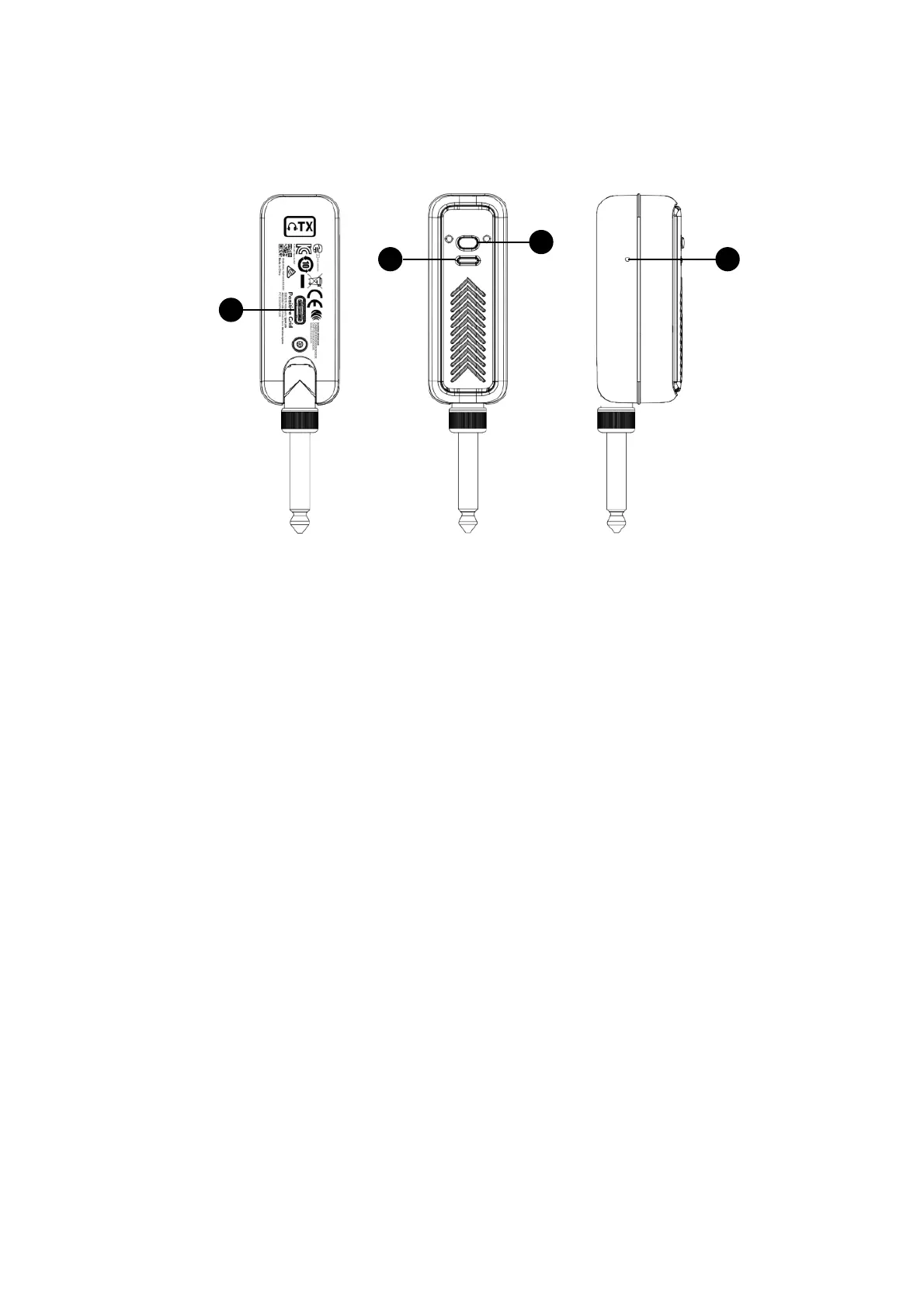
(A) Power Button !
- Hold to turn Wireless Transmitter(TX) on or off!
- While powered on, tap to mute or unmute Wireless Transmitter(TX)!
- While powered on, double tap to re-pair with Spark NEO Headphones!
(B) LED Indicator !
- Solid Green: Powered on or fully charged!
- Solid Red: Low battery!
- Flashing Red/Yellow/Green: Charging!
(C) Pin-Hole Reset Button!
- Use a pin to push the button in the hole to engage manual shutdown
(E) USB Type-C Charging Port!
- Connect to USB charger to charge your Wireless Transmitter(TX)
Zg
A
B C
D
IMPORTANT NOTES
Please note that Spark LINK is not compatible with Spark NEO Headphones or Wireless
Transmitter(TX).
Spark NEO Wireless Transmitter(TX) Control Panel


 To Next Page