Component: Image Reference:
Potentiometer
e6
Jumper Wire
e8
Jumper Wire
Jumper Wire
GND
Jumper Wire
5V
Pin 13
j20
Jumper Wire
GND
Jumper Wire
5V
5V
+
+
-
+
-
h20
h21
LED (5mm)
330Ω Resistor
j21
+
Jumper Wire
A0
e7
+
a6
a7
a8
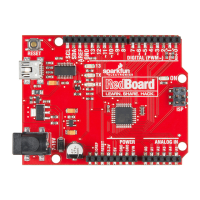
If you look closely at your RedBoard, you'll see some pins labeled "DIGITAL",
and some labeled "ANALOG". What's the dierence?
Many of the devices you'll interface to, such as LEDs and pushbuttons, have
only two possible states: on and o, or as they're known to the RedBoard,
"HIGH" (5 volts) and "LOW" (0 volts). e digital pins on an RedBoard are
great at getting these signals to and from the outside world, and can even do
tricks like simulated dimming (by blinking on and o really fast), and serial
communications (transferring data to another device by encoding it as patterns
of HIGH and LOW).
But there are also a lot of things out there that aren't just "on" or "o".
Temperature levels, control knobs, etc. all have a continuous range of values
between HIGH and LOW. For these situations, the RedBoard oers six analog
inputs that translate an input voltage into a number that ranges from 0 (0 volts)
to 1023 (5 volts). e analog pins are perfect for measuring all those "real
world" values, and allow you to interface the RedBoard to all kinds of things.
Digital versus Analog:
DIGITAL
0 volts
0
5 volts
1023
to
or
ANALOG
HIGH
on
5 volts
LOW
off
0 volts
Page 27


 To Next Page