Component: Image Reference:
Servo
e5 e7e6
Jumper Wire
Jumper Wire
Jumper Wire
e6
e7
e5
5V
Jumper Wire
Pin 9
a7
Jumper Wire
Jumper Wire
Jumper Wire
Jumper Wire
GND
b5
+
a6
+
e Arduino development environment gives you a very useful set of built-in commands for
doing basic input and output, making decisions using logic, solving math problems, etc.
But the real power of Arduino is the huge community using it and their willingness to share
their work.
Libraries are collections of new commands that have been packaged together to make it easy
to include them in your sketches. Arduino comes with a handful of useful libraries, such as
the servo library used in this example, that can be used to interface to more advanced
devices (LCD displays, stepper motors, ethernet ports, etc.)
See http: //arduino.cc/en/reference/libraries for a list of the standard libraries and
information on using them.
But anyone can create a library, and if you want to use a new sensor or output device,
chances are that someone out there has already written one that interfaces that device to the
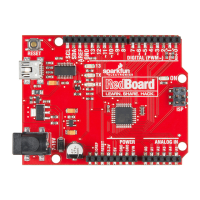
RedBoard. Many of SparkFun's products come with Arduino libraries, and you can nd
even more using Google and the Arduino Playground at http://arduino.cc/playground/.
When YOU get the RedBoard working with a new device, consider making a library for it
and sharing it with the world!
To use a library in a sketch, select it from Sketch > Import Library.
After importing the library into your code, you will have access to a number of pre-written
commands and functions. More information on how to use the standard library functions
can be accessed at: http://arduino.cc/en/Reference/Libraries.
Expand your horizons using Libraries:
File
Edit
Sketch
Tools Help
EEPROM
Ethernet
Firmata
LiquidCrystal
SD
Servo
SoftwareSerial
SPI
Stepper
Wire
Verify / Compile
Show Sketch Folder
Add File...
Import Library
Page 51


 To Next Page