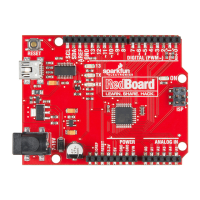
// Connect your RedBoard to your Computer
Use the USB cable provided in the SIK kit to connect the RedBoard to
one of your computer’s USB inputs.
// Install Arduino Drivers
Depending on your computer’s operating system, you will need to follow specic
instructions. Please go to www.sparkfun.com/FTDI for specic instructions on how to
install the FTDI drivers onto your RedBoard.
2
3
IOREF
RESET
RESET
7-15V
SCL
SDA
AREF
GND
13
12
~11
~10
~9
8
7
~6
~5
4
~3
2
1
0
TX
RX
13
3.3V
5V
GND
GND
VIN
A0
A1
A2
A3
A4
A5
POWER
ANALOG IN
DIGITAL (PWM~)
ON
ISP
TX
RX
Page 5


 To Next Page