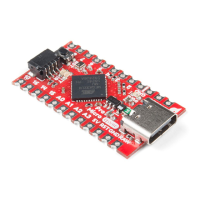
The Pro Micro has five external interrupts, which allow you to instantly trigger a function when a pin goes either
high or low (or both). If you attach an interrupt to an interrupt-enabled pin, you'll need to know the specific interrupt
that pin triggers: pin 3 maps to interrupt 0 (INT0), pin 2 is interrupt 1 (INT1), pin 0 is interrupt 2 (INT2), pin 1 is
interrupt 3 (INT3), and pin 7 is interrupt 4 (INT6).
On-Board LEDs
There are three LEDs on the Pro Micro. One red LED indicates whether power is present. The other two LEDs
help indicate when data is transferring over USB. A yellow LED represents USB data coming into (RX) the Pro
Micro, and a green LED indicates USB data going out (TX).
Jumpers
On the back of the board is a jumper that is able to select the system voltage. The default voltage for the board
defautls to 5V. By cutting the jumper pad and adding a solder to the between the center and right jumper pads, the
system voltage will be set to 3.3V.
Board Dimensions


 To Next Page
 Loading...