Revised Date: 2017/01/24
3
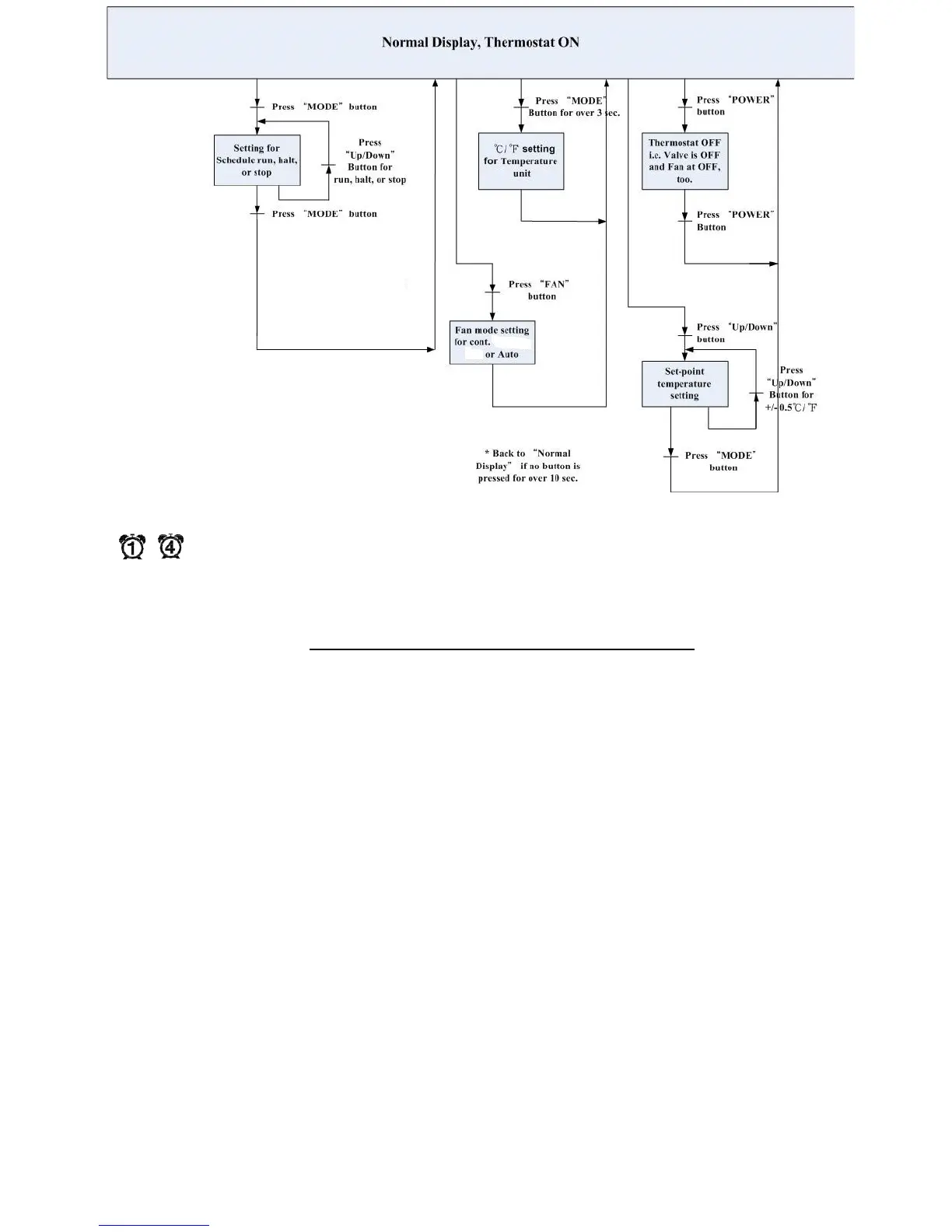
c.) STOP mode means stop to use manual S.P until manually activate schedule again. And the icon
( ~ ) will be NOT shown on the LCD.
Fig. 2 User Mode operation sequence
Overview for the settings of Clock and Schedules
Press MODE, FAN, or POWER button to escape any time during setting.



 To Next Page