COLUMN COMPRESSION and DECOMPRESSION
The Processor is designed to accept up to 48 columns installed in the column
rack. Because of the unique manifold design, each column will be pressurized to
the same level even if columns are omitted. Refer to “Manifold Operation” in the
following section.
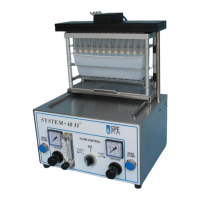
Assemble the appropriate collection rack and SPE column rack and position the
assembly on the System 48 Pressure Processor slide platform. Slide the
platform to the rear of the processor until it reaches the stop locating it under the
manifold.
The two blue push buttons used to activate the compression mechanism are
located on opposite sides of the front panel. Both push buttons must be pressed
at the exact same time to open or close the compression mechanism. Activate
the column compression mechanism by depressing the push buttons until the
manifold has stopped moving (2 to 3 seconds). If you let go too soon the manifold
mechanism will automatically open. This is a safety feature designed to keep your
hands clear of moving parts during the compression and decompression cycle.
Decompression of the rack assembly is activated similarly. Both push buttons
must be depressed simultaneously until the manifold has stopped moving. Slide
the rack assembly forward until it reaches the stop and proceed with the next
step of the SPE method.
The compression speed been pre-set and is not adjustable. The pressure applied
to the compression system has been pre-set and is not adjustable.


 To Next Page