98
3. When a manual host name is completed, Go to SETUP>NETWORK>DDNS>SUBMIT/UPDATE
and select ON to submit the settings on the SPECO DDNS.
4. When DDNS setting is done, click the APPLY button. Otherwise DDNS setting will not be applied.
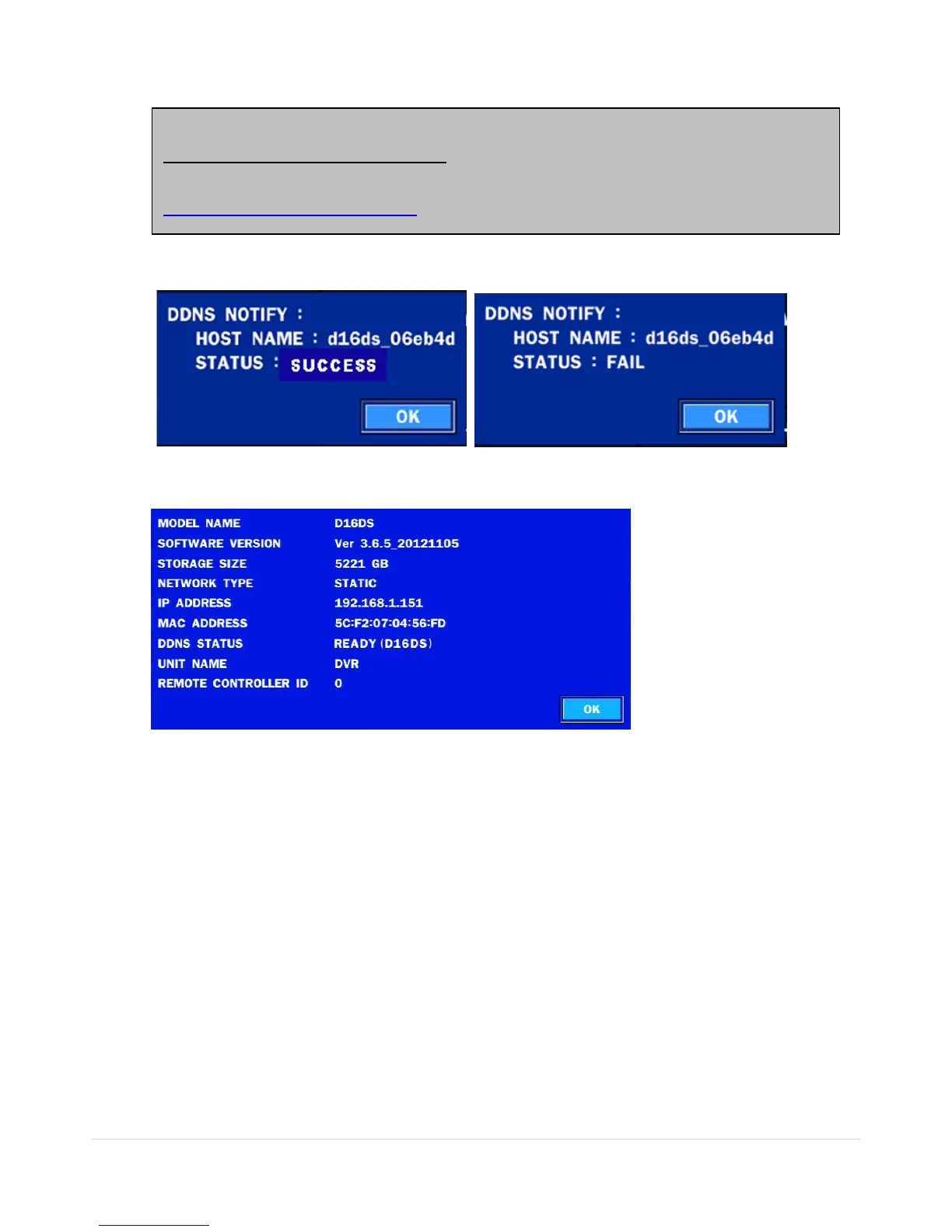
5. When you exit SETUP menu, DDNS NOTIFIY window will pop up.
6. DDNS registration status can be checked from SYSTEM INFORMATION or
SETUP>SYSTEM>DESCRIPTION>DDNS STATUS
7. Check the NETWORK PORT (Default: 5445), WEB PORT (Default: 80), and the IP Address of the
DVR from SETUP>NETWORK.
Once the setting is completed, the DDNS address will be:
http://hostname.ddns.specoddns.net
For example, if you enter the host name as “D16DS”, then the address will be:
http://d16ds.ddns.specoddns.net



 To Next Page