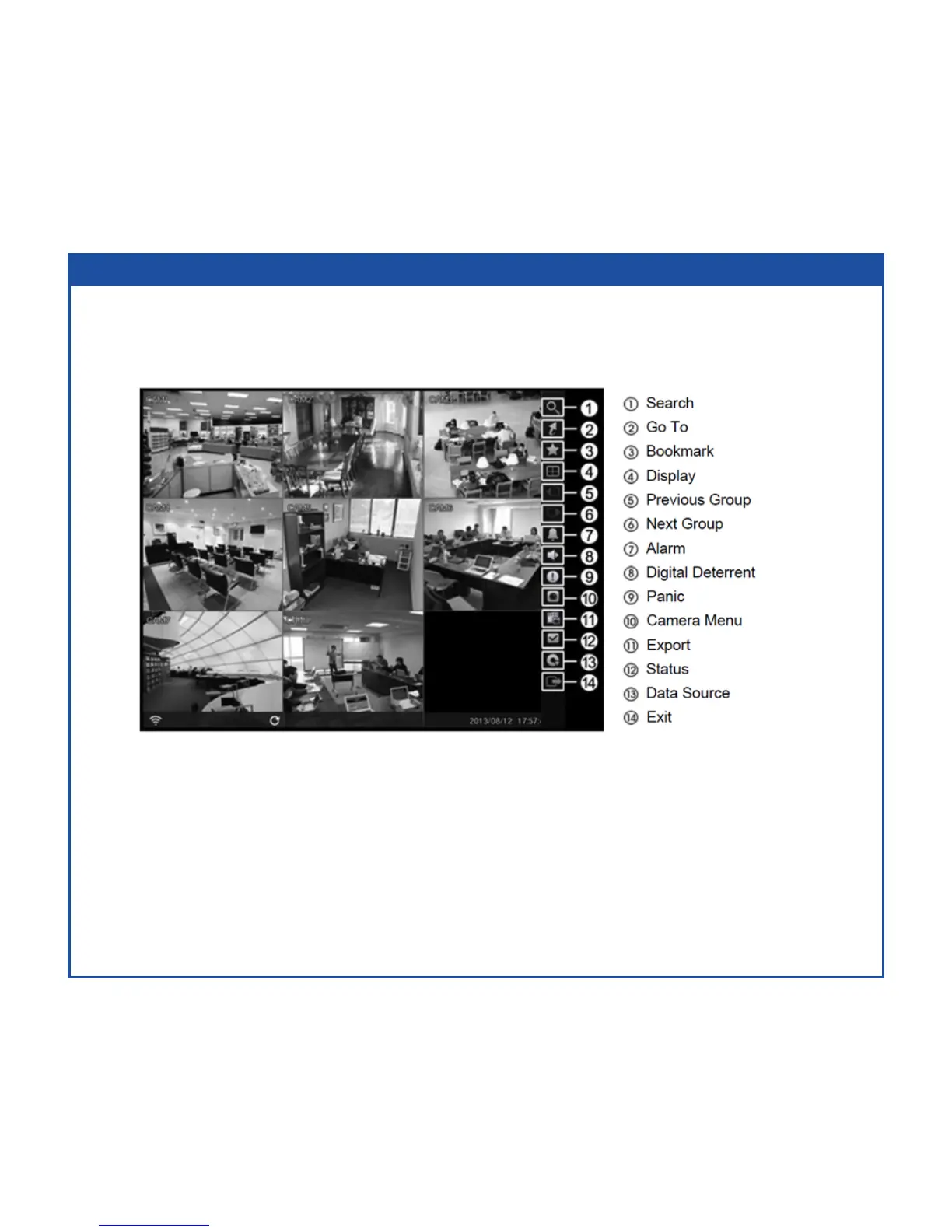
While in the Search mode, pressing the MENU button displays the following Search menu to
the right edge of the screen. Pressing the ESC button hides the menu. You can navigate through
menus and items by pressing the arrow buttons.
Search Mode
• EventLogSearch–Selecting(Search)→EventLogSearchselectsvideofromtheeventlog.
• RecordTableSearch–Selecting(Search)→RecordTableSearchselectsusingarecordingtable.
• MotionSearch–Selecting(Search)→MotionSearchselectsmotionevents.
• Text-InSearch–Selecting(Search)→Text-InSearchselectstextinputstrings.
• EZSearch–Selecting(Search)→EZSearchselectsvideoin4x4displayformatusingday,hour
or minute precision.



 To Next Page