
EasyManua.ls Logo

Spectra T1000 - User Manual

Spectra T1000
18 pages
Print Icon
To Next Page IconTo Next Page
Loading...
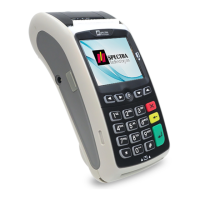
SPECTRA T1000
EFT-POS
安裝指南
Installation Guide
Version 1.0
SPECTRA Technologies
ISO9001 : 2008
20002812 QM08
SPECTRA Technologies
ISO14001 : 2004
20002812 UM
POS

Questions and Answers

  • J
    Jessica StewartAug 2, 2025
    How to troubleshoot a Spectra Touch terminal that is not functioning?
    • S
      Stephanie HarrisAug 2, 2025
      If your Spectra Touch terminal is not functioning, and it's powered by a power adapter, start by ensuring the power cord and adapter are properly connected. Next, verify the AC source is working by plugging in another electrical appliance. If the issue persists, try replacing the adapter or using a different electrical power socket. You might also try adjusting the LCD contrast.
  • H
    Hannah WrightAug 8, 2025
    What to do if the printer on my Spectra Touch terminal is malfunctioning?
    • D
      David MorganAug 8, 2025
      If your Spectra Touch terminal's printer is malfunctioning, and it's battery-powered, check the battery level; charge or replace it, or use the adapter. If adapter-powered, ensure the power cord and adapter are properly connected. Check if the paper is used up by opening the printer cover. Make sure you are using the correct thermal paper. Also, inspect for jammed or damaged paper by opening the printer cover and smoothing the paper path.
  • R
    Rickey PerkinsAug 14, 2025
    Why are transactions unsuccessful on my Spectra Touch terminal?
    • J
      John GatesAug 14, 2025
      If you're experiencing unsuccessful transactions on your Spectra Touch terminal, first try using a different magnetic or IC card. Ensure that you are swiping or inserting the card correctly. Also, check that all wire ends are properly connected.
  • K
    Kristy ValdezAug 20, 2025
    What to do if the magnetic card reader on my Spectra Touch terminal is not working correctly?
    • C
      Courtney JonesAug 20, 2025
      If the magnetic card reader on your Spectra Touch terminal is malfunctioning, verify you are swiping the card correctly and at a normal speed. Try swiping the card in the opposite direction. Also, try using a different card.
  • C
    colliertracyAug 27, 2025
    How to fix a malfunction on the IC card reader of my Spectra T1000?
    • C
      Christopher YangAug 27, 2025
      If the IC card reader on your Spectra Touch terminal is malfunctioning, ensure the card is inserted correctly and completely. Try using a different card.

Summary

Layout & Function Descriptions of T1000

Main Unit & Accessories

Describes the main unit and its accessories, including ports and functions.

Features at a Glance

Provides an overview of the terminal's components and their locations.

Installation of SIM, SAM & Micro-SD Card

Instructions for inserting SIM, SAM, and Micro-SD cards into the terminal.

Battery Installation

Steps for installing the rechargeable battery pack into the terminal.

Paper Feeding Procedure

Step-by-step guide on how to load and feed paper rolls into the printer.

How to Operate

Turn On;Off Procedure

Instructions for powering the terminal on and off, including initial charging.

Swipe Card & Insert Card

Guide on how to use the magnetic stripe reader and IC card slot.

Rechargeable Battery Safety Guideline

Prohibition

Lists forbidden activities to prevent battery damage and hazards.

Battery Operation & Charging Guideline

Recommendations for optimal battery usage, charging, and monitoring.

Terminal and Battery Storage Guideline

Advice on storing the terminal and battery properly for longevity.

Accident Handling

Procedures to follow in case of battery or charger abnormalities.

Battery Disposal

Guidance on the environmentally responsible disposal of used batteries.

Safety & Maintenance

Basic Safety Practice

General safety rules for operating the terminal to prevent injury or damage.

Safety Warning

Specific warnings and precautions for safe usage of the device.

Location for Installation

Guidelines for choosing a safe and suitable environment for the terminal.

Maintenance

Recommendations for keeping the terminal in optimal working condition.

Trouble Shooting

Solutions for common operational issues and malfunctions.

Other Information

Message for product approval

Information regarding product certifications and compliance standards.

Spectra T1000 Specifications

General IconGeneral
BrandSpectra
ModelT1000
CategoryTouch terminals
LanguageEnglish