6
安裝指南
Installation Guide
如何操作
How to Operate
2
2.1 關 開 程序
Turn On/ Off Procedure
開機
如沒接上電源,請按 鍵數秒開機。
- 將電源接上,終端機會自行啟動。
啟動後,屏幕顯示應用程式預備畫面,
此時閣下可進行各類型交易操作。
On - Power is on whenever plugged. If the
terminal is unplugged, press the key for
several seconds to turn on the terminal.
When the terminal displays the application
idle screen, it is ready for operation.
2.2 刷卡及插卡
Swipe Card & Insert Card
關機 - 將電源供應器拔去,按 鍵數
秒關機。
Off - Disconnect the power adaptor. Keep
on pressing the key for several seconds
to turn off the terminal.
終端機如裝備有 電池及首次使用,請
先將電源接上, 三小時。
充電
充電
If the terminal is equipped with charging
battery during first time use, please connect
the power adaptor and charge the battery for
3 hours.
Magnetic Card
磁卡
IC Card
IC 卡
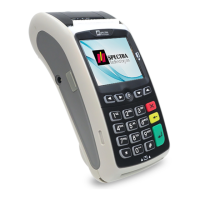
SPECTRA T1000


 To Next Page