EasyManua.ls Logo

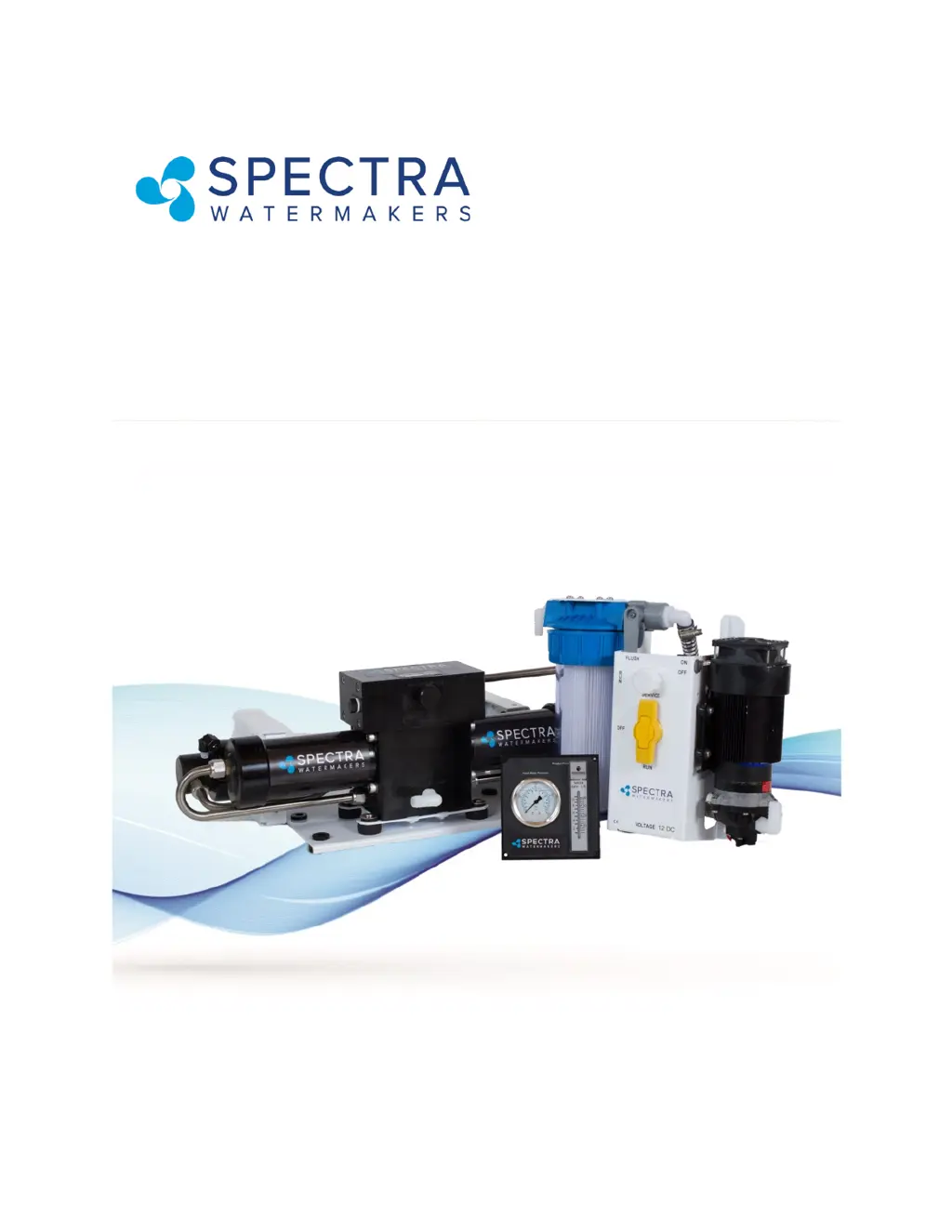
Spectra Ventura 150 - User Manual

Spectra Ventura 150
67 pages
Print Icon
To Next Page IconTo Next Page
Loading...
Spectra Watermakers
Katadyn Desalination LLC.
2220 S. McDowell Blvd. Ext. Petaluma, CA 94954
Phone: 415-526-2780 Fax: 415-526-2787
techsupport@spectrawatermakers.com
www.spectrawatermakers.com
Updated January 2024
Ventura 150/200T
Installation and Operating Manual

Questions and Answers

  • M
    Mary MckinneyAug 19, 2025
    What to do if my Spectra Ventura 150 Marine Equipment has low product flow?
    • R
      Randy PerezAug 19, 2025
      If your Spectra Marine Equipment is showing low product flow (more than 1 GPH, total flow down), there are several potential causes. First, check for voltage drop and increase wire size if the motor is receiving less than 12.5VDC. Ensure adequate power supply and turn on battery chargers if available. Look for blockages by replacing the prefilter, servicing the strainer, and inspecting hose runs. Rule out a thru-hull blockage by using an intake service hose with a bucket of seawater to bypass it, and clean the thru-hull. If mineral scaling is present, perform SC-3 cleaning. Finally, confirm pump or motor wear by attempting a pressure test; replace the pump head if necessary. Strong pumps should reach 125 psi within 3 seconds.
  • K
    Kevin WatsonAug 21, 2025
    Why is the PPM high in my Spectra Ventura 150?
    • M
      Michael FisherAug 21, 2025
      If the PPM is high in your Spectra Marine Equipment, several factors could be responsible. First, recalibrate the TDS meter or perform a taste test until you can replace it. Low product flow, recovery percentage, or feed pressure can lead to a drop in product water quality, so perform a Flow Test and address any flow issues. If the membrane was fouled or damaged, clean it, or consult your dealer about membrane damage if the product flow and pressure are at specified levels but the water tastes salty. Fouled prefilters may also be the cause, so the freshwater flush procedure needs to be tested and adjusted. Replace the filters or run the watermaker for an extended period to rinse.
  • A
    aaronjohnsonAug 25, 2025
    Why is my Spectra Ventura 150 feed pump running with loud noise?
    • M
      melaniedavisAug 25, 2025
      A loud noise from your Spectra Marine Equipment feed pump can be attributed to several issues. Check the through-hull for blockages. Also, inspect the sea strainer and freshwater flush module for leaks that could introduce air into the system. If no leaks are found, try re-priming the system by restarting it.
  • S
    shannon73Aug 26, 2025
    What to do if there is no product flow but good brine discharge flow in Spectra Ventura 150 Marine Equipment?
    • R
      Rebecca HunterAug 26, 2025
      If your Spectra Marine Equipment shows no product flow but has good brine discharge flow (recovery percentage is 0), it could be due to an internal leak in the Clark Pump. While the system is running, kink the brine hose to stop flow until the feed pressure rises to 115 psi, then quickly release the hose; repeat this no more than 10 times. Inspect the Clark Pump check valves. Consider a complete service, contacting your dealer, or consulting the Clark Pump rebuild manual. Also, install an Offshore Kit.
  • T
    Timothy CooperAug 27, 2025
    Why does my Spectra Ventura 150 Marine Equipment feed pump start but shut down on high pressure?
    • R
      Rebecca HarrisonAug 28, 2025
      If your Spectra Marine Equipment's feed pump starts but then shuts down due to high pressure, the prefilter may be excessively clogged; try changing it. Alternatively, there might be a closed valve or blockage in the flow path. Check the flow path for any closed valves or kinks in the hose.
  • J
    James Cain DDSAug 30, 2025
    How to troubleshoot a Spectra Ventura 150 Marine Equipment feed pump that is not running and making no noise?
    • B
      burchstevenAug 30, 2025
      If your Spectra Marine Equipment's feed pump isn't running and making no noise, first check the voltage at the feed pump to ensure it's receiving power. If there is power, the pressure switch may have failed. Try adjusting or bypassing it. To bypass, turn off the power, pull off the two cables with push-on terminals, and connect them together using a piece of electrical cable pushed into each terminal. Do not run the pump for long when bypassed, as this is only for diagnosing the failure.
  • B
    Benjamin MillerSep 1, 2025
    What causes low product flow and recovery percentage in Spectra Ventura 150?
    • P
      pblackSep 1, 2025
      Low product flow and a recovery percentage below the minimum nominal value in your Spectra Marine Equipment can be caused by a few things. Check if the pressure relief valve is partially open and close it. An internal leak in the Clark Pump may also be the cause, in which case a complete service is recommended. Contact your dealer or see the Clark Pump rebuild manual. Consider installing an Offshore Kit.
  • J
    joseph18Sep 3, 2025
    Why does my Spectra Ventura 150 Marine Equipment feed pump run intermittently, cycling on and off?
    • N
      Nicole HendrixSep 3, 2025
      If your Spectra Marine Equipment's feed pump runs intermittently, cycling on and off, the overpressure switch on the feed pump may be opening. Try adjusting or replacing the switch.
  • H
    Holly SilvaSep 5, 2025
    What to do if Spectra Ventura 150 Marine Equipment has asymmetrical pressure and flow readings with one shift at 0 pressure?
    • M
      matthewjenningsSep 5, 2025
      If your Spectra Marine Equipment exhibits asymmetrical pressure and flow readings between pump shifts, with one shift showing 0 pressure, it could indicate an internal leak in the Clark Pump. While the system is running, kink the brine hose to stop flow until the feed pressure rises to 115 psi, then quickly release the hose; repeat this no more than 10 times. Also, inspect the Clark Pump check valves.
  • A
    Ariana MontesSep 7, 2025
    Why does my Spectra Ventura 150 Marine Equipment feed pump turn on but produce no pressure?
    • J
      Justin MitchellSep 7, 2025
      If the feed pump in your Spectra Marine Equipment turns on but produces no pressure, it could be air-locked. Open the pressure relief valve to bleed the air, then close it to start. Alternatively, the pressure relief valve may be open; ensure it is closed.

Summary

EXCITING EXTENDED WARRANTY OFFER!

Spectra Product Registration Form

Form for end-user product registration to activate warranty benefits.

Spectra Watermakers Commissioning Report

Form for authorized installer's commissioning report.

Getting Started

Ventura Shipping List

Lists all components included in the Ventura system package.

Installation

Introduction to the Ventura

Overview of the Spectra Ventura watermaker and its key components.

Installation Basics

Essential guidelines and precautions for installing the watermaker system.

Ventura Plumbing

Diagram and description of the watermaker's plumbing layout and connections.

Product Water Plumbing and Pressure Gauge Tube Installation

Instructions for routing product water and installing pressure gauge tubing.

Ventura 150-200 T Plumbing Diagram

Detailed schematic of the Ventura 150-200T watermaker plumbing system.

Parker Tube Fitting Assembly Procedure

Step-by-step guide for assembling Parker Fast & Tite thermoplastic fittings.

John Guest Super Speedfit Fittings

Explanation of how to connect and disconnect John Guest Super Speedfit fittings.

Spectra High Pressure Fitting Instructions

Instructions for tightening and sealing Spectra high-pressure fittings.

Ventura Wiring

Guide for selecting appropriate wire sizes for the Ventura system's electrical connections.

Ventura 150 D 12 V;24 V Wiring Diagram

Wiring schematic for the Ventura 150D 12V/24V system, including optional Z-Ion.

Ventura 150 D-200 T Electrical Specifications

Technical electrical specifications for Ventura 150D and 200T models.

Optional Z-Ion Protection System

Z-Ion Installation

Instructions for installing the optional Z-Ion protection system.

Z-Ion Installation - Cont.

Continues installation steps for the Z-Ion system, focusing on power connections.

Z-Ion Operation

Explains how to operate the Z-Ion system and its LED status indicators.

Operation

New System Startup

Procedure for starting a new system or one that has been stored/cleaned.

Normal Operation and Fresh Water Flush

Guide to normal system operation and the process of freshwater flushing.

Testing with an Artificial Ocean

Procedure for testing the watermaker using an artificial seawater mix.

Optimizing the Fresh Water Flush Duration

Method to determine the optimal duration for freshwater flushing.

Maintenance, Storage, & Troubleshooting

Suggested Spares

List of recommended spare parts for different cruising durations.

Maintenance

General maintenance guidelines for the watermaker system and its components.

Maintenance - Cont.

Continuation of maintenance for feed pump, Clark pump, and membrane.

Introduction to Spectra Chemicals

Overview of chemicals used for storage and cleaning of the watermaker.

Introduction to Spectra Chemicals - Cont.

Further details on Spectra cleaners (SC-2, SC-3) and their use.

Storage Procedure

Step-by-step guide for properly storing the watermaker system.

Winterizing with Propylene Glycol

Procedure for winterizing the watermaker using propylene glycol.

Cleaning Procedures

Detailed procedures for cleaning the watermaker membranes.

Flow Test

Diagnostic test for system performance, production, and quality.

Flow Test - Cont.

Continuation of flow testing, including example calculations and comparison tables.

Troubleshooting Ventura Systems

Troubleshooting Guide - Symptoms & Remedies

Table of common symptoms, probable causes, and remedies for system issues.

Technical Bulletins

DWYER FLOW METER SERVICE

Instructions for servicing the Dwyer mechanical flow meter.

ACCUMULATOR PRESSURE

Information on the accumulator tank and its pre-charge pressure.

PREFILTERS

PREFILTERS CONT.

Details on filter element part numbers and charcoal filter maintenance.

SHURFLO PUMP WONT RUN

ADJUST SHURFLO PRESSURE SWITCH

Poor Product Water Quality

Part Numbers

Part Numbers - Cont.

Lists and diagrams of various system components and their part numbers.

Part Numbers - Cont.

Part numbers and diagrams for accumulator, prefilters, and sea strainer.

Clark Pump Components

Clark Pump Views

Front and back views of the Clark Pump with labeled internal parts.

Spool Assembly

Exploded view of the Clark Pump spool assembly and its components.

Center Block

Exploded view of the Clark Pump center block and its parts.

Cylinder Assembly

Exploded view of the Clark Pump cylinder assembly and its components.

Limited Lifetime Warranty

Warranty Coverage Details

Details of what the warranty covers and excludes, including terms.

Making a Warranty Claim

Procedures for submitting a warranty claim, including required information.

Product Registration Form

Installation Report

Commissioning Report - Page 1

Commissioning Report - Page 2

Spectra Ventura 150 Specifications

General IconGeneral
BrandSpectra
ModelVentura 150
CategoryMarine Equipment
LanguageEnglish