14205603-IG, Edition 11.0
May 2020, Original document
27
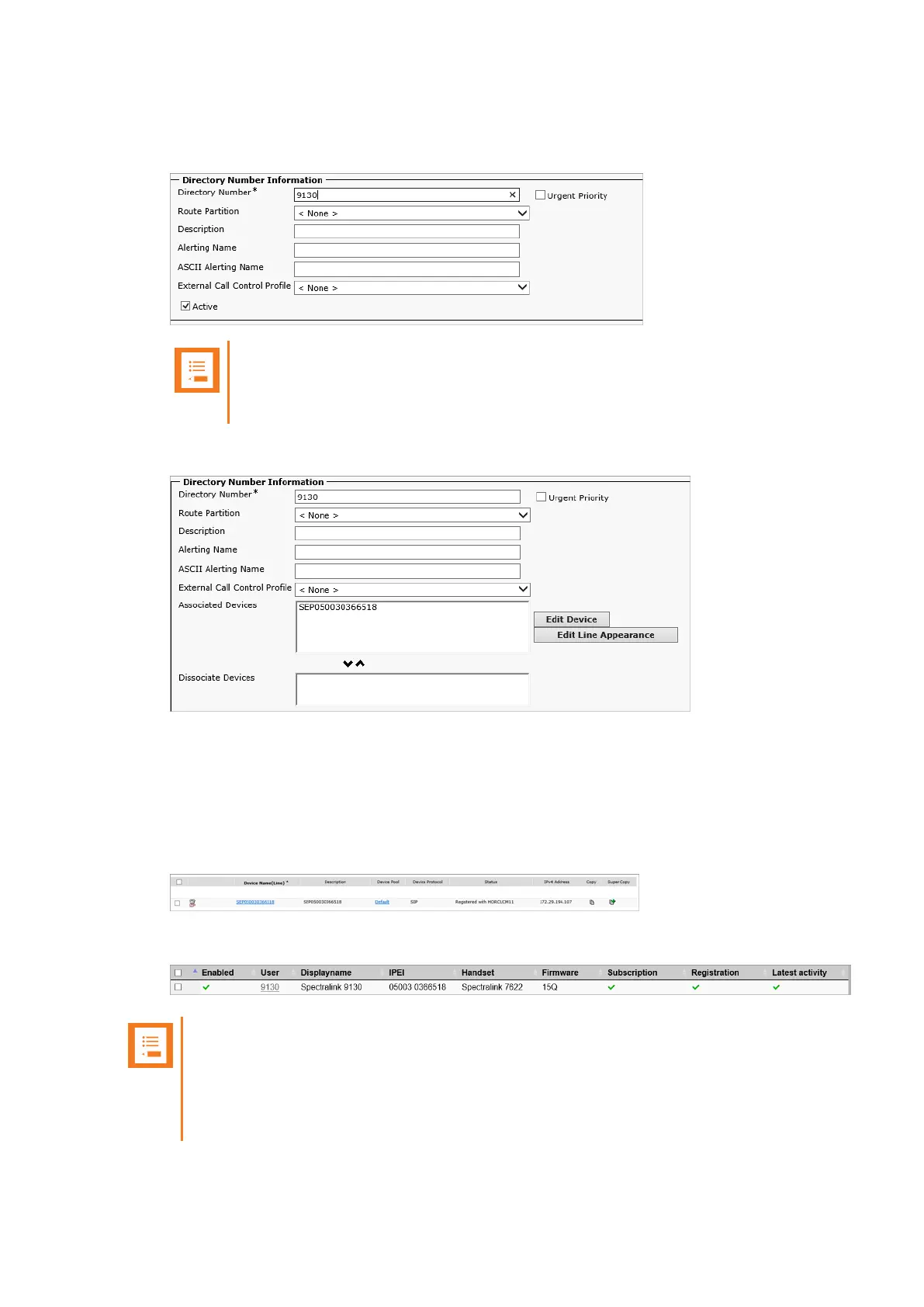
7. On the Directory Number Configuration page, enter the relevant Directory Number in the
Directory Number field.
Note:
The Directory Number must be the same as the Username/Extension field in the
User setup on the Spectralink IP-DECT/DECT/Virtual IP-DECT Server.
8. Click Save, and then click OK to apply the configuration.
9. In the Associated Devices field, make sure that the SEBxxxxxxxxxxxx appears as an asso-
ciated device.
You can now return to the list of devices.
The CUCM will show the registration status of the device.
The registration should look like this on the IP-DECT Server List Users page:
Note:
It can take a while before the Spectralink IP-DECT/DECT/Virtual IP-DECT Server
sends out a registration request. To speed up the registration process, either reboot the
Spectralink IP-DECT/DECT/Virtual IP-DECT Server or disable/enable the user on the
Spectralink IP-DECT/DECT/Virtual IP-DECT Server.
Spectralink IP-DECT Server 200/400/6500, Virtual IP-DECT Server One and DECT Server 2500/8000 Interoperability Guide





 To Next Page