Need help?
Do you have a question about the Spectrum Technologies FieldScout TDR 300 and is the answer not in the manual?
Steps for interfacing the TDR 300 meter with a PC using the Field Scout software.
Guidance on choosing VWC modes (Standard/High Clay) for accurate soil moisture measurement.
Instructions for selecting the correct COM port for PC communication with the meter.
Procedure for downloading data from the meter's logger to a PC using the Field Scout software.
Overview of accessing the Meter Settings screen to configure the meter and data logger.
Configuration options for the data logger, including GPS signal, differential correction, and time zone.
Explains the TDR principle of measuring wave travel time dependent on dielectric permittivity.
Troubleshooting PC communication failure, incorrect COM port, or meter type settings.
Resolving 'VWC%=ERR!' messages, incorrect VWC readings, and GPS error messages.
 General
| Brand | Spectrum Technologies |
|---|---|
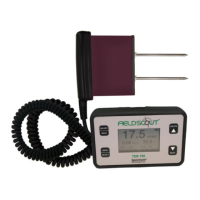
| Model | FieldScout TDR 300 |
| Category | Measuring Instruments |
| Language | English |

 To Next Page