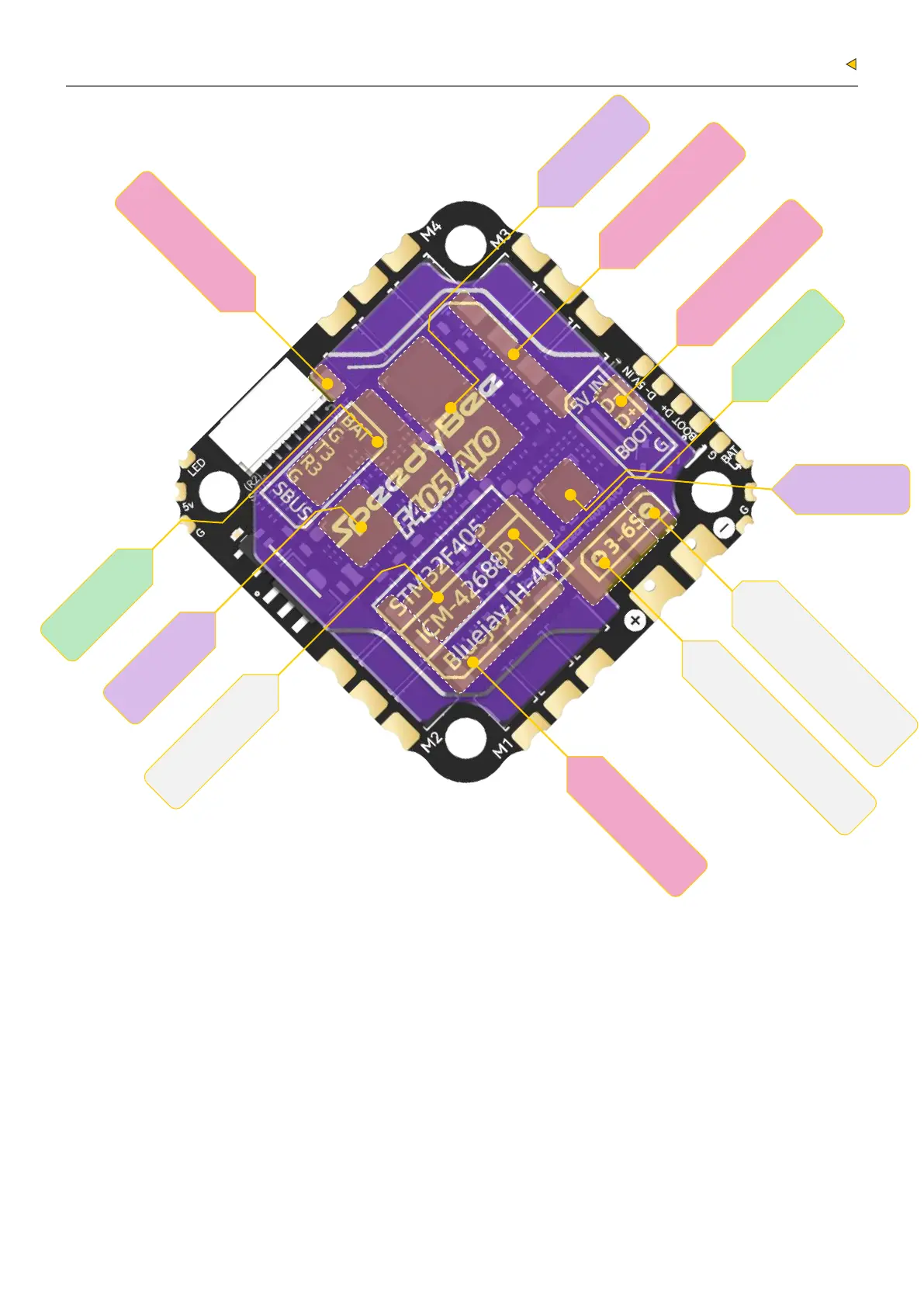
Layout
1.4
Filter Capacitor
Driver Chip
Filter Capacitor
MCU
Driver Chip
Storage Chip
Driver Chip
MCU
Resistance Calculator
Filter Capacitor
TVS Diode
(Anti-Voltage Spike)
Filter Capacitor
LED Indicator Definition:
Red LED - Flight controller power indicator. Solid Red after powering up.
Green LED - Bluetooth status indicator. Solid Green indicates Bluetooth is connected.
Blue LED - Flight controller status indicator, controlled by the
flight controller firmware.
BOOT Button:
If the flight controller gets bricked and can’t power up, please follow these
steps to re-flash firmware for it:
① Hold the BOOT button (the only button on the flight controller) and power it on.
The flight controller will enter DFU mode.
② Open the SpeedyBee App, go to the firmware flashing page,
and follow the prompts to re-flash the firmware.
When the Meteor Light pad is connected to an LED strip, long press the
BOOT button to toggle the LED strip on/off. When the LED strip is on,
short press the BOOT button to switch LED colors.


 To Next Page