EasyManua.ls Logo

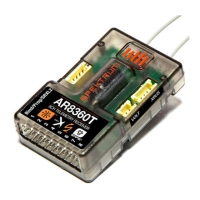
Spektrum AR8360T AS3X - User Manual

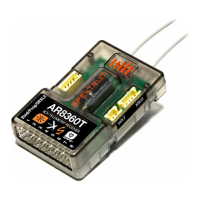
Spektrum AR8360T AS3X
28 pages
Print Icon
To Next Page IconTo Next Page
Loading...
Spektrum AR8360T AS3X and SAFE
8 CH Receiver
SPMAR8360T

Questions and Answers

  • L
    Lisa ZavalaJul 28, 2025
    What to do if Spektrum AR8360T AS3X Receiver has incorrect response to the AS3X Control Direction Test?
    • R
      Robert DawsonJul 28, 2025
      If your Spektrum Receiver shows an incorrect response during the AS3X Control Direction Test, it's likely due to incorrect direction settings. Do not attempt to fly the aircraft. Correct the direction settings before flying to prevent a crash.
  • M
    martinfoxAug 8, 2025
    Why is my Spektrum AR8360T AS3X oscillating?
    • T
      Terry NelsonAug 8, 2025
      Oscillation in your Spektrum Receiver can stem from various issues. Check for damaged or imbalanced propellers or spinners, and replace them if necessary. Motor vibration can also be a cause, so replace parts, align the propeller, and tighten fasteners. Ensure the receiver is securely mounted in the fuselage. Tighten any loose aircraft controls, such as servos, arms, linkages, horns, and control surfaces. Replace any worn parts, especially the propeller, spinner, or servo. If the servo movement is irregular, replace the servo and/or servo extension(s). Reducing the Gain may also help. Finally, adjust pushrod placement and increase travel or rates to utilize the full servo travel.
  • D
    danahansonAug 18, 2025
    What to do if my Spektrum AR8360T AS3X Receiver has inconsistent flight performance?
    • J
      Jackson HallAug 18, 2025
      Inconsistent flight performance of your Spektrum Receiver can be due to a few reasons. If you adjust trim by more than 8 clicks, select 'Relearn Servo Settings' in the Forward Programming menu after landing. Similarly, if you make changes to Sub-Trim after the initial setup, use the 'Relearn Servo Settings' option. Also, ensure the aircraft remains immobile for 5 seconds after connecting the battery.

Summary

AR8360 T Receiver Setup and Operation

AR8360 T Product Specifications

Detailed technical specifications including type, channels, modulation, and dimensions.

Smart Throttle Functionality

Explanation of how Smart Throttle works with ESCs for telemetry data.

Telemetry Features

Details on receiver telemetry capabilities and compatible sensors.

Receiver Installation and Binding Guide

Step-by-step instructions for physically mounting and pairing the receiver.

Failsafe Modes and Initial Configuration

Details on failsafe settings and initial steps before flight.

Basic AS3 X Stabilization Configuration

Guide for setting up the AS3X stabilization system via Forward Programming.

AS3 X Control Response Test

Procedure to test the AS3X system's reaction to aircraft movement.

SAFE Flight Stabilization Configuration

Instructions for setting up the SAFE flight stabilization technology.

Advanced Tuning and Flight Mode Configuration

Options for fine-tuning AS3X/SAFE gains and managing flight modes.

Flying Tips for SAFE Stabilization

Guidance on flying aircraft equipped with SAFE Self-Leveling.

Range Testing and Flight Log Analysis

Procedures for range checks and understanding flight log data for RF link performance.

Troubleshooting Common Problems

Solutions for common issues like oscillation and inconsistent flight performance.

Warranty and Service Support Details

Information on the limited warranty, service procedures, and contact details.

Regulatory Compliance Statements

FCC, IC, and EU compliance information for the receiver.

Spektrum AR8360T AS3X Specifications

General IconGeneral
Channels8
Data PortYes
AS3XYes
TelemetryYes
SAFE TechnologyYes
CompatibilityCompatible with DSM2 and DSMX transmitters
ModulationDSMX/DSM2
Voltage Range3.5V-9.6V
Connector TypeStandard

Related product manuals