EasyManua.ls Logo

Spektrum AR8360T - User Manual

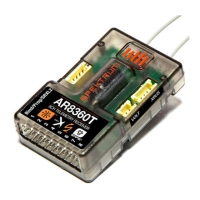
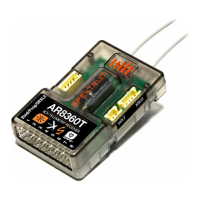
Spektrum AR8360T
28 pages
Print Icon
To Next Page IconTo Next Page
Loading...
Spektrum AR8360T AS3X and SAFE
8 CH Receiver

Questions and Answers

  • A
    Amber RushJul 29, 2025
    Why Spektrum Receiver has oscillation?
    • R
      Robert ParsonsJul 29, 2025
      Oscillation in a Spektrum receiver can be caused by several factors. It may be due to a damaged or imbalanced propeller or spinner, requiring replacement or balancing. Motor vibration can also cause oscillation; in this case, replace parts or correctly align the propeller or other parts, tightening fasteners as needed. Other causes include a loose receiver (align and secure it in the fuselage), loose aircraft controls (tighten or secure servo, arm, linkage, horn, and control surface), worn parts (replace propeller, spinner, or servo), irregular servo movement (replace servo and/or servo extension(s)), gain set too high (reduce gain), or reduced servo resolution (adjust pushrod and increase travel/rates).
  • T
    Tiffany BlairAug 8, 2025
    What to do if Spektrum Receiver has inconsistent flight performance?
    • M
      Matthew Goodman Jr.Aug 8, 2025
      Inconsistent flight performance of your Spektrum receiver can occur due to trim changes after the initial setup. If you adjust trim more than 8 clicks, select 'Relearn Servo Settings' in the Forward Programming menu after landing. Also, changes to Sub-Trim after the initial setup can cause this issue, so use the 'Relearn Servo Settings' in the Forward Programming menu after landing. Finally, ensure the aircraft remains immobile for 5 seconds after connecting the battery. Disconnect and reconnect the battery with the throttle stick in the lowest position, and keep the aircraft still for 5 seconds.
  • R
    rodriguezconnieAug 18, 2025
    What to do if Spektrum AR8360T Receiver gives incorrect response to the AS3X Control Direction Test?
    • K
      Keith CunninghamAug 18, 2025
      If your Spektrum receiver shows an incorrect response during the AS3X Control Direction Test, do not fly the aircraft. This is due to incorrect direction settings in the receiver, which could lead to a crash. You must correct the direction settings before flying.

Summary

Specifications

Telemetry and Installation

Installing the AR8360 T Receiver

Mount the receiver using double-sided servo tape and connect servos to their respective ports.

Transmitter and Receiver Binding

Failsafe and Initial Setup

Initial Setup

Steps for initial setup including transmitter software update, receiver installation, and binding.

AS3 X Setup and Testing

AR8360 T Receiver- Basic AS3 X Setup

Guide to setting up the AR8360T receiver for AS3X stabilization technology via Forward Programming.

AS3 X Reaction Test

Procedure to verify that the AS3X control system is functioning correctly.

SAFE Setup and Tuning

AR8360 T Receiver- SAFE Setup

Steps to set up SAFE flight stabilization technology on the AR8360T receiver.

SAFE Setting menu.

Detailed adjustments for SAFE gains, angle limits, and panic mode setup.

Advanced Tuning

Other Settings (Forward Programming)

Additional configurations like Failsafe, factory reset, and SAFE flying tips.

Troubleshooting and Support

Troubleshooting Guide AS3 X

Common problems and solutions for AS3X operation, aircraft response, and binding issues.

1-YEAR LIMITED WARRANTY

Details warranty coverage, exclusions, purchaser's remedy, limitations of liability, and governing law.

Spektrum AR8360T Specifications

General IconGeneral
BrandSpektrum
ModelAR8360T
CategoryReceiver
LanguageEnglish

Related product manuals