EasyManua.ls Logo

Spektrum AS3X - User Manual

Spektrum AS3X
5 pages
Print Icon
To Next Page IconTo Next Page
Loading...
AS3X Guide 3/09/2019 composite authorship
Connecting and launching the app
This guide uses the SPMA3065. Your experience connecting and launching with the SPMBT1000 cable will be
different. But AS3X concepts described here are applicable.
Connecting with the SPMA3065 Programming Cable
1. Launch application
2. Plug USB cable in. Application indicates cable connected but no device
3. Plug cable into Rx program/bind port. Application shows cable and device connected
Changes made are immediately applied to the Rx. There is no “Save” or “Apply” button.
Use a servo extender lead to make the connection to Rx more convenient.
You may find that every time you reprogram the Rx you will have to re-calibrate the throttle/ESC.see notes
Critical Necessity:
You must have your servo reversing in Tx set to normal. Check your Tx before going into AS3X programming.
You may wish to rebind Rx to Tx after making changes.
Again, if you're going to use AS3X, do not servo reverse in the Tx. It must be accomplished via the programmer
/ Rx.
The exception is a switch which is not a control surface.
Examples: Gear switch or Flight Mode switch. These may be reversed in the Tx.
After setting up the Rx with the programmer:
1. Be sure the propeller is removed
2. Turn on Tx, plug in aircraft battery. Test direction of control surfaces with the Tx sticks.
3. Test AS3X by swinging the model sharply in roll pitch and yaw. In each case, the control surface
should move toward the direction of swing. If you roll the left wing up, the left aileron should go
up.
4. If a channel of stick control is opposite of what it should be. You must go back into programming
and reverse the channel on the Rx. Do not do it on the Tx.
Terminology
Rate Gain
Rate Gain is where power of AS3X effect is set. Rate Gain is modified by other factors.
Example: Resetting the AR636 to defaults, zeros AS3X effect. This is confirmed by observing Rate Gain
settings are zero. Unless there is Rate Gain greater than zero there will be no AS3X effect.
Priority
Priority sets how much the AS3X is being inhibited with stick movement.
Priority = 100% , AS3X is 100% OFF with full stick deflection.
Priority = 75%, AS3X is 25% active with full stick deflection.
Priority = 125%, AS3X is OFF before full stick deflection is reached.
Question and Answer IconNeed help?

Do you have a question about the Spektrum AS3X and is the answer not in the manual?

Summary

Connecting and Launching the AS3 X App

Connecting with SPMA3065 Programming Cable

Details steps for connecting the SPMA3065 cable and application for AS3X programming.

Critical Setup Requirements

Emphasizes normal servo reversing and potential need to rebind Rx after AS3X changes.

Post-Programming Verification

Describes propeller removal, Tx power-up, control surface testing, and reversal checks.

AS3 X Terminology

Understanding Rate Gain

Defines Rate Gain as the power of AS3X effect, requiring a value > 0 for activation.

Understanding Priority

Explains Priority setting's role in inhibiting AS3X with stick movement at different deflection levels.

Absolute vs. Relative Gain Settings

Live Gain Adjustment

Describes how to adjust gains live in flight using Relative mode and lock them using Absolute mode.

Receiver Orientation Setup

Surface Setup Screen Configuration

Configuring Surface Reversal

Explains how to select surfaces, check the reverse checkbox, and notes on Travel/Balance settings.

Setting Rate Gain and Priority

Gain and Priority Settings Example

Illustrates setting Priority to 150% and selecting Absolute or Relative gain modes.

AS3 X Configuration Examples

Gain Settings Examples

Shows example Gain settings (Rate, Heading) for Roll, Pitch, and Yaw across Flight Modes 1, 2, and 3.

Dual Rate Settings Examples

Displays example Dual Rate settings for Roll, Pitch, and Yaw across Flight Modes 1, 2, and 3.

Exponential Settings Examples

Presents example Exponential settings for Roll, Pitch, and Yaw across Flight Modes 1, 2, and 3.

Important Notes and Tips

Flight Mode and Gain Considerations

Discusses throttle requirements, antenna mounting, ESC calibration, and flight mode implementation.

Heading Gain and Expo Usage

Provides insights on leaving Heading Gain at zero and personal preference for using Expo/mixing in Tx.

Summary

Connecting and Launching the AS3 X App

Connecting with SPMA3065 Programming Cable

Details steps for connecting the SPMA3065 cable and application for AS3X programming.

Critical Setup Requirements

Emphasizes normal servo reversing and potential need to rebind Rx after AS3X changes.

Post-Programming Verification

Describes propeller removal, Tx power-up, control surface testing, and reversal checks.

AS3 X Terminology

Understanding Rate Gain

Defines Rate Gain as the power of AS3X effect, requiring a value > 0 for activation.

Understanding Priority

Explains Priority setting's role in inhibiting AS3X with stick movement at different deflection levels.

Absolute vs. Relative Gain Settings

Live Gain Adjustment

Describes how to adjust gains live in flight using Relative mode and lock them using Absolute mode.

Receiver Orientation Setup

Surface Setup Screen Configuration

Configuring Surface Reversal

Explains how to select surfaces, check the reverse checkbox, and notes on Travel/Balance settings.

Setting Rate Gain and Priority

Gain and Priority Settings Example

Illustrates setting Priority to 150% and selecting Absolute or Relative gain modes.

AS3 X Configuration Examples

Gain Settings Examples

Shows example Gain settings (Rate, Heading) for Roll, Pitch, and Yaw across Flight Modes 1, 2, and 3.

Dual Rate Settings Examples

Displays example Dual Rate settings for Roll, Pitch, and Yaw across Flight Modes 1, 2, and 3.

Exponential Settings Examples

Presents example Exponential settings for Roll, Pitch, and Yaw across Flight Modes 1, 2, and 3.

Important Notes and Tips

Flight Mode and Gain Considerations

Discusses throttle requirements, antenna mounting, ESC calibration, and flight mode implementation.

Heading Gain and Expo Usage

Provides insights on leaving Heading Gain at zero and personal preference for using Expo/mixing in Tx.

Overview

The provided document is a user guide for the AS3X system, specifically focusing on its implementation with the SPMA3065 programming cable and AR636 receiver. AS3X is a stabilization technology for remote-controlled aircraft, designed to smooth out flight characteristics and counteract external disturbances like wind.

Function Description:

The AS3X system uses gyroscopic sensors to detect unwanted aircraft movements (roll, pitch, and yaw) and automatically makes small, rapid corrections to the control surfaces (ailerons, elevator, rudder) to maintain stability. This results in a more locked-in feel, making the aircraft fly as if it were larger or in calmer conditions. The system can be configured to operate in different flight modes, allowing for varying levels of stabilization or even disabling it for specific maneuvers.

Important Technical Specifications:

The guide primarily references the SPMA3065 programming cable for configuration, though it notes that the SPMBT1000 Bluetooth module offers a different connection experience. The AR636 receiver is explicitly mentioned as the hardware being configured. Key configurable parameters include:

  • Rate Gain: This setting determines the "power" or intensity of the AS3X stabilization effect. Higher gain means stronger corrections. It can be set as "Absolute" (fixed by the app) or "Relative" (adjustable via the transmitter during flight).
  • Heading Gain: This is a more advanced gain setting that attempts to return the aircraft to a specific heading if disturbed. The guide suggests leaving this at zero for initial setups.
  • Priority: This parameter dictates how much the AS3X effect is inhibited by stick movement. For example, a Priority of 100% means AS3X is 100% off at full stick deflection, while 75% means AS3X is 25% active at full stick deflection. A Priority of 150% means AS3X is off before full stick deflection is reached, effectively reducing stabilization at higher stick inputs.
  • Dual Rate and Exponential: These are standard transmitter functions that can also be configured within the AS3X programmer, though the guide notes that many users prefer to manage these in the transmitter itself.
  • Servo Reversing: Crucially, servo reversing for control surfaces must be done within the AS3X programmer/Rx, not in the transmitter, to ensure proper AS3X operation. Switches (like gear or flight mode) can be reversed in the Tx.
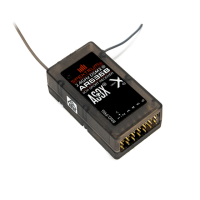
  • Receiver Orientation: The AR636 receiver can be mounted with connectors facing forward or rearward. The programming must be adjusted to match this orientation. 180-degree changes are acceptable, but 90-degree variations are not. The guide illustrates buttons in the software to switch between face-up/face-down and end-for-end orientations.
  • Antenna Placement: For receivers with two antennas (like the AR636), it's recommended to mount them at a 90-degree angle to each other for optimal reception.

Usage Features:

  • Programming Interface: The AS3X system is configured via a dedicated application (likely on a computer or mobile device) connected to the receiver using a programming cable. Changes are applied immediately without a separate "Save" or "Apply" button.
  • Real-time Adjustments (Relative Gain): When Rate Gain is set to "Relative," users can adjust the gain values directly from their transmitter during flight, allowing for fine-tuning to achieve desired flight characteristics. Once optimized, these "Relative" settings can be converted to "Absolute" values in the app, effectively locking them in.
  • Flight Modes: The system supports multiple flight modes, each with its own set of AS3X gain and priority settings. This allows pilots to switch between different stabilization profiles (e.g., for calm flight, aerobatics, or windy conditions).
  • Post-Setup Testing: After programming, it's essential to:
    1. Remove the propeller for safety.
    2. Power on the Tx and aircraft.
    3. Test control surface directions with Tx sticks.
    4. Test AS3X by sharply swinging the model in roll, pitch, and yaw. The control surfaces should move toward the direction of the swing (e.g., if rolling the left wing up, the left aileron should go up). If a control surface moves in the opposite direction, the corresponding channel must be reversed in the AS3X programmer, not the Tx.
  • Throttle/ESC Calibration: Reprogramming the Rx may necessitate re-calibrating the throttle/ESC. This typically involves setting the Tx throttle to max, plugging in the battery, waiting for beeps, then lowering the throttle to minimum, waiting for more beeps, and finally an "OK" beep.

Maintenance Features:

The document does not explicitly detail maintenance features in the traditional sense (e.g., cleaning, lubrication). However, it provides crucial setup and troubleshooting guidance that contributes to the system's proper "maintenance" and reliable operation:
  • Critical Necessity for Servo Reversing: Emphasizes that servo reversing for control surfaces must be done in the AS3X programmer, not the Tx, to prevent unexpected behavior.
  • Rebinding: Suggests rebinding the Rx to the Tx after making significant changes to AS3X programming.
  • ESC Calibration: Notes that recalibration of the ESC may be required after reprogramming the Rx.
  • Antenna Mounting: Provides a best practice for mounting dual antennas to ensure optimal signal reception.
  • Troubleshooting: Offers tips for common issues, such as BNF aircraft requiring throttle to be raised before AS3X activates, or some planes needing a larger Tx-Rx distance before becoming flight-ready.
  • Use of Servo Extender: Recommends using a servo extender lead for convenience when connecting the programming cable to the Rx.

Spektrum AS3X Specifications

General IconGeneral
BrandSpektrum
ModelAS3X
CategoryToy
LanguageEnglish

Related product manuals