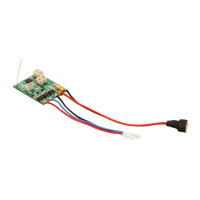
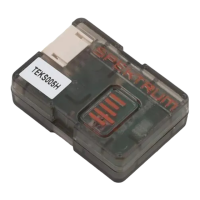
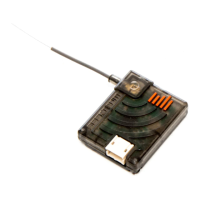
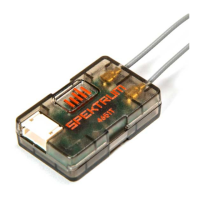
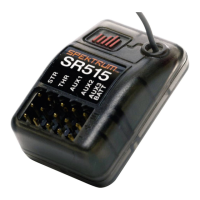
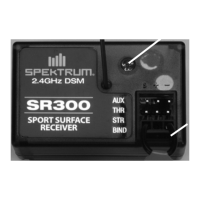
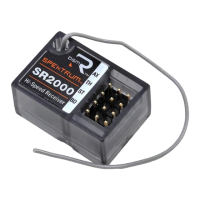
The Spektrum AR637T AS3X and SAFE 6 CH Receiver is a full-range telemetry receiver designed for air applications, compatible with all Spektrum DSM2 and DSMX technology transmitters. This sophisticated hobby product requires careful operation and maintenance due to its mechanical complexity. It is not intended for use by children under 14 years old.
Function Description:
The AR637T receiver integrates AS3X (Artificial Stabilization 3-axis) and SAFE (Sensor Assisted Flight Envelope) technologies, providing flight stabilization and envelope protection. It offers full-range telemetry, including flight log data, variometer, and altitude, without requiring additional sensors. Voltage sensors can be connected to the volt port, and XBus telemetry sensors can be connected through the XBus connector. The receiver supports forward programming, allowing setup and adjustments directly from a compatible Spektrum transmitter without the need for a separate PC programmer for firmware updates. It is designed to work with Smart Technology ESCs and Smart batteries, enabling telemetry data like voltage and current to be passed back to the receiver.
Important Technical Specifications:
- Type: DSM2/DSMX 6 CH AS3X Telemetry Receiver
- Application: Air
- Channels: 6
- Receivers: 1
- Remote Receiver (not included): SRXL2 Remote Receiver Optional [SPM9747, SPM4651T]
- Modulation: DSM2/DSMX
- Telemetry: Integrated
- Bind Method: Bind Button, Bind Plug
- Failsafe: Yes
- Band: 2.4GHz
- Dimensions (LxWxH): 49.80 x 23.34 x 15.02mm
- Weight: 12g
- Input Voltage: 3.5–9V
- Resolution: 2048
- Antenna Length: 155mm and 186mm
- Wireless Frequency Range and Wireless Output Power: 2402-2478MHz / 19.5dBm
Receiver Power System Requirements:
The receiver requires a power supply that can deliver adequate voltage and current.
- Receiver battery pack: Number of cells, capacity, cell type, state of charge.
- ESC's capability: Deliver adequate voltage to the receiver when the servos demand high current.
- Switch harness: Battery leads, servo leads, regulators, etc.
- The AR637T has a minimum operational voltage of 3.5 volts; it is highly recommended the power system be tested per the guidelines below.
Usage Features:
- Installation: The receiver should be mounted upright, upside down, or on its side, ensuring the fuselage is square with the mounting position. It should be secured with double-sided servo tape. For SAFE setups, install the receiver as close to the center of gravity of the aircraft as practical.
- Antenna Installation: The AR637T has coaxial style antennas. Install the antennas oriented 90 degrees from each other and as far as possible from metal, batteries, carbon fiber, or fuel tanks to maximize signal reception performance. Do not cut, kink, or modify the antennas as this will reduce performance.
- Transmitter and Receiver Binding: The AR637T requires a Spektrum DSM2/DSMX compatible transmitter with Forward Programming. To bind, connect the optional SRXL2 remote receiver (SPM9747) if desired, then push and hold the bind button on the receiver while turning on the transmitter. Release the bind button once the orange LED starts to flash continuously, indicating the receiver is in bind mode. It is also possible to use a bind plug in the bind port.
- Failsafe: In the unlikely event of radio link loss, the receiver will enable the selected failsafe mode. SmartSafe + Hold Last is the default failsafe mode. Preset Failsafe and SAFE Failsafe modes are also available through Forward Programming.
- Initial Setup: Update your transmitter to the latest Spektrum AirWare software. Install the receiver in your airplane. Bind the receiver to your transmitter. Complete the airplane setup on your transmitter, including wing type, tail type, channel assignments, mixing, sub trim, and travel. Verify the center of gravity is correct and test fly your aircraft.
- AS3X Setup: Use AS3X technology with the AR637T Receiver by setting up a compatible Spektrum transmitter. Verify the basic setup and trim before attempting AS3X setup. Forward Programming is used to configure AS3X settings. Perform a control surface direction test and AS3X reaction test.
- SAFE Setup: Setting up SAFE Technology on the AR637T Receiver takes place in Forward Programming. Complete the AS3X setup and verify operation in flight. Forward Programming is used to configure SAFE flight stabilization. Perform a control surface direction test and AS3X reaction test.
- Advanced Tuning: Basic gain tuning can be done using a slider, but for fine tuning, use the AS3X system gain and tuning options. AS3X Gains can be changed for each axis. Priority allows the receiver to lower gain to zero with any movement on the control stick. Gain Sensitivity adjusts the gain for aggressive aircraft. Flight Mode tuning options within Forward Programming allow for different settings based on flight mode.
- Flight Log: Flight Log data helps optimize the control link. It provides information on fades on the main receiver (A), fades on the remote receiver (B), not available on AR637T (L, R), frame losses (F), and holds (H). A hold occurs when 45 consecutive frame losses occur.
- Range Testing: Before each flying session, perform a range test. Spektrum aircraft transmitters incorporate a range testing system, which reduces the output power to allow a range check. Stand approximately 100 feet away from the model with the model resting on the ground. Face the model with the transmitter in your normal flying position and put your transmitter into range test mode.
- Smart Throttle: With Smart Technology, the normal servo connector delivers the throttle signal to the ESC, plus the ESC can send telemetry data like voltage and current back to the receiver. The AR637T receiver throttle port (Channel 1 port only) will automatically detect when a Smart compatible ESC is connected.
Maintenance Features:
- Troubleshooting Guide AS3X:
- Problem: Damaged propeller or spinner. Solution: Replace propeller or spinner.
- Problem: Imbalanced propeller. Solution: Balance the propeller.
- Problem: Motor vibration. Solution: Replace parts or correctly align propeller/other parts and tighten fasteners.
- Problem: Loose receiver. Solution: Align and secure receiver in fuselage.
- Problem: Loose aircraft controls. Solution: Tighten or otherwise secure parts (servo, arm, linkage, horn, and control surface).
- Problem: Worn parts. Solution: Replace worn parts (especially propeller/spinner, or servo).
- Problem: Irregular servo movement. Solution: Replace servo and/or servo extension(s).
- Problem: Gain too high. Solution: Reduce Gain.
- Problem: Travel or Rates reduced causing reduced servo resolution. Solution: Move pushrod in on servo horn, or move pushrod out on control horn, and increase travel and/or rates. Use the full servo travel to achieve the desired throw.
- Problem: Trim changes after initial setup. Solution: If you adjust trim more than 8 clicks, select Relearn Servo Settings in the Forward Programming menu after landing.
- Problem: Changes to Sub-Trim after initial setup. Solution: If you need to trim the aircraft during test flights, select Relearn Servo Settings in the Forward Programming menu after landing.
- Problem: Aircraft was not kept immobile for 5 seconds after battery connection. Solution: With the throttle stick in lowest position. Disconnect battery, then reconnect battery and keep the aircraft still for 5 seconds.
- Problem: Incorrect direction settings in the receiver, which can cause a crash. Solution: DO NOT fly. Correct the direction settings, then fly.
- Troubleshooting Guide (General):
- Problem: Throttle not at idle and/or throttle trim too high. Solution: Reset controls with throttle stick and throttle trim at lowest setting.
- Problem: Throttle servo travel is lower than 100%. Solution: Make sure throttle servo travel is 100% or greater.
- Problem: Throttle channel is reversed. Solution: (With battery disconnected from aircraft) Reverse throttle channel on transmitter.
- Problem: Motor disconnected from ESC. Solution: Make sure motor is connected to the ESC.
- Problem: Transmitter too near aircraft during binding process. Solution: Move powered transmitter a few feet from aircraft, disconnect and reconnect flight battery to aircraft.
- Problem: Aircraft or transmitter is too close to large metal object, wireless source or another transmitter. Solution: Move aircraft and transmitter to another location and attempt binding again.
- Problem: The bind plug is not installed correctly in the bind port. Solution: Install bind plug in bind port and bind the aircraft to the transmitter.
- Problem: Flight battery/transmitter battery charge is too low. Solution: Replace/recharge batteries.
- Problem: Bind button not held long enough during bind process. Solution: Power off and repeat bind process.
- Problem: Bind plug left installed in bind port. Solution: Rebind transmitter to the aircraft and remove the bind plug before cycling power.
- Problem: Aircraft bound to different model memory. Solution: Select correct model memory on transmitter.
- Problem: Transmitter may have been bound to a different aircraft using different DSM protocol. Solution: Rebind aircraft to transmitter.
- Problem: Control surface, control horn, linkage or servo damage. Solution: Replace or repair damaged parts and adjust controls.
- Problem: Wire damaged or connections loose. Solution: Perform a check of wires and connections, connect or replace as needed.
- Problem: Transmitter is not bound correctly or the incorrect model was selected. Solution: Rebind or select correct airplanes in transmitter.
- Problem: Flight battery charge is low. Solution: Fully recharge flight battery.
- Problem: BEC (Battery Elimination Circuit) of the ESC is damaged. Solution: Replace ESC.
- Warranty and Service: Horizon Hobby, LLC (Horizon) warrants to the original purchaser that the product purchased will be free from defects in materials and workmanship for a period of 1 year from the date of purchase. The warranty does not cover cosmetic damage, damage due to acts of God, accident, misuse, abuse, negligence, commercial use, or improper installation, operation, or maintenance. For warranty service, contact Horizon Product Support. Do not ship LiPo batteries to Horizon. If you have any issue with a LiPo battery, please contact the appropriate Horizon Product Support office.

 Need help?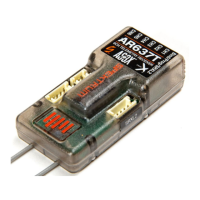

 To Next Page
 General