Highlight Auto Scan, press ENTER to search and store all available channels.
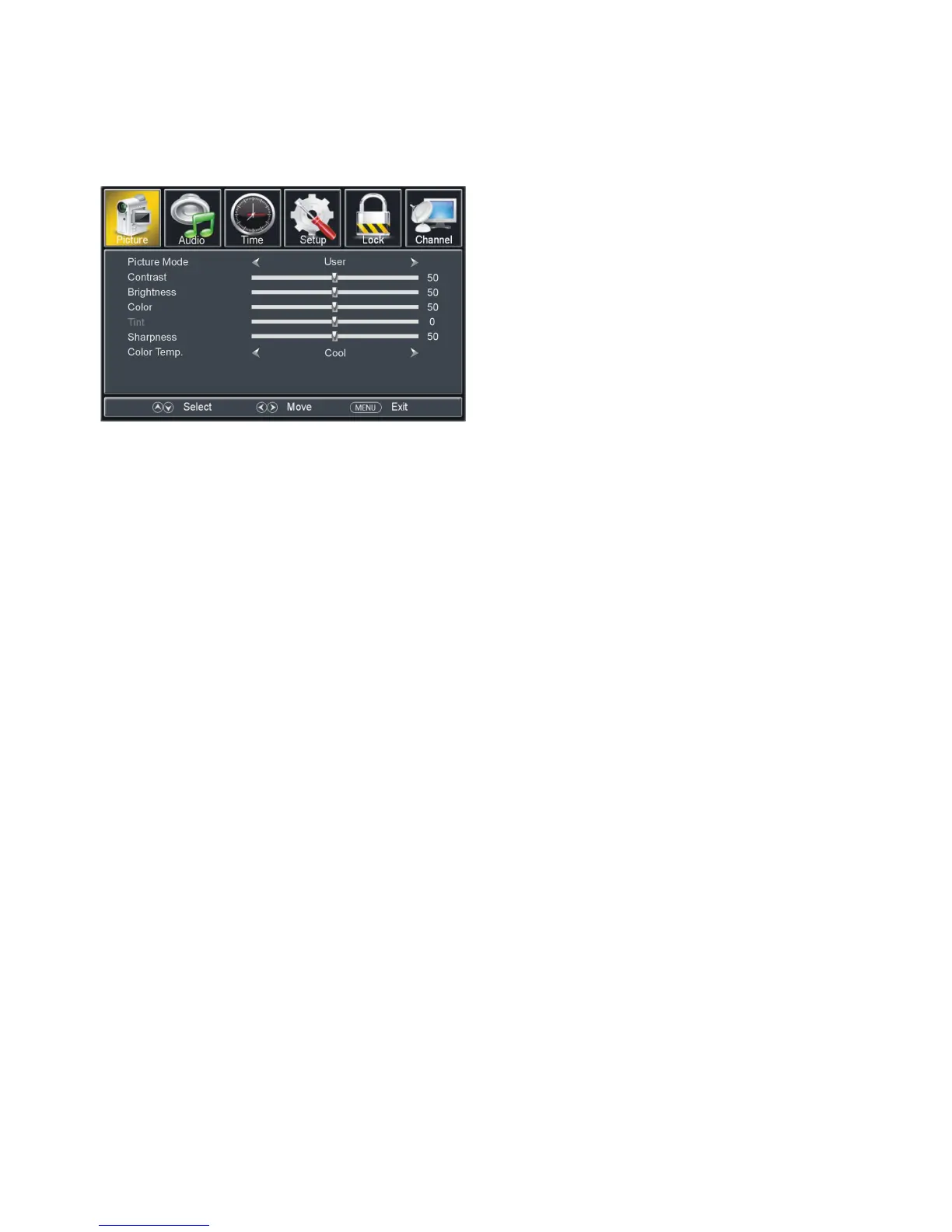
Available options: Standard, Dynamic, Mild, User.
The value of Contrast can be adjusted from 0-100.
The value of Brightness can be adjusted from 0-100.
The value of Color can be adjusted from 0-100.
The value of Tint can be adjusted from -50 to 50.
NOTE: Tint is adjustable only in certain TV system.
The value of Sharpness can be adjusted from 0-100.
NOTE: If the value of Contrast, Brightness, Color, Tint or Sharpness has been changed, the
picture mode will turn to User automatically.
1.7 Color Temp. (Color Temperature)
Available options: Normal, Warm, Cool.


 To Next Page