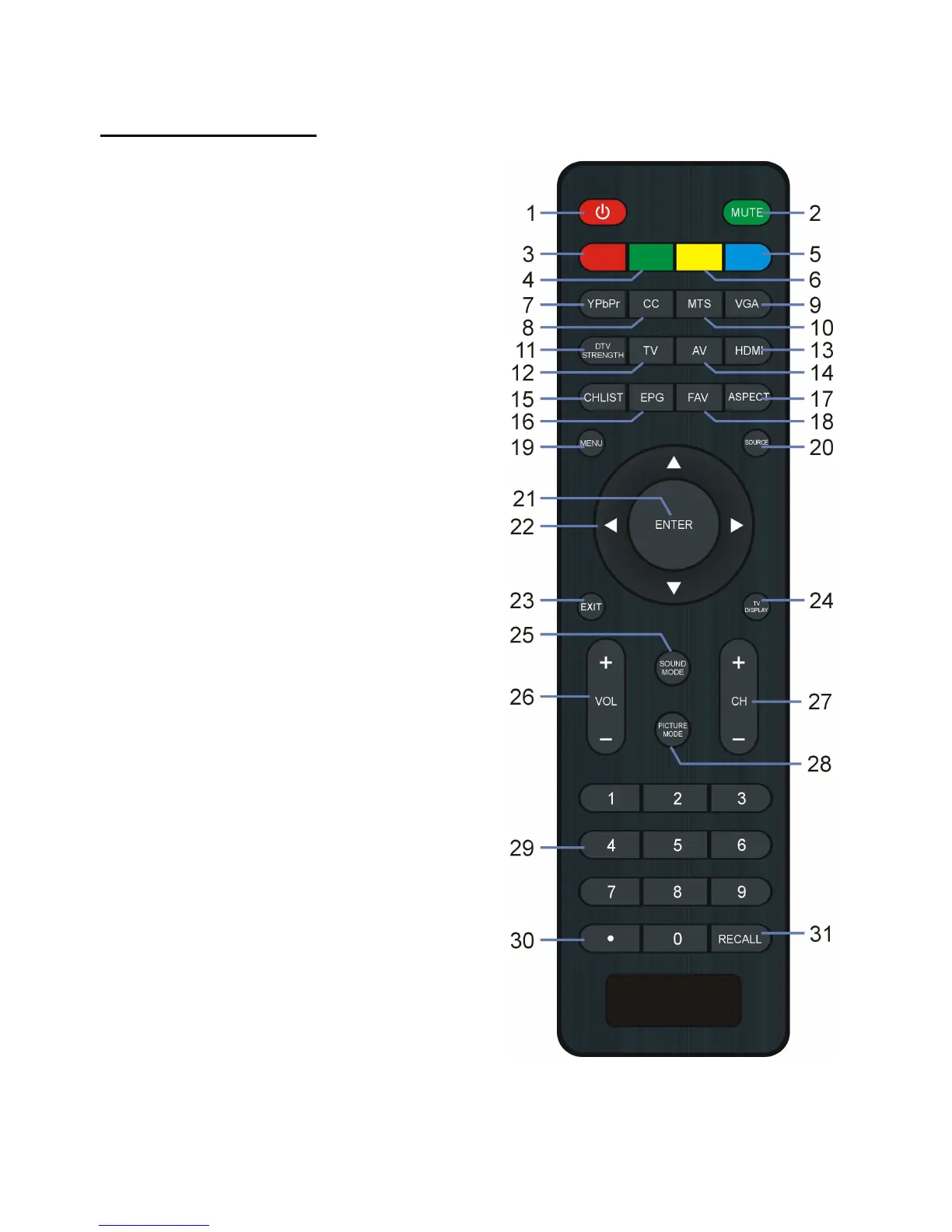
1. POWER: Press to enable standby mode;
2. MUTE: To mute the sound.
7. YPbPr: No function for this model.
8. CC: To switch the Closed Caption mode.
9. VGA: To switch to VGA mode directly.
10. MTS: To select desired soundtrack in TV
11. DTV STRENGTH: To display the digital
12. TV: To switch to TV mode directly.
13. HDMI: To switch to HDMI mode.
14. AV: To switch to AV mode.
15. CHLIST: To display the Channel List.
16. EPG: To display electronic program guide
17. ASPECT: To select desired displaying
18. FAV: To display the Favorite List.
19. MENU: To display the main menu. Press it
again to return to previous menu page.
20. SOURCE: To switch the input source.


 To Next Page