A
B
C
A
B
SETTING THE DATE AND TIME (Date format is DD/MM/YYYY)
Press A and the numbers will go up. Press B to confirm the number.
Press C to go back a step.
SETTING THE SKIN TONE
Press A to change skin tone.
Press B to confirm your choice.
5+5+
1.5 V
1,5 V
3
x
AAA
(
LR03
)
Included
•
Fournies
•
Incluidas
•
enthalten
Inbegrepen
•
Incluse
•
Inclusas
•
Входят в комплект
Dołączone
•
Součástí balení
•
Súčasť balenia
Tartozék
•
Incluse
•
Περιλαμβάνονται
•
Isporučuj
se u paketu
•
Включени
•
Priloženo
•
İçinde
NAME O
F COMPONENTS
INSTALLING THE BATTERIES
POWER ON / OFF
Squish the Squishy Button, or hold B for 2 seconds to
turn ON.
While ON, hold B for 2 seconds to turn OFF.
Punirunes will automatically turn OFF if not played with
after about 1 minute.
RESETTING THE PUNIRUNES™ POD
After replacing the batteries, lightly press the Reset
Button with the tip of a pencil.
NOTE: The saved data in your Punirunes™ pod will not be
deleted if you press the Reset Button.
1. Open the battery door with a screwdriver.
2.
If used batteries are present, remove these batteries from the unit by pulling up on one end of
each battery. DO NOT remove or install batteries using sharp or metal tools. Install new
batteries as shown in the polarity diagram (+/-) inside the battery compartment
.
3. Replace battery door securely. Check your local laws and regulations for correct recycling
and/or battery disposal.
WHEN TO REPLACE THE BATTERIES
You will see this screen when battery power
is low. Replace all 3 batteries with new AAA
alkaline batteries.
NOTE: Press the Reset Button after
replacing batteries.
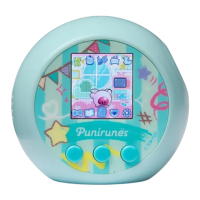
LCD SCREEN SQUISHY BUTTON
A
BUTTON
B
BUTTON
C
BUTTON
RESET
BUTTON
SPEAKER
BATTERY COVER
1
DEFAULT SETTINGS
2
FEEL YOUR
SQUISHY BFF!
™

 Need help?
 General








 To Next Page