Battery Installation
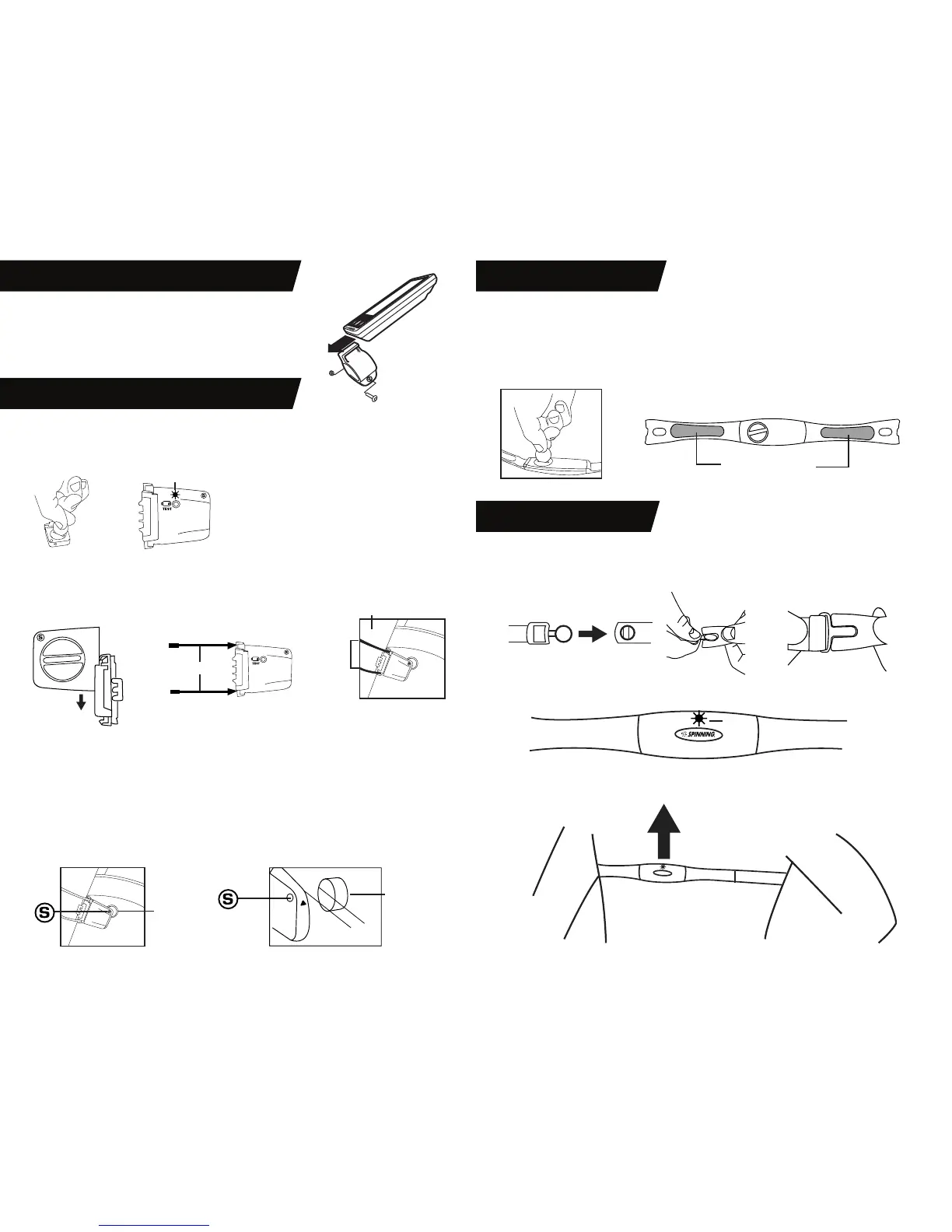
Install CR2032 Coin Cell Battery into sensor body. Note: Positive side with writing must face out. Insert
cover and rotate closed using a coin or similar tool. To verify proper battery installation or check for a
charged battery, push the test button. If a green LED is seen then the sensor is ready for use.
Mounting to Bike
Find a suitable location on the rear of the left fork blade. Install zip ties as shown below through the
cadence sensor, wrapping around the fork blade and securing back to sensor. Tighten zip ties so that
cadence sensor is securely mounted, trimming o excess.
Magnet Installation
• Sport, FIT, and Pace bikes come with a magnet pre-installed on the ywheel.
• All other bikes: install provided magnet to left face of ywheel by peeling o adhesive backing and
adhering to ywheel. Make sure that ywheel surface is clean and free of grease and dirt
before installing. Magnet must be installed so that it passes by the S symbol on the cadence sensor.
Sensor Adjustment
• Magnet must pass by the S symbol on the cadence sensor and be 5 mm (.2 in.) or less from the
sensor. If required, raise/lower/or rotate cadence sensor so that magnet passes S indication on
sensor each ywheel revolution.
CADENCE SENSOR SETUP AND INSTALLATION
HEART RATE STRAP SETUP
s
Magnet
5mm (.2in)
or less
Magnet
LED
LED
LED
ZIP TIES
• Slide the provided CR2032 coin cell battery into the compartment on the heart rate strap.
• The positive side must face toward the outside of the compartment (writing on battery should be
visible).
• Install battery cover and rubber o-ring and rotate closed using a coin or other similar tool.
• Battery cover must be securely closed and should be oriented as shown in the picture to prevent
sweat and moisture from entering the strap.
HEART RATE STRAP USE
• Before use, moisten electrodes in the location shown above to improve transmission.
• Position the heart rate strap as shown and adjust elastic strap for a secure and comfortable t.
• If the heart rate strap is installed and functioning properly the red LED indicator will ash.
NOTE: For Sport, FIT and Pace bicycles the small plastic clip on the
left fork blade must be removed before attaching cadence sensor.
INSTALLING DISPLAY ON MOUNTING BRACKET
Moisten before use
FORK
ZIP TIES
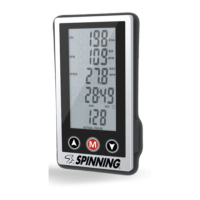
Align slot on the bottom of the computer display with mounting
bracket and slide into place.
NOTE: Display installs from the front of the bike towards the rear.


 To Next Page
 Loading...