2011-09-18 SPINTSO WATCH INSTRUCTION
Model:SPINTSO Watch. SPINTSO INTERNATIONAL Ltd, SWEDEN. www.spintso.com Page: 2/6
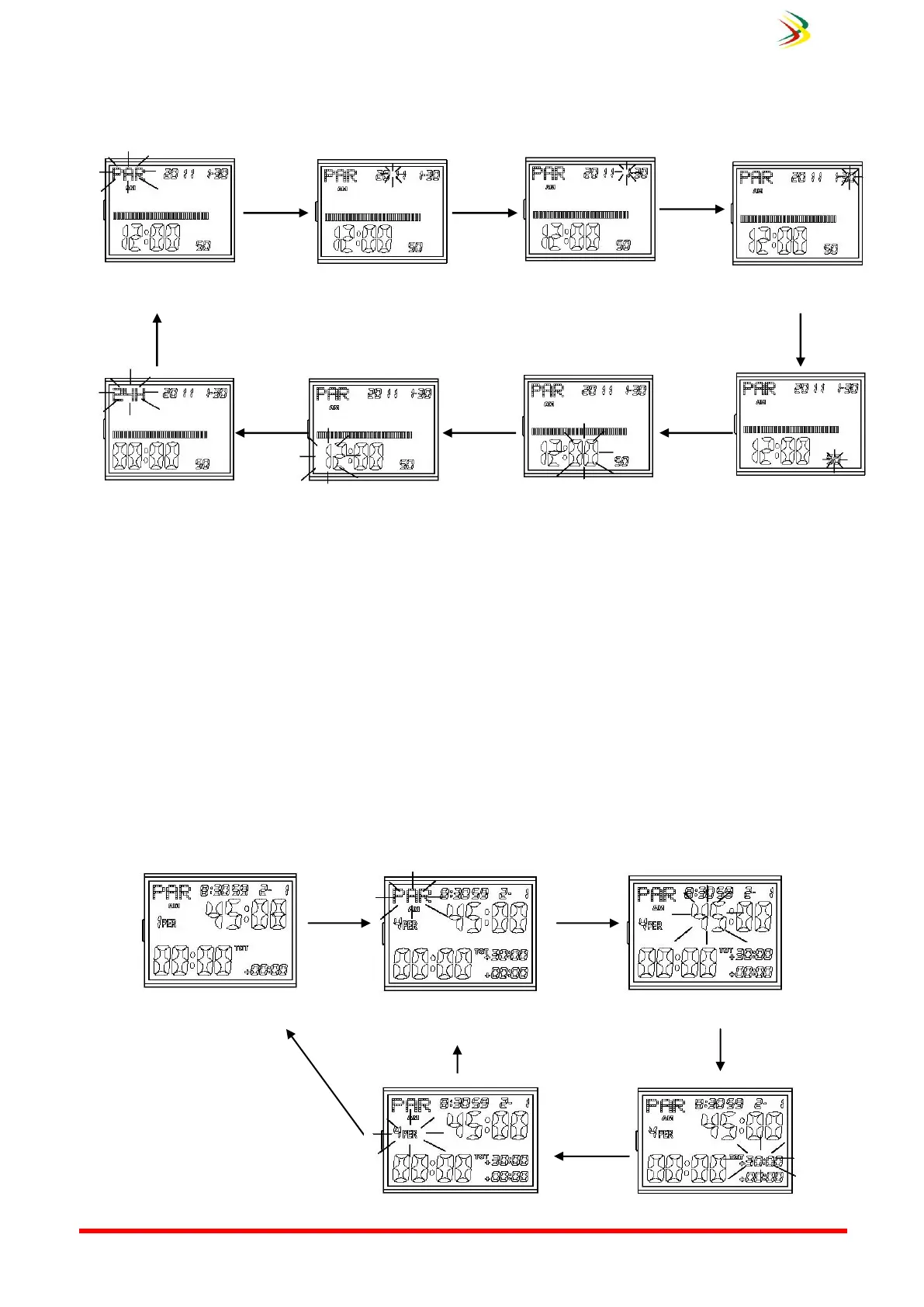
1. To set time and date
When In Normal Time Mode, hold down for 3 seconds to enter setting mode, then press B to select other
flashing items in sequence as below:
a) Press D to adjust up the time zone or increase the values, hold down D for some time to fast adjust up
time zone or fast increase the values.
b) Press C to adjust down the time zone or decrease the values, hold down C for some time to fast adjust
down time zone or fast decrease the values.
c) When adjust the second, press D or C to clear seconds to 00.
d) Press A to confirm, if you do not perform any button within one minute, the watch will automatically
confirm and return to Normal Time Mode.
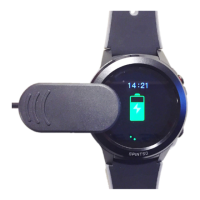
2. To set Referee time
When counting down stopped, hold down A for 3 seconds to enter countdown time setting, press B to select
other flashing items in sequence as below: Before the match the referee program number of periods (1-9), minutes
of playing time (1-99) for each period and minutes (1-99) for each period break. Use buttons Up / Down and Start /
reset to adjust the correct time / match time
“Halftime interval” flashes
Hold down Button
B for one second


 To Next Page