Need help?
Do you have a question about the Spintso Referee Watch S1 Pro and is the answer not in the manual?
Lists items included in the watch package.
Remove screen protector and film from sensor before use.
How to turn on the watch for the first time.
Download and install the Spintso watch app from app stores.
Pairing instructions for watch and phone via Bluetooth.
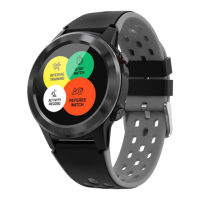
How to turn on the watch screen by touch or wrist turn.
How to switch between different watch faces.
How to navigate between screens and access settings.
Quick access to features via swipes from the home screen.
Accessing different function menus on the watch.
How to turn off the watch.
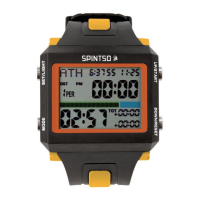
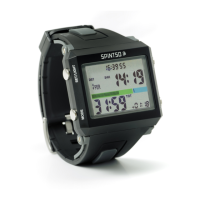
Overview of Classic, Youth, and Pro match clock modes.
How to configure match parameters like periods, times, and vibration.
How to select and start a match.
Vibration feedback for match events.
Explains the different display elements during a match.
Charging and setup before a match.
Actions during a match, screen, notifications, GPS, controls.
Specific instructions for the Classic match mode.
Specific instructions for the Youth match mode.
Options available in the Youth match event menu.
Handling and features for the Pro match mode.
Menu options accessed via the B-button in Pro mode.
How to register events like goals and cards in Pro mode.
How to configure interval training parameters.
How to use the interval training feature.
Explains the display elements during interval training.
How to start, stop, lap, and reset the stopwatch.
Visual guide to using the stopwatch.
Records health statistics and event logs for matches.
Details recorded health data like heart rate, distance.
Logs events like kick-off, goals, penalties during matches.
Records health statistics for training programs.
Access various sports programs like running, cycling, and football.
Measure and view heart rate and blood pressure.
Browse, view, and delete notifications.
Set and manage wake-up alarms.
Displays current and future weather forecasts.
Set and use the countdown timer.
Configure watch settings like brightness, language, and power off.
Access quick settings via swipe down gesture.
Access features by swiping left or right from home.
Features available in the watch tab of the app for configuration.
Overview of health data and match setup in the app.
Edit personal settings and health goals in the app.

 To Next Page
 General