42
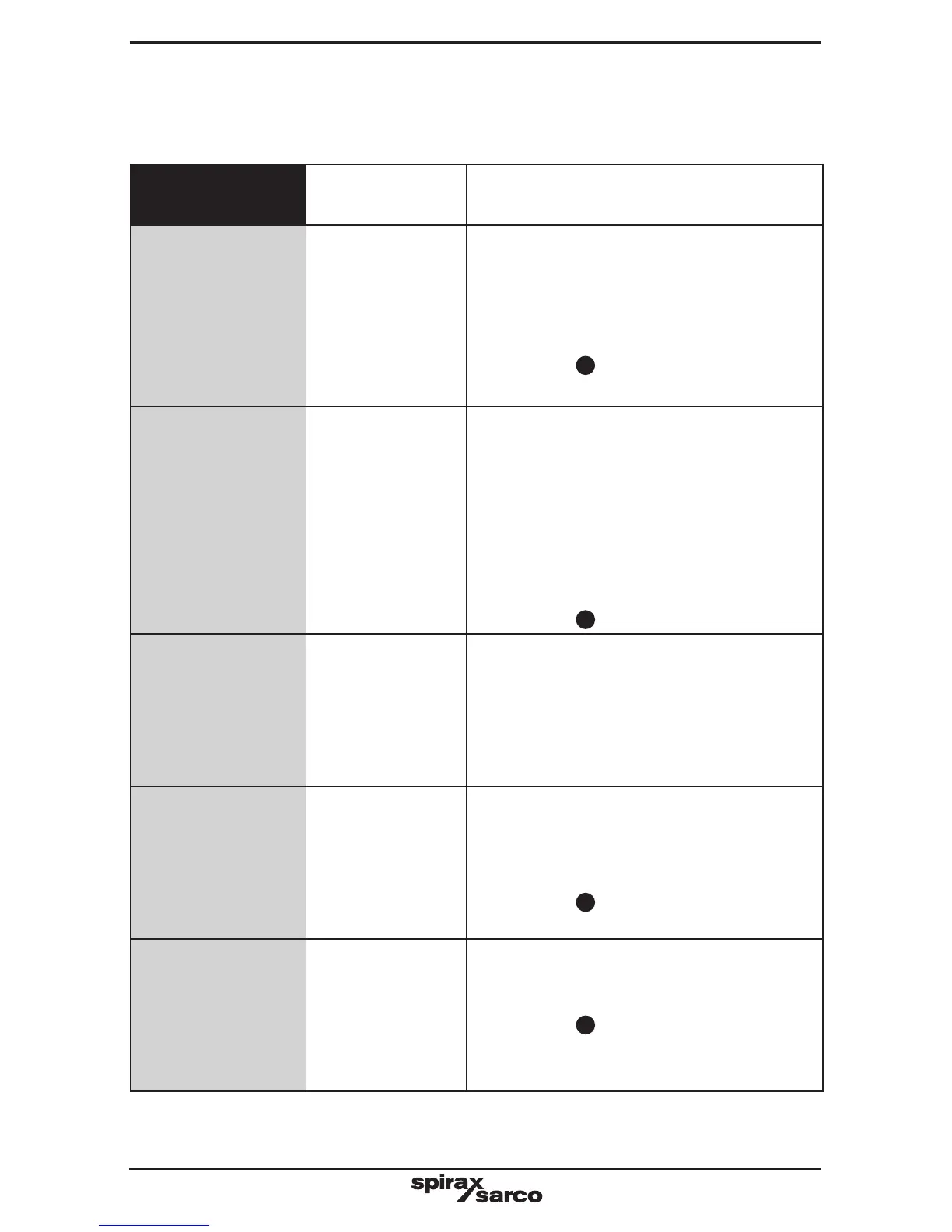
Operational error messages
Any operational errors that occur will be displayed in the run mode, on the alarms and
errors screen.
Error
message
Cause Action
1
Power out
There has been a
loss of power to
the product during
operation.
1. Remove the power from the product.
2. Check that all the wiring is correct.
3. Check that the power supply is secure,
i.e. does not suffer from 'brown outs'.
4. Reapply power.
5. Press the
OK
button to clear.
2
Valve failed
to open
Blowdown valve
fails to start to
open.
1. Check the correct open time has been
entered in the INPUT-SWITCH-LIFT
menu.
2. Check BB valve switch in the test menu.
3. Check the wiring between switch and the
product.
4. Check the operation of the switch.
5. Check the operation of the valve.
6. Check and replace the switch and/or
valve if necessary.
7. Press the
OK
button to clear.
3
Valve failed
to close
Blowdown valve
fails to close fully.
1. Check the correct closing time has
been entered in the INPUT-SWITCH-
CLOSING menu.
2. See 'Valve failed to open'.
3. Enter the commissioning mode and enter
the correct pass code.
4-6
Data timer X
invalid
Data in one of
the three timers
has been lost or
corrupted.
Values have
been restored
(X = 1 to 3).
1. Product needs to be re-commissioned.
2. Ensure product or its wiring is not located
near a source of electrical interference.
3. Return product if symptoms persist.
4. Press the
OK
button to clear.
7
Data state MC
overflow
State machine is
outside its limits.
Values have been
restored.
1. See 'Data timer' X 'Invalid' action.
2. Press the
OK
button to clear.


 To Next Page