EasyManua.ls Logo

Spireon GoldStar ATS300 - User Manual

Spireon GoldStar ATS300
10 pages
Print Icon
To Next Page IconTo Next Page
Loading...
Rev. 00022305
GoldStar ATS300
Battery Operated Tracker
Installation Guide
STOP! READ THIS ENTIRE MANUAL BEFORE PROCEEDING WITH THE INSTALLATION
OF THIS DEVICE.
Question and Answer IconNeed help?

Do you have a question about the Spireon GoldStar ATS300 and is the answer not in the manual?

Summary

Introduction to GoldStar ATS300

Tracking Device Kit Contents

Lists the components included in the Spireon-supplied tracking device kit.

Magnetic Mounting Plate Kit Contents

Lists the components included in the optional magnetic mounting plate kit.

Required Tools & Materials

Lists the tools and materials that the customer must supply for installation.

Major Components of the Tracking Device

Top Front View Components

Illustrates the top front view of the tracking device, highlighting key components.

Bottom Rear View Components

Illustrates the bottom rear view of the tracking device, highlighting key components.

Installation Procedure

Powering Up the Tracking Device

Instructions on how to power on the tracking device using the power-up button.

LED Indicators

Explains the meaning and actions of the red and green LED indicators.

Recommended Mounting Locations

Provides examples of suitable high-mounting locations within a vehicle.

Optical Tamper Sensor

Installation Options

Zip Tie Mounting

Details the procedure for mounting the device using zip ties.

VHB Adhesive Mounting

Explains cleaning and applying VHB tape to the device for mounting.

Screw Mounting

Screw Mounting (Step 1)

Attaches the magnetic mounting plate to the device using M3 x 6 screws.

Magnetic Mounting

Magnetic Mounting (Step 1)

Attaches the magnetic mounting plate to the device using M3 x 6 screws.

Device Behavior - Mode Definition

Quick Track Mode

Automatically activated when the Tracking Device powers on.

Daily Track Mode

Activated after establishing home and work profiles.

Recovery Track Mode

Manually activated by user for live trip tracking.

Overview

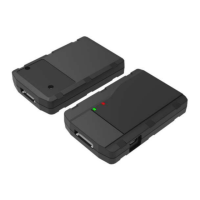
The GoldStar ATS300 is a battery-operated tracking device designed for covert installation and operation in vehicles. This compact device provides location tracking and reporting capabilities, making it suitable for various applications, including asset management and recovery.

Function Description

The primary function of the GoldStar ATS300 is to track the location of a vehicle using GPS and cellular networks. It operates in several modes to optimize battery life and tracking frequency based on specific needs. The device is equipped with LED indicators to provide visual feedback on its operational status, including GPS acquisition and cellular connection. An optical tamper sensor is integrated into the device to detect unauthorized removal or tampering, enhancing security.

Usage Features

Powering Up: To power up the ATS300, users must locate the power-up button on the flat face of the device. Using the provided power-up tool, the button needs to be pressed and held for 5 seconds. Upon successful power-up, a red LED will flash for 5 seconds, indicating activation.

LED Indicators: The device features two LED indicators:

  • Red LED: Flashes during GPS acquisition and turns solid once a GPS lock is acquired.
  • Green LED: Flashes while acquiring a cellular signal and turns solid once a signal is acquired. Both LEDs will turn off after the device establishes cell and GPS connections and sends its first event, a feature designed to preserve battery life. To wake the device from sleep mode after the initial power-up, the power-up button must be pressed and held again.

Mounting Locations: For optimal performance, the ATS300 should be mounted as high as possible within the vehicle, with the LEDs facing upwards towards the roof. Recommended mounting locations include behind the knee bolster, behind the glove box, or under the rear deck above the metal support structure. It is crucial to avoid mounting the device below any metal obstructions or near moving parts such as the steering shaft, tilt column, or pedals, as this can interfere with its operation and potentially cause damage.

Optical Tamper Sensor: The device includes an optical tamper sensor on its bottom surface. During installation, it is essential to ensure that the mounting location allows the sensor to be covered. If the chosen location does not naturally cover the sensor, black tape should be placed over it to prevent invalid tamper alerts, which could otherwise trigger unnecessary notifications.

Installation Options: The GoldStar ATS300 offers four distinct installation methods to accommodate various vehicle types and user preferences:

  1. Zip Tie Mounting:

    • Identify a suitable mounting point in the vehicle that allows for zip tie attachment.
    • Wrap the supplied zip ties around both the tracking device and the chosen mounting point.
    • Ensure the zip ties fit securely into the grooves on the top of the tracking device for a stable installation.
  2. VHB Adhesive Mounting:

    • Before applying the adhesive, clean both the flat bottom surface of the tracking device and the intended mounting surface in the vehicle using alcohol wipes. This ensures a strong bond.
    • Apply the supplied VHB tape to the flat bottom surface of the tracking device.
    • Press the tracking device firmly against the clean, flat surface in the vehicle to secure it.
  3. Screw Mounting (requires optional Magnetic Mounting Plate):

    • Attach the optional Magnetic Mounting Plate to the bottom of the tracking device using the supplied M3 x 6 screws.
    • Once the plate is attached, use the two self-tapping screws (also supplied with the Magnetic Mounting Plate Kit) to mount the entire assembly to a rigid surface within the vehicle.
  4. Magnetic Mounting (requires optional Magnetic Mounting Plate):

    • Similar to screw mounting, first attach the optional Magnetic Mounting Plate to the bottom of the tracking device using the supplied M3 x 6 screws.
    • Then, attach the tracking device (with the magnetic plate) to a suitable metallic surface within the vehicle. It is critical to ensure that the magnetic mounting plate adheres securely to the metallic surface to prevent detachment.

Device Behavior - Mode Definition: The ATS300 operates in three distinct modes, each with a specific purpose:

  • Quick Track:

    • Activation: Automatically activated when the tracking device powers on.
    • Purpose: Quickly identifies the user's common locations, such as home and work.
  • Daily Track:

    • Activation: Automatically activated after the tracking device establishes a geographic profile of home and work.
    • Purpose: Automatically reports the location of the tracking device approximately once a day, balancing tracking needs with battery conservation.
  • Recovery Track:

    • Activation: Manually activated by the user.
    • Purpose: Provides live trip tracking and allows for locate commands.
    • Caution: Users are strongly advised that Recovery Track mode will severely impact the battery life of the tracking device. It should only be used during critical live repossession scenarios to conserve battery power for essential operations.

Maintenance Features

The manual emphasizes reading the entire guide before installation, suggesting that proper initial setup is key to device longevity and performance. While explicit maintenance features are not detailed, the design choices imply certain aspects:

  • Battery Life Preservation: The device's LEDs turn off after initial connection, and it enters sleep mode to preserve battery life, indicating a design focus on minimizing power consumption. The warning about Recovery Track mode's impact on battery life further underscores the importance of managing power usage.
  • Tamper Detection: The optical tamper sensor serves as a security and maintenance feature, alerting users to potential interference with the device, which could affect its operation or security.
  • Robust Installation Options: The variety of mounting options (zip tie, adhesive, screw, magnetic) suggests flexibility in installation, which can contribute to the device's stability and protection from environmental factors within the vehicle, thereby reducing the need for frequent adjustments or repairs.
  • Customer Support: The provision of phone and email contacts for customer service indicates that support is available for troubleshooting and addressing any operational or maintenance concerns that may arise.

Spireon GoldStar ATS300 Specifications

General IconGeneral
ConnectivityCellular
Water ResistanceIP67
GPS Accuracy2.5 meters
GPS TechnologyGPS/GLONASS
Cellular Technology4G LTE
Device TypeGPS Tracker

Related product manuals