©2018 Spireon, Inc. All rights reserved.
FL1
™
GPS Tracking Device
IMPORTANT NOTE:
The switched power source should read 0v
with the key in the ‘o’ position and 11-14v in
the ‘on’ position.
CAUTION:
Use the vehicle’s factory service manual
and a digital voltmeter to be sure that
you’ve located the appropriate wires.
REMEMBER:
For proper operation, there must be an
unobstructed line of sight between the FL1
and the sky. Any metallic obstructions from
above will result in interference with GPS
reception.
KIT CONTENTS:
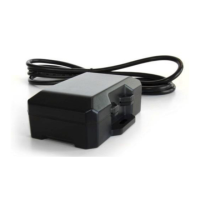
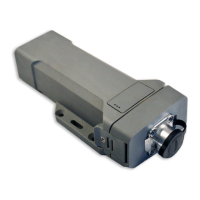
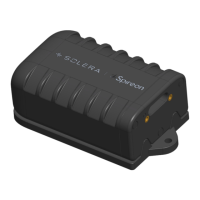
• Tracking Device
• 24-pin I/O cable
• OBDII/Heavy Duty Harness
• Power Harness
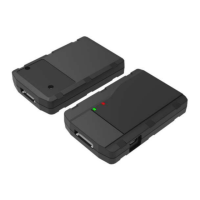
• Driver ID Reader (optional)
• Connectors/Zip Ties
• Mounting Plate
Mounting the Device:
• Mount the FL1 under the vehicle’s dash, label-
side up, using zip-ties, double-sided tape, or a
mounting plate in a location that is clear of any
metallic obstructions from above that might cause
interference with GPS signal reception
CONNECT THE POWER, GROUND AND IGNITION
SENSE WIRE:
• The ground line (black wire) must be connected to
chassis ground.
• The power input (red wire) must be connected
to a constant (un-switched) +12 VDC or +24 VDC
supply; preferably, connected directly to the vehicle
battery terminal or as close to it as possible. This
connection point should be fuse protected to not
more than 5 Amps.
• The ignition input (white wire) must be connected
to the vehicle ignition or another appropriate key
operated line, such as ACCESSORY, ensuring that
power to the ignition wire is available only when the
vehicle ignition is on.
• Once these three wires are connected, plug the
harness into the FL1 device.
• NOTE: Please confirm that the device is powered
prior to installing the OBDII/JBUS harness and that
the fuse is in the fuse holder.

 Need help?
 General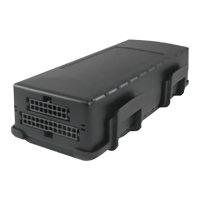

 To Next Page