4 BiG – 500 series BiG – 500 series 5
Control Elements
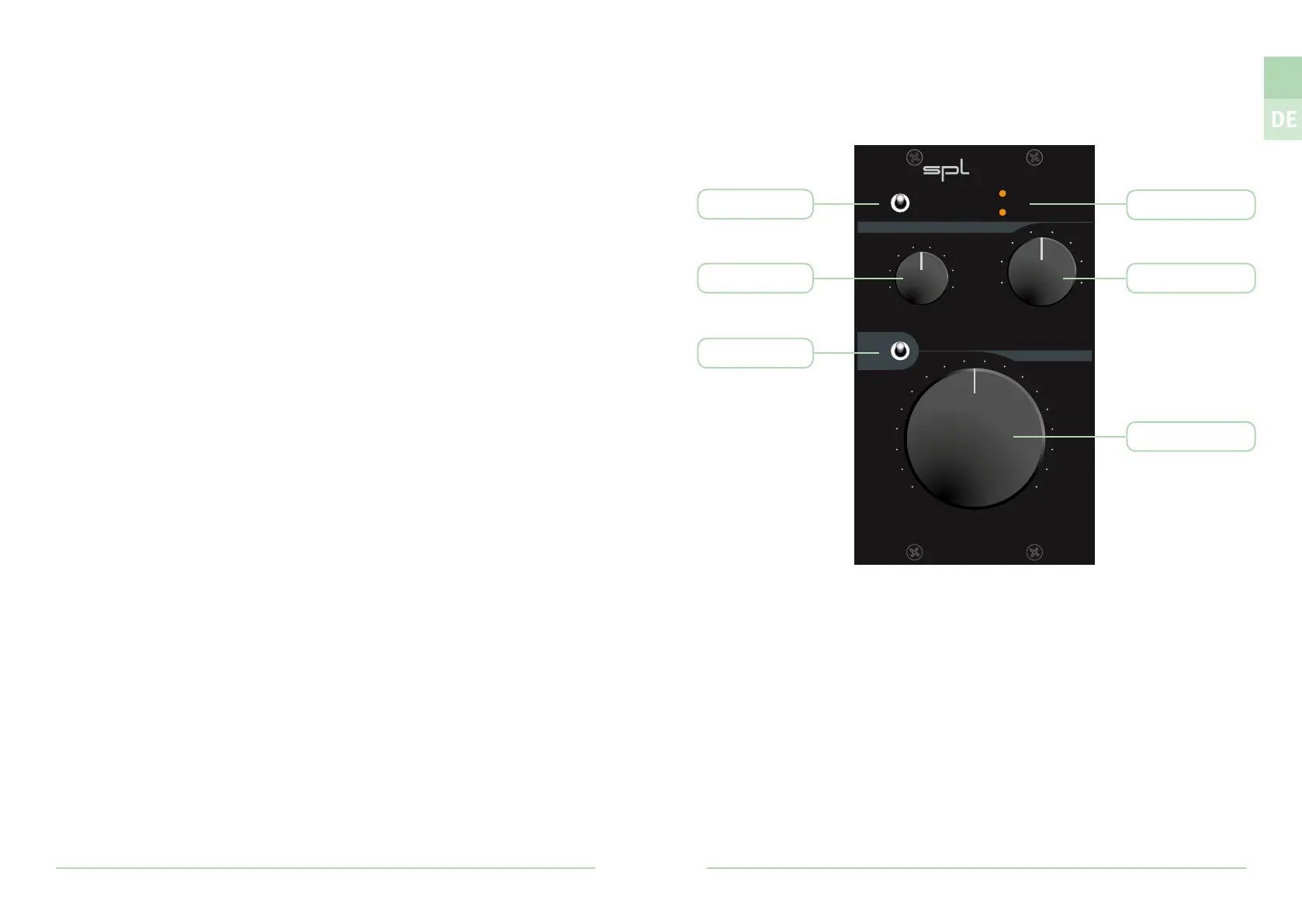
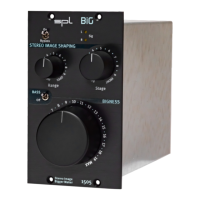
Signal LEDs
The signal LEDs (Sig) indicate whether an audio signal is present at the input of the
respective channel with a level higher than -20 dBu.
These LEDs serve as an assistant to quickly detect whether a signal arrives at the BiG
within a complex studio cabling.
On/Bypass
The On/Bypass switch activates or deactivates (Bypass) the module.
STEREO IMAGE SHAPING – Range
With the Range control, the frequency range which should be processed
can be selected.
STEREO IMAGE SHAPING – Stage
With the Stage control, the frequency range previously selected with the Range
control can be moved backwards or forwards on the stereo stage.
BASS
The BASS/O switch can be used to activate (BASS) or deactivate (O) an additional
bass boost following the BIGNESS section. The bass boost is performed by a passive
lter implemented in a similar circuit to the one used in the AirBass function of the
SPL IRON Mastering Compressor.
BIGNESS
The huge BIGNESS control adjusts the intensity of the STEREO IMAGE SHAPING.
Stereo Image
Bigger Maker
1505
BiG
H
I
G
H
O
P
E
N
M
I
N
M
A
X
BIGNESS
STEREO IMAGE SHAPING
On
Bypass
L
R
Sig
B
A
C
K
F
R
O
N
T
BASS
O
Stage
Range
On/Bypass
Range
BASS/O
Stage
Signal LEDs
BIGNESS
EN


 To Next Page