EN
Only use the pen with PCL (polycaprolactone) filament!
OPERATION WARNINGS!
1. Don’t touch the nozzle during use as it gets hot (max 40°C) and may
cause burns.
2. Never push anything into the nozzle as this may damage the pen.
3. Only use the pen with the included cable and power adapter.
4. Never store the pen with filament inserted, make sure to extrude all
plastics after you have used the pen.
5. Store the pen and filament in a dry and ventilated environment.
OPERATION GUIDE: START UP
1. Connect the included USB power cable and
adapter to a power outlet and connect the pen
to the USB cable.
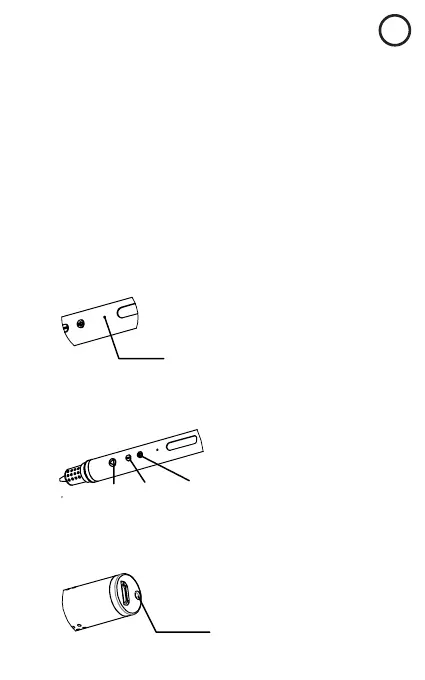
2. The indicator light will turn blue (stand by).
Indicator light
OPERATION GUIDE: PRE-HEAT
1. Click the start button (Button 1). The indicator light changes to red
(pre-heat mode).
Button 1
Button 2
Button 3
2. When the indicator light turns green pre-heat is done and the pen is
ready to use.
3. Put a filament straw into the feed port and gently press down until it
stops.
Feed port



 To Next Page