© 2021 SPT Labtech Ltd
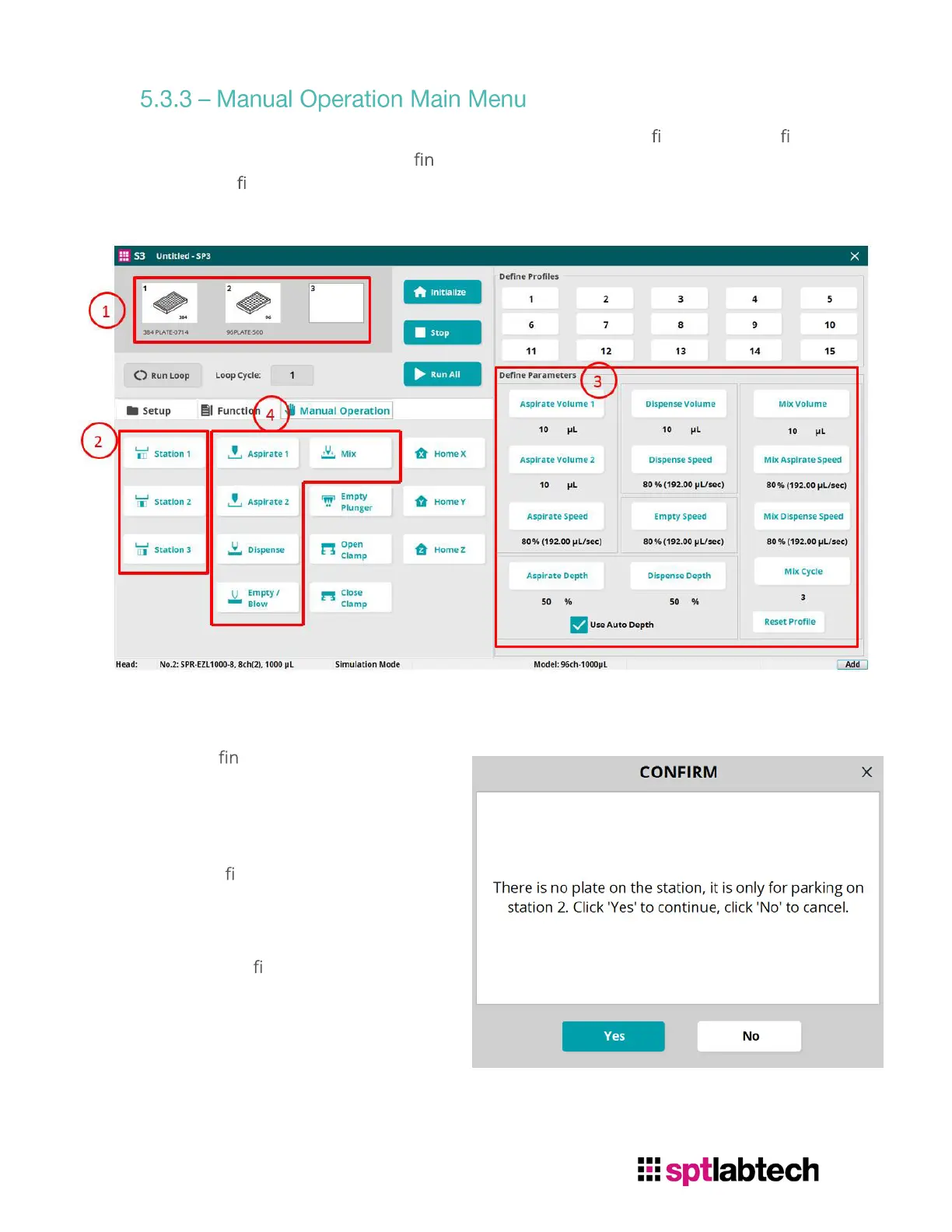
Below is the main menu for Manual Operation. There are 15 pro les user can de ne.
Operational parameters can be de
ed on the right and can be stored by double
click the Pro
le number on the top right. Then operate using the manual operations
commands on the left.
To perform any operation in Manual mode, the procedure would be:
1. De
e the head type and plate
type
2. Select the station number to
perform the operation.
If user
select an empty station, a
con
rm window will pop up. No
operation can be performed in
the empty station except park
there.
3. Edit De
ned Parameters
4. Select desired Manual Operation
Function


 To Next Page
 Loading...