© 2021 SPT Labtech Ltd
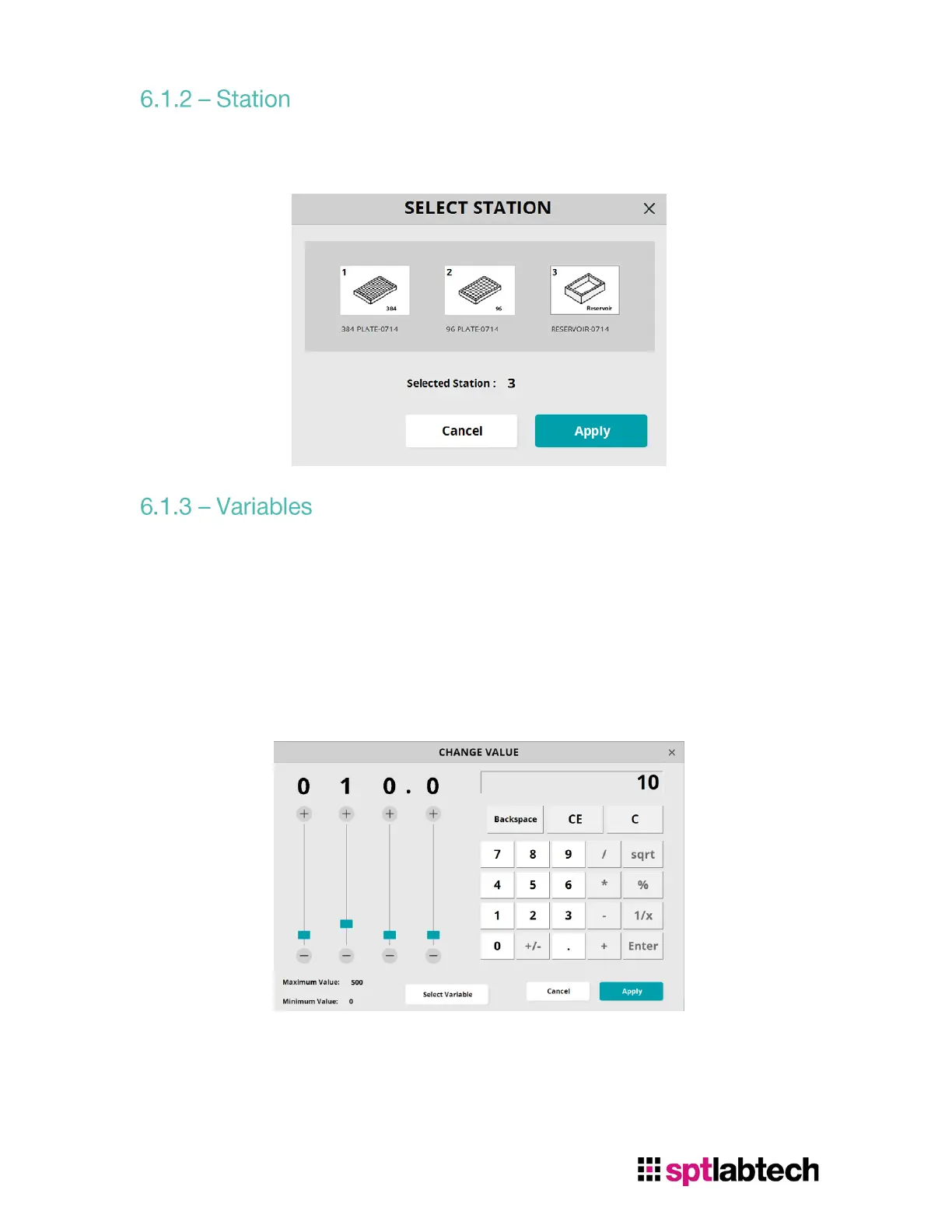
Select the Station number will open an interface for user to choose other desired
station.
To edit the aspirate volume, click on the number next to the volume to open Change
Value Interface shown below. User can either use:
o The sliders on the left
o The number pad on the right
o Click “Select Variable” in the bottom to set the volume variable
If user click on “Select Variable”, variable interface will be opened. User can add
variable, edit name, or change the value of the variable. Select “Apply” to save the
changes.


 To Next Page