EasyManua.ls Logo

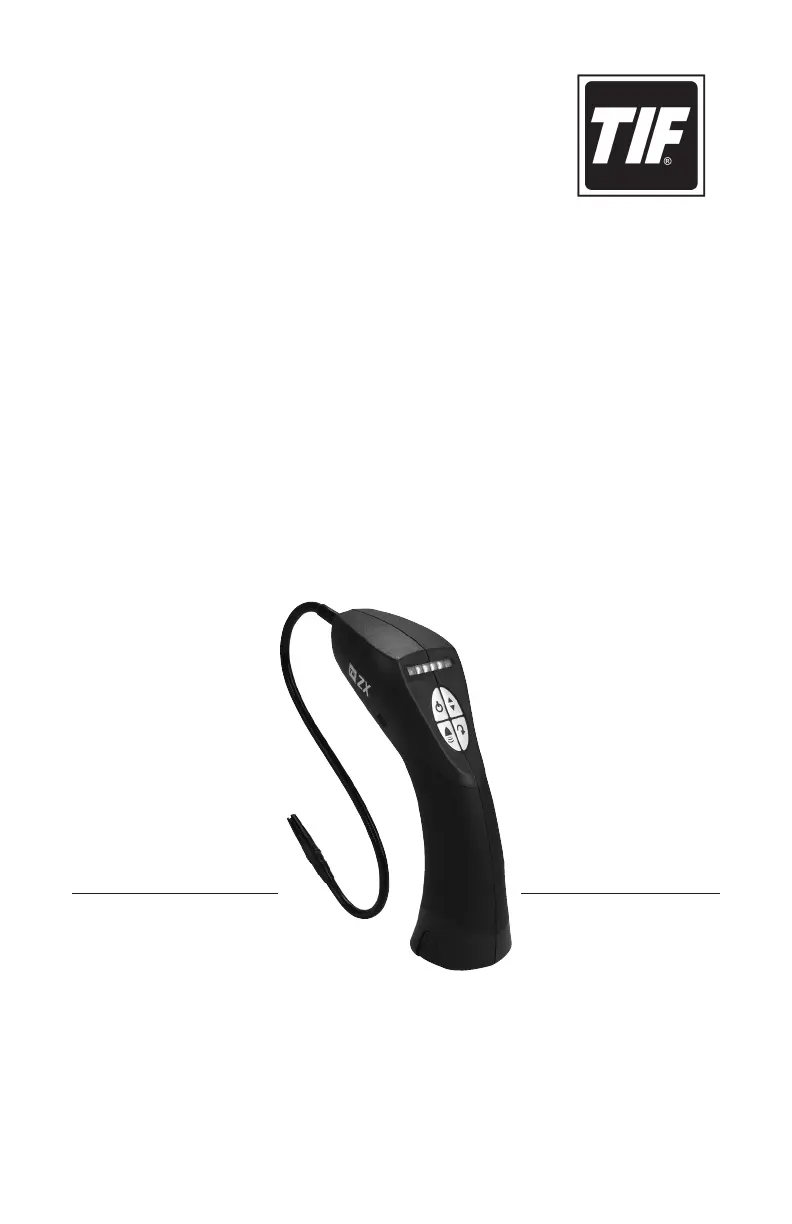
SPX TIF Heated Pentode TIFZX - User Manual

SPX TIF Heated Pentode TIFZX
23 pages
Print Icon
To Next Page IconTo Next Page
Loading...
TIFZX
Heated Pentode™
Refrigerant Leak Detector
Owner’s Manual
Manual del propietario
Manuel de l’utilisateur
an spx brand

Questions and Answers

  • M
    Michelle GarciaAug 1, 2025
    Why does the constant power indicator flash on and off on my SPX Security Sensors?
    • D
      Daniel ClarkAug 1, 2025
      The constant power indicator flashes on and off to indicate that the sensor will soon require replacement. You should order a replacement sensor, but wait until the Failed Sensor Indication is received before installing it.
  • J
    Jeremy CampbellAug 5, 2025
    What to do if all LEDs flash red and the pump doesn't run on my SPX TIF Heated Pentode TIFZX?
    • S
      smithmicheleAug 5, 2025
      If all the LEDs are flashing red and the pump isn't running, this indicates a failed sensor. Replace the sensor to resolve this issue.
  • K
    Kevin TurnerAug 10, 2025
    How to fix erratic behavior and alarms in fresh air with SPX Security Sensors?
    • G
      Gabriela LarsenAug 10, 2025
      Erratic behavior and alarms in fresh air can be caused by a disturbed airflow due to the probe tip or flexible probe hose. Try tightening the probe tip and/or the probe to fix this.
  • C
    Christopher WestAug 14, 2025
    What to do if the audible alarm doesn't sound on my SPX Security Sensors even though the LEDs light up?
    • P
      Patrick KellerAug 14, 2025
      If the audible alarm isn't sounding even though the LEDs are lit, the MUTE feature may be engaged. Turn off the mute feature to restore the alarm sound.
  • N
    Natalie TurnerAug 18, 2025
    What to do if the charge indicator flashes red during battery charging of SPX TIF Heated Pentode TIFZX?
    • B
      Brian BrownAug 18, 2025
      If the charge indicator begins to flash red during battery charging, it means the batteries have failed and cannot be recharged. You will need to obtain a replacement battery pack.
  • R
    Robert HensleyAug 22, 2025
    What to do if the charge indicator goes out after 10 minutes during battery charging of SPX TIF Heated Pentode TIFZX?
    • I
      Ian WallaceAug 23, 2025
      If the charge indicator goes out after 10 minutes during battery charging, it indicates that the batteries have failed and cannot be recharged. Obtain a replacement battery pack.
  • C
    Courtney KennedyAug 27, 2025
    How to troubleshoot if the power indicator LED does not light on SPX Security Sensors?
    • P
      Patrick HoltAug 27, 2025
      If the power indicator LED does not light up, and the unit does not switch on, the batteries are not charged. Connect the charger to the unit to charge the batteries.

Summary

General Description and Features

Key Features and Advantages

Lists the key features and technological advantages of the TIFZX leak detector.

Parts and Controls Overview

Keypad and Control Buttons

Describes the ON/OFF, Sensitivity, Reset, and Alarm keys.

LED Indicators

Explains the Constant Power and Visual Leak Size indicator LEDs.

Main Unit Components

Identifies key parts like the sensor, probe tip, and battery pack.

Charging Port

Location and function of the charger input jack.

Getting Started and Setup

Unpacking the Unit

Instructions for removing the unit and its components from the packaging.

Battery Installation and Charging

Steps for installing the battery pack and initial charging procedures.

Sensor and Probe Installation

Guides for correctly installing the sensor and the flexible probe.

Operating Features

Constant Power Battery Indicator

Describes the LED indicator for real-time battery level monitoring.

True Battery Voltage Test

Explains how to check the precise battery voltage using the LEDs.

Automatic Circuit and Reset Functions

Details the automatic and manual reset functions for ignoring ambient refrigerant.

Sensitivity Level Adjustment

Instructions on how to switch between high and low sensitivity modes.

Sensor Status Monitoring

Explains how the unit detects and indicates sensor health (old or failed).

Alarm Mute Feature

How to manage audible and visual alarms, including muting the sound.

Unit Operation

Powering On and Warm-up

Step-by-step guide on turning on and the unit's warm-up process.

Setting Sensitivity Level

How to select the desired sensitivity for leak detection.

Searching for Refrigerant Leaks

How to move the probe and detect refrigerant leaks using the unit.

Interpreting Leak Size Indicators

Explains what the LED colors (green, orange, red) signify regarding leak size.

Pinpointing Leak Sources

Using the Reset Key to isolate the exact source of a leak.

Operating Tips

Leak Detection Techniques

General strategies and best practices for effective leak detection.

Finding Leaks in Windy Conditions

Advice for finding leaks in windy conditions.

Understanding Alarm Repeatability

Understanding repeatable vs. intermittent alarms for leak identification.

SAE J1628 Automotive Test Procedure

Standardized procedure for testing automotive A/C systems.

System Preparation for Testing

Steps for preparing the A/C system before leak testing.

Visual Inspection of System

How to visually inspect the system for signs of leaks.

Systematic Leak Testing Path

Following a systematic path to ensure all areas are tested.

Probe Movement and Alarm Interpretation

Guidance on probe speed, distance, and interpreting alarm rate changes.

Maintenance Procedures

Battery Charging and Maintenance

Instructions for maintaining and recharging the unit's battery.

Battery Charging Status and Time

Detailed steps for connecting the charger and understanding charging status.

Unit and Battery Storage

Recommendations for storing the unit and battery pack.

Battery Disposal Guidelines

Guidelines for proper disposal of batteries.

Sensor Description and Lifespan

Information about the Heated Pentode™ sensor and its lifespan.

Sensor Aging Notification

How the unit indicates the sensor is aging and needs replacement.

Failed or Missing Sensor Resolution

Steps to take when the unit detects a failed or missing sensor.

Sensor Replacement Guide

Detailed procedure for replacing the sensor unit.

Probe Tip and Filter Assembly

Information on the removable probe tip and the filter cartridge.

Filter Cartridge Installation

Instructions for installing the probe tip and filter cartridge.

Filter Cleaning and Replacement

Guidance on inspecting, cleaning, and replacing the filter cartridge.

Probe Tip Cleaning Instructions

How to clean the probe tip if it becomes dirty.

General Unit Care and Cleaning

General advice for cleaning and maintaining the unit's exterior.

Technical Specifications

Sensor and Electronic Technology Details

Details the type of sensor and the electronic circuit used.

Sensitivity and Performance Metrics

Specifies leak detection sensitivity and warm-up period.

Battery, Sensor Life, and Environment

Information on battery life, sensor lifespan, and operating environment.

Physical Dimensions and Weight

Details physical dimensions and weight of the unit.

Replacement Parts and Accessories

Sensor and Probe Assembly Parts

Part numbers for replacement sensors, probe tips, and flexible probes.

Battery and Charging Components

Part numbers for battery packs, chargers, and charging bases.

Filter Cartridges and Kits

Part numbers for filter cartridges and replacement kits.

Carrying Case

Part number for the carrying case accessory.

Product Warranty Information

Warranty Terms and Coverage

Details the terms and duration of the product warranty.

Exclusions from Warranty

Lists parts and conditions not covered by the warranty.

Repair and Service Information

Guidance on troubleshooting and contacting customer service for repairs.

Troubleshooting Common Issues

Unit Fails to Power On

Addresses the issue of the unit not powering on due to battery.

Sensor Failure Indicators

Solves problems related to a failed sensor indication.

Audible Alarm Not Sounding

Troubleshoots the audio alarm not working, possibly due to mute.

Erratic Alarms in Fresh Air

Diagnoses erratic behavior caused by probe tip or airflow issues.

Flashing Power Indicator

Explains the "Old Sensor Indication" and its resolution.

Battery Charging Problems

Addresses issues with battery charging failure or red flash.

SPX TIF Heated Pentode TIFZX Specifications

General IconGeneral
BrandSPX
ModelTIF Heated Pentode TIFZX
CategorySecurity Sensors
LanguageEnglish

Related product manuals