EasyManua.ls Logo

SPXFLOW APV CU4 Series - User Manual

SPXFLOW APV CU4 Series
64 pages
Print Icon
To Next Page IconTo Next Page
Loading...
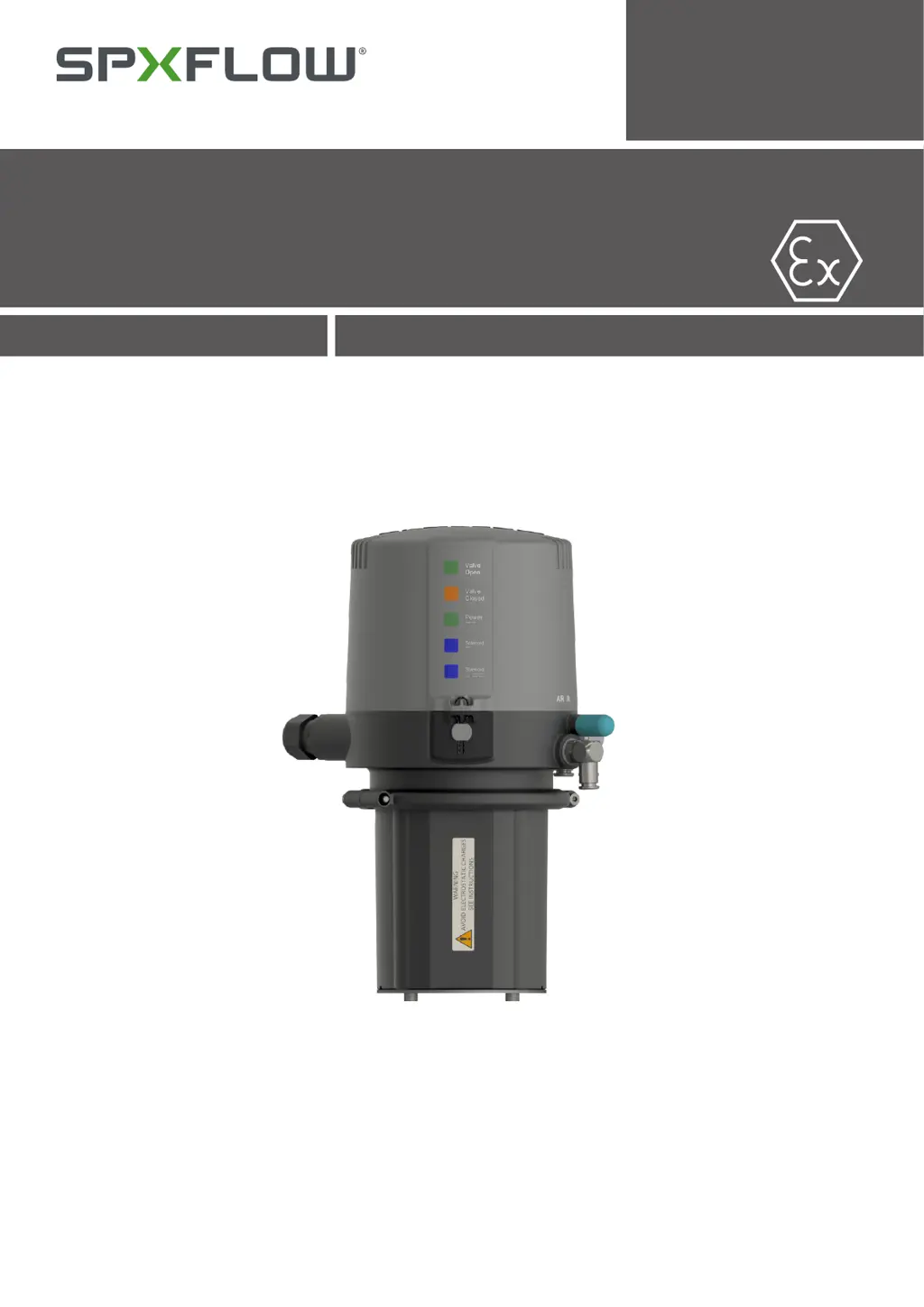
APV CU4** AS-interface Control Unit
SAFETY AGAINST EXPLOSION - FOR IECEx ZONE 2 GAS APPLICATIONS
FORM NO.: H345317 REVISION: GB-1
READ AND UNDERSTAND THIS MANUAL PRIOR TO OPERATING OR SERVICING THIS PRODUCT.
INSTRUCTION MANUAL

Questions and Answers

  • Q
    qparksAug 7, 2025
    What to do if valve position movement is missing with actuated solenoid valve SPXFLOW Control Unit?
    • B
      Brenda FloresAug 7, 2025
      If the valve position movement is missing when the solenoid valve is actuated, verify the correct control unit is installed by checking the label in the type window of the control unit: CU41-D4-AS-interface. Also, check the valve movement with the lever at the solenoid valve, the cabling between the electronic module and solenoid valve, the compressed air supply (minimum 5 bar), and the control air connection between the CU41 and the valve actuator.
  • S
    shelby49Aug 13, 2025
    What to do if feedback via proximity switches is missing in SPXFLOW Control Unit?
    • R
      Rebecca HodgeAug 13, 2025
      If feedback via proximity switches is missing, check the positioning of the proximity switches, the AS-i bus communication, and the cabling to the electronic module.
  • D
    Donald OwensAug 19, 2025
    How to fix valve position is not indicated on SPXFLOW APV CU4?
    • F
      fsmithAug 20, 2025
      If the valve position is not indicated, try these steps: re-adjust the Hall sensors; check the fastening of the magnetic operating cam; and check the cabling of the Hall sensors to the electronic module.
  • M
    mark55Aug 26, 2025
    What to do if LED indication is missing on SPXFLOW APV CU4 Control Unit?
    • H
      hunter65Aug 26, 2025
      If the LED indication is missing, check the AS-i bus communication and the cabling to the electronic module.
  • B
    Becky AguilarAug 31, 2025
    Why are LEDs 'valve open' and 'valve closed' flashing on SPXFLOW APV CU4 Control Unit?
    • B
      Brian JohnsonAug 31, 2025
      If the 'valve open' and 'valve closed' LEDs are flashing, install the corresponding bridge.

Summary

IECEx Specific Instructions

General Information

Overview of IECEx Specific Safety Instructions for CU4** units in explosive atmospheres Zone 2.

IECEx Specific Symbol

Warning symbol indicating important directions for operation in explosive areas.

Authorized Use

Defines the intended application of the CU4** unit in food, beverage, and chemical industries.

Specific Safety Instructions

Detailed safety guidelines for operation in explosive areas, including ESD and handling.

Identification of CU4 Control Units

Details identification markings for CU4** and CU4*plus* control units for ATEX environments.

Operator Responsibilities

Outlines the operator's responsibility for ensuring safe operation and maintenance.

Abbreviations and Definitions

Safety Instructions

Sentinels

Explains warning symbols (Danger, Caution, Attention, Note) used in the manual for safety.

Intended Use

Specifies the intended application of the CU4 control unit as described in chapter 3.1.

General Regulations for Careful Handling

Provides general rules for safe operation, handling, and maintenance of the unit.

Welding Instructions

Advises on welding procedures when control units are installed.

Personnel Requirements

Defines requirements for qualified personnel for installation and maintenance.

Warranty Information

Refers to general terms of sale and delivery for warranty acceptance.

AS-interface Network Safety

Important safety instructions for AS-interface network installation and grounding.

General Terms

Purpose of Use

Describes the development and function of the CU4 AS-interface Control Unit.

Design of CU4 AS-interface

Details the main components of the CU4 AS-interface control unit with a diagram.

Function of Components

Explains the function of individual components like solenoid valves, sensors, and electronic modules.

Mechanics and Pneumatics

Air Connections

Details pneumatic air connections for double seat mix proof valves.

Pressure Relief Valve

Describes the function and importance of the pressure relief valve.

Functional Description - Block Diagrams

Provides block diagrams illustrating functional descriptions of the control units.

Technical Data and Standards

Lists technical specifications and relevant standards for the unit.

Solenoid Valves

Describes the installation and connection of solenoid valves within the control unit.

Throttling Function

Explains how to adjust valve actuator speed using throttling screws.

Adapter

Electronic Module

Function and Block Diagram

Explains the function and block diagram of the AS-interface electronic module.

Functional Description of Connections

Details the functional description of terminal connections for valve types.

Use of Data Bits

Describes the communication data and use of data bits in the electronic module.

Technical Data

Lists technical specifications for the electronic module.

Connections

Details the connections for sensors to detect valve positions.

LED Indication

Explains the meaning of external and internal luminous displays (LEDs).

Feedback Unit

General Terms

General terms related to the feedback unit and its application.

Sensors

Describes the Hall effect sensors used for valve position detection.

Adjustment of Valve Position Feedback

Instructions on adjusting Hall effect sensors for accurate valve position detection.

CU Assembly and Startup

Pneumatic Connection

Instructions for connecting pneumatic air supply and exhaust.

Electric Connection

Guidelines for making electric connections, emphasizing qualified personnel.

External Proximity Switches

Describes the connection of external proximity switches.

Startup Procedure

Step-by-step guide for starting up the control unit after assembly.

Accessories and Tools

Service

Dismantling Procedures

Detailed steps for dismantling solenoid valves, electronic module, and feedback unit.

Trouble Shooting

IECEx; CCC Certificate of Conformity

Spare Parts Lists

SPXFLOW APV CU4 Series Specifications

General IconGeneral
TypeControl Unit
ManufacturerSPXFLOW
BrandAPV
Input Voltage24 VDC
SeriesCU4
ApplicationProcess Control
Communication ProtocolsEthernet/IP
CertificationsCE

Related product manuals