Select your preferred color mode and the application you want to export to, then click
“Save Calibration”.
Type the file name you want to assign to the preset created. (It is suggested to use a
naming system that includes the camera model, lens, calibration mode, and Spyder
Checkr chart. For example, if you calibrate a Nikon D810 with an 85mm lens for
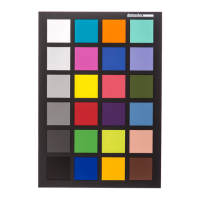
Portrait Mode with the Spyder Checkr 24, a file name such as “D810_85_portrait_24”
would be optimal.)
Launch your editing software, adjust the white balance with the other side of the
Spyder Checker 24, a Spyder Cube, or another gray reference, and apply the preset
you have made to all photos taken for the camera and lens combination.
Datacolor and Spyder are trademarks or registered trademarks of Datacolor.
© Copyright 2020 Datacolor. All rights reserved.


 To Previous Page