EasyManua.ls Logo

Spypoint TINY-HD - User Manual

Spypoint TINY-HD
51 pages
Print Icon
To Next Page IconTo Next Page
Loading...
Digital Surveillance Camera
Système de surveillance photographique
Fotografisches Überwachungs system
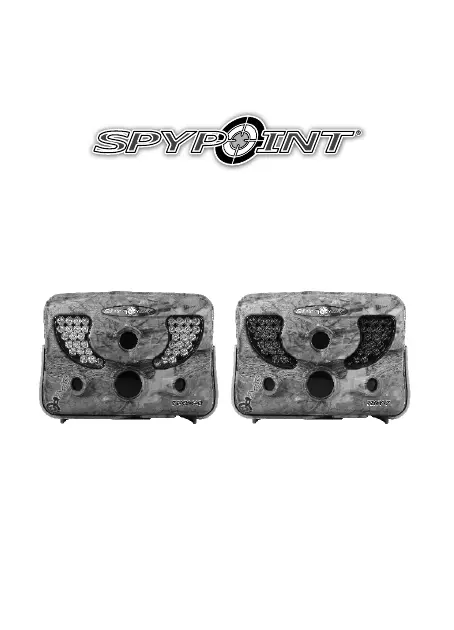
TINY-HD/TINY-7 model
Modèle TINY-HD/TINY-7
Modell TINY-HD/TINY-7
User manual /Manuel d'utilisation /
Bedienungsanleitung
www.spypoint.com
P INTSPY INTPSPY
TINY-HD TINY-7

Questions and Answers

  • B
    Breanna MorganAug 21, 2025
    What to do if my Spypoint TINY-HD can't take photos/videos?
    • M
      Mark HoltAug 21, 2025
      If your Spypoint Security Camera isn't taking photos or videos, first, check if there are batteries inside. If so, try replacing the alkaline batteries or recharging the lithium battery pack. Also, the memory card might be full, or the camera might be turned off. Please verify these.
  • J
    Jessica SuttonSep 3, 2025
    Why does my Spypoint Security Camera beep?
    • A
      Andrew CohenSep 3, 2025
      If your Spypoint Security Camera beeps, you need to insert a memory card.
  • C
    Christine TylerSep 1, 2025
    Why is the red light in front of my Spypoint TINY-HD Security Camera blinking?
    • R
      Richard EvansSep 1, 2025
      If the red light in front of your Spypoint Security Camera is blinking, the camera might be in TEST mode. Alternatively, if the camera is in PHOTO or VIDEO mode, the red light flashes for 60 seconds to allow you to leave the area before a photo or video is taken.
  • S
    stephaniewrightAug 31, 2025
    Why the computer can’t play videos from Spypoint Security Camera?
    • C
      Christopher EvansAug 31, 2025
      If the computer can't play videos from your Spypoint Security Camera, it's likely due to the .MP4 video format. You'll need a compatible video player software like VLC, Windows Media Player, or QuickTime.
  • U
    uellisAug 29, 2025
    How to fix no person/animal on Spypoint TINY-HD Security Camera photos?
    • C
      Claudia YoungAug 29, 2025
      If you're not seeing people or animals in your Spypoint Security Camera photos, try re-orienting the camera. You may also need to reduce the sensitivity setting. Another option is to raise the height of the camera. You might also need to move the camera further back or redirect it. Finally, ensure the mounting post or tree is stable.
  • K
    Kyle BrownAug 27, 2025
    Why is my Spypoint TINY-HD losing its time and date settings?
    • A
      acampbellAug 28, 2025
      If your Spypoint Security Camera is losing its time and date settings, the time battery needs to be replaced.
  • R
    rachel07Aug 27, 2025
    What to do if my Spypoint Security Camera does not respond?
    • R
      Ricky ShawAug 27, 2025
      If your Spypoint Security Camera does not respond, try removing the batteries and then reinstalling them. If that doesn't work, replace the alkaline batteries or recharge the lithium battery pack.
  • E
    emoyerAug 25, 2025
    Why does the screen of my Spypoint TINY-HD turn off?
    • R
      Rebecca ParksAug 25, 2025
      If the screen of your Spypoint Security Camera turns off, it might be set to PHOTO or VIDEO mode. In these modes, the screen turns off after 60 seconds to save battery. Also, the camera automatically resets to PHOTO or VIDEO mode after 2 minutes of inactivity on the main menu. To restore the screen, turn the camera off and then back on.
  • B
    Beverly SandersAug 23, 2025
    Why is my Spypoint Security Camera impossible to turn on?
    • J
      James RamosAug 23, 2025
      If your Spypoint Security Camera won't turn on, start by checking if batteries are inside. Ensure they are correctly installed according to the instructions. Also, verify the battery switch position matches your power source. Consider installing the latest update from the Spypoint website's support section. If all else fails, try replacing the alkaline batteries or recharging the lithium battery pack.

Spypoint TINY-HD Specifications

General IconGeneral
BrandSpypoint
ModelTINY-HD
CategorySecurity Camera
LanguageEnglish

Related product manuals