SPYTEC A119 DASH CAMERA USER GUIDE 12
Loop Recording
As the camera records video, clips are saved as contiguous but separate les at one
of the following durations: 1-, 2-, 3-, 5- or 10 minutes. The default is 3 minutes. When
the card’s capacity is reached, loop recording will automatically overwrite the oldest
le with the newest le. If you turn off loop recording, a single video le could reach
an unwieldy 4GB in size. Also, once the card memory lls up, the camera will be
unable to save more video until you manually delete les or insert a fresh card.
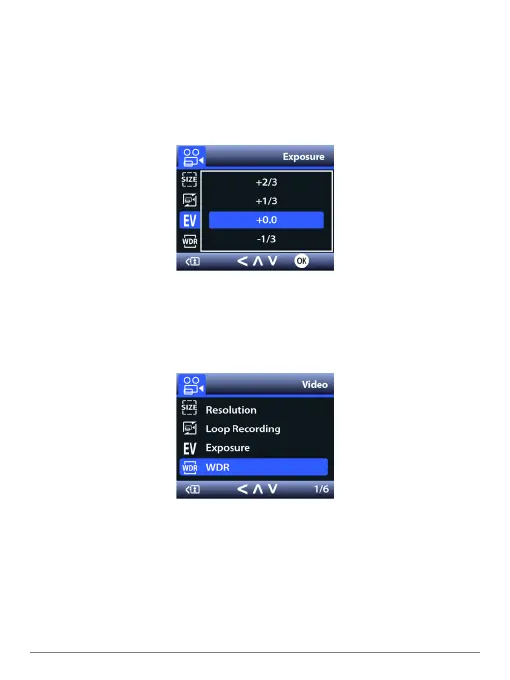
EV Exposure
You can increase or decrease the exposure value in videos and photographs as
they’re being captured by the camera to compensate for poorly-lit or overly-bright
scenes. You can adjust the value to -1/3, -2/3, -1.0, -4/3, -5/3 or -2.0 as well as +1/3,
+2/3, +1.0, +4/3, +5/3 and +2.0.The default is a neutral +0.0.
WDR
Wide dynamic range capability helps reveal details when the scene contains
extremely bright and dark areas. If WDR is turned off while driving toward a rising or
setting sun, for instance, objects that come between you and the horizon may appear
very dark. WDR is turned on by default.


 To Next Page