SPYTEC A119 DASH CAMERA USER GUIDE 4
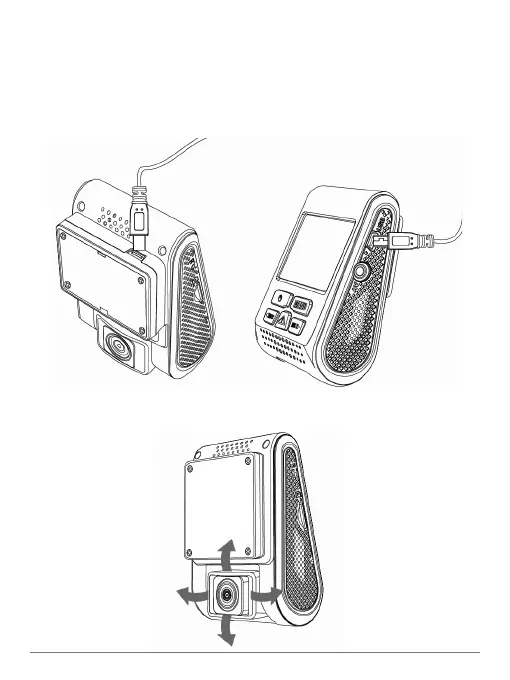
Plug the dual-port power adapter into your vehicle's cigarette lighter. Insert the
mini-USB plug of the cable into the USB port on the camera if you’re not using
the GPS module. If you are using the GPS module, insert the plug into the USB
port on the module rather than the one on the camera. Plug the full-size USB
plug of the cable into one of the adapter’s two power ports.
Note: The second USB power port can be used to charge your phone, for
example.
3
Look at the live view on the LCD. You can further adjust the angle of the lens up/
down and right/left if necessary.
4


 To Next Page