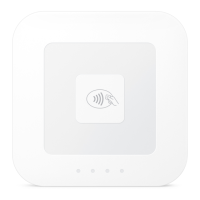
Square POS Application Use
User Roles and Permissions
There are two roles for use by the Square Mobile PIN solution:
Seller
The Seller (you) is the person(s) operating the mobile PIN device and providing goods or services being
purchased by the customer. The Seller has no security configuration abilities within the Solution, but can initiate
a self-test of the Reader by turning that device off then on, or on the Square POS app by restarting the
application.
Customer
The Customer is purchasing goods or services from the Seller using the Customer’s payment card and PIN. The
Solution encrypts and transmits payment card and PIN data The Customer has no security configuration
permissions.
Secure Use
Upon starting the application and pairing the Reader, the Square Mobile PIN solution will perform multiple
security checks on the mobile device to ensure that it is suitable for PIN entry. If these checks fail, there is an
incompatibility with the mobile device, and the Point of Sale app will not accept PIN entry. The Seller should be
able to address these issues based on feedback from the Square Point of Sale app, or by contacting Square for
additional support.
Privacy Shielding
The Reader is not a PIN-entry device. Instead, PINs are entered into the mobile device running the Square Point
of Sale (POS) application. During PIN entry, the Customer should hold the mobile device closely so as to
minimize exposure of the Customer’s PIN to other parties, including the Seller.



 To Next Page